

This needs DaVinci Resolve Studio. The free version does not load OpenFX plugins from other vendors.
Install the plugin
Open Settings in dfine.io Desktop, go to Plugin Sources, and install the Resolve plugin. macOS will ask for your password, because OpenFX plugins live in a system folder. Then quit Resolve and start it again so it picks the plugin up.Add the effect to the timeline node
The Color page has two node levels. Clip works on the shot under the playhead, Timeline works on the finished programme. You want Timeline, otherwise the stream only carries the one shot you happened to be on.1
Open the Color page
Switch to the Color page and open the Library panel on the right, where the OpenFX effects live.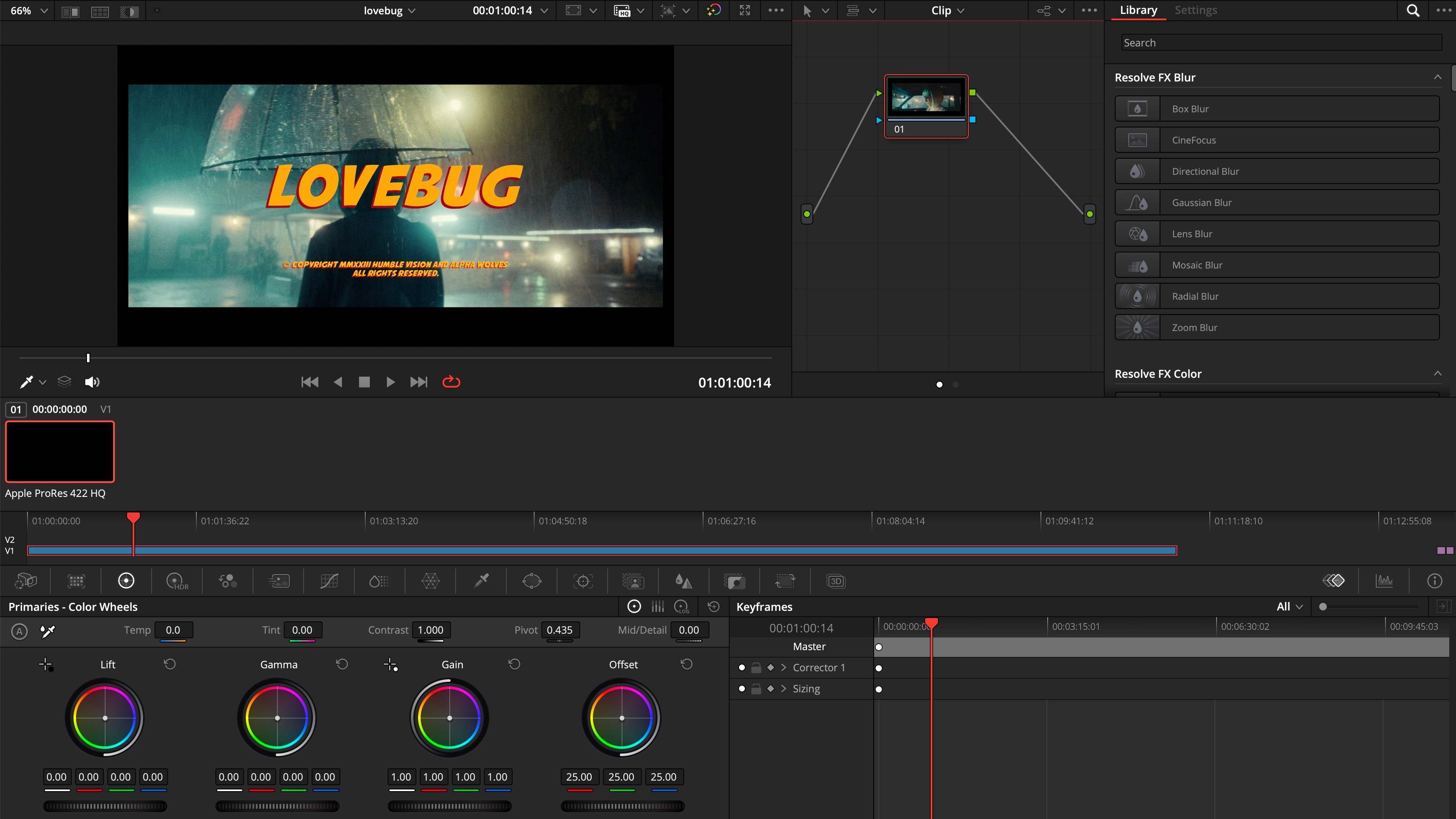
2
Switch the node graph to Timeline
Above the node graph, change the mode from Clip to Timeline. Then type 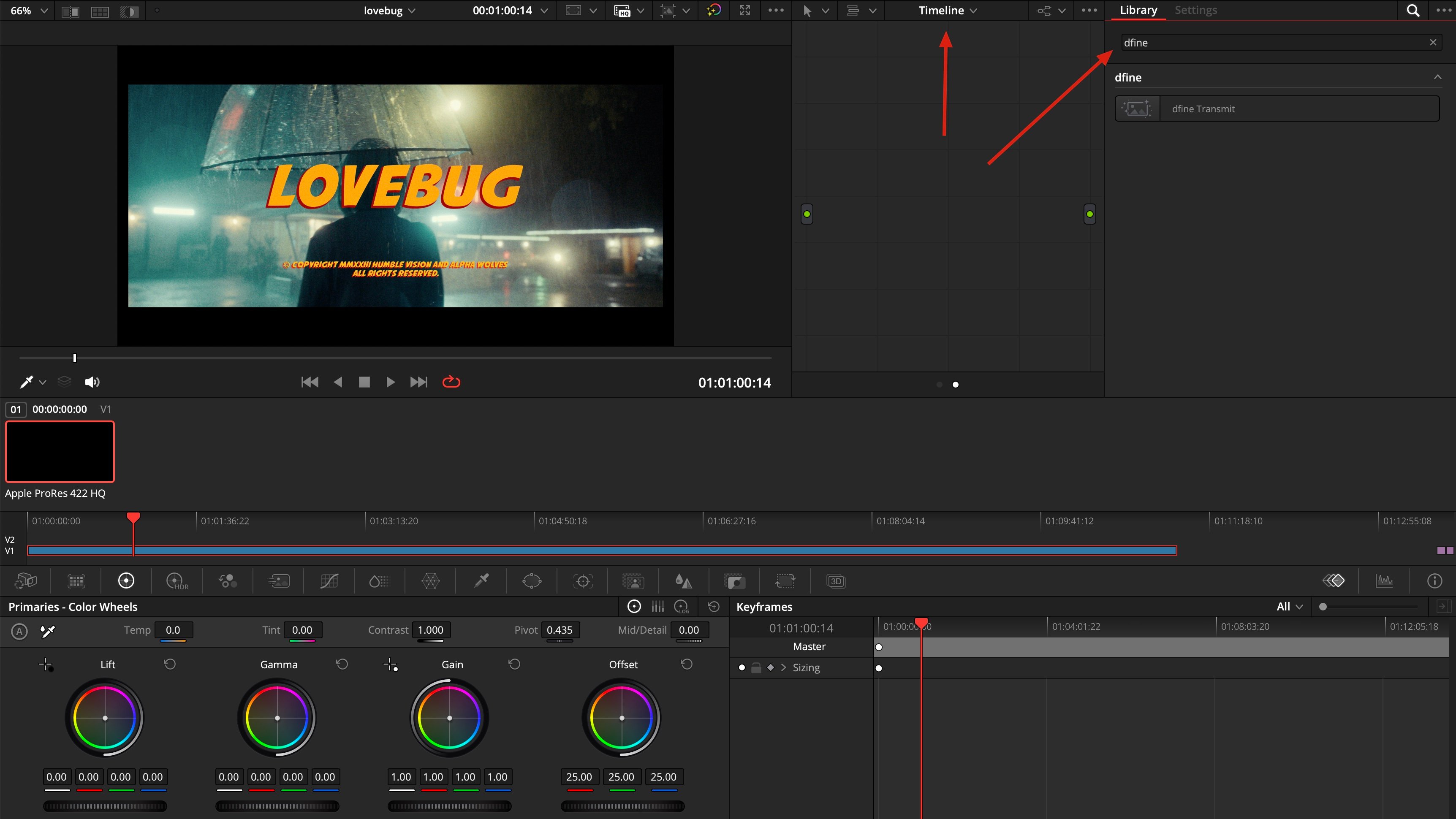
dfine into the library search. dfine.io Transmit appears.3
Drag it into the node graph
Pull dfine.io Transmit from the library into the empty node graph.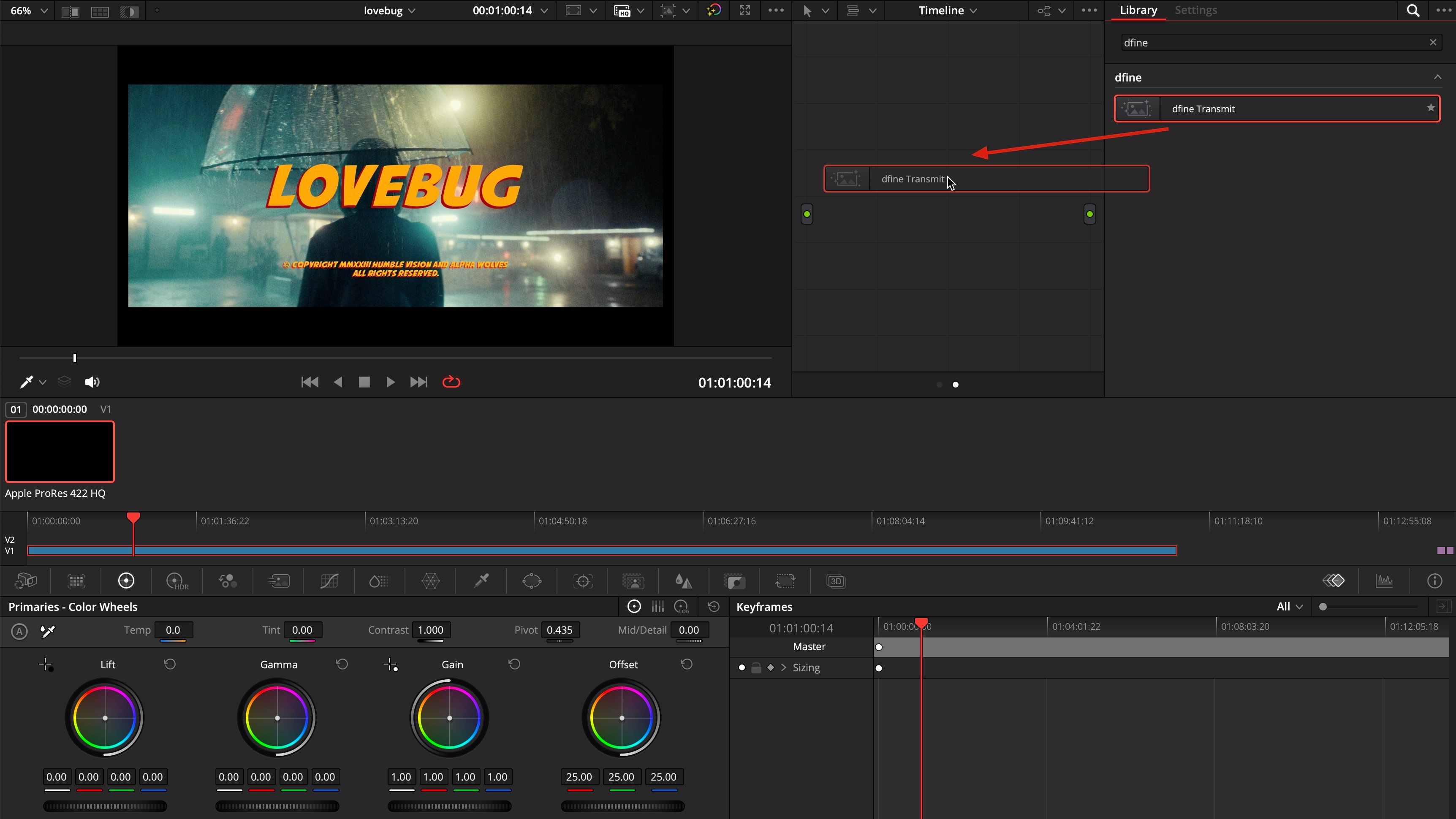
4
Check that the node is live
The node now sits between input and output, and the Settings tab shows dfine.io Transmit switched on.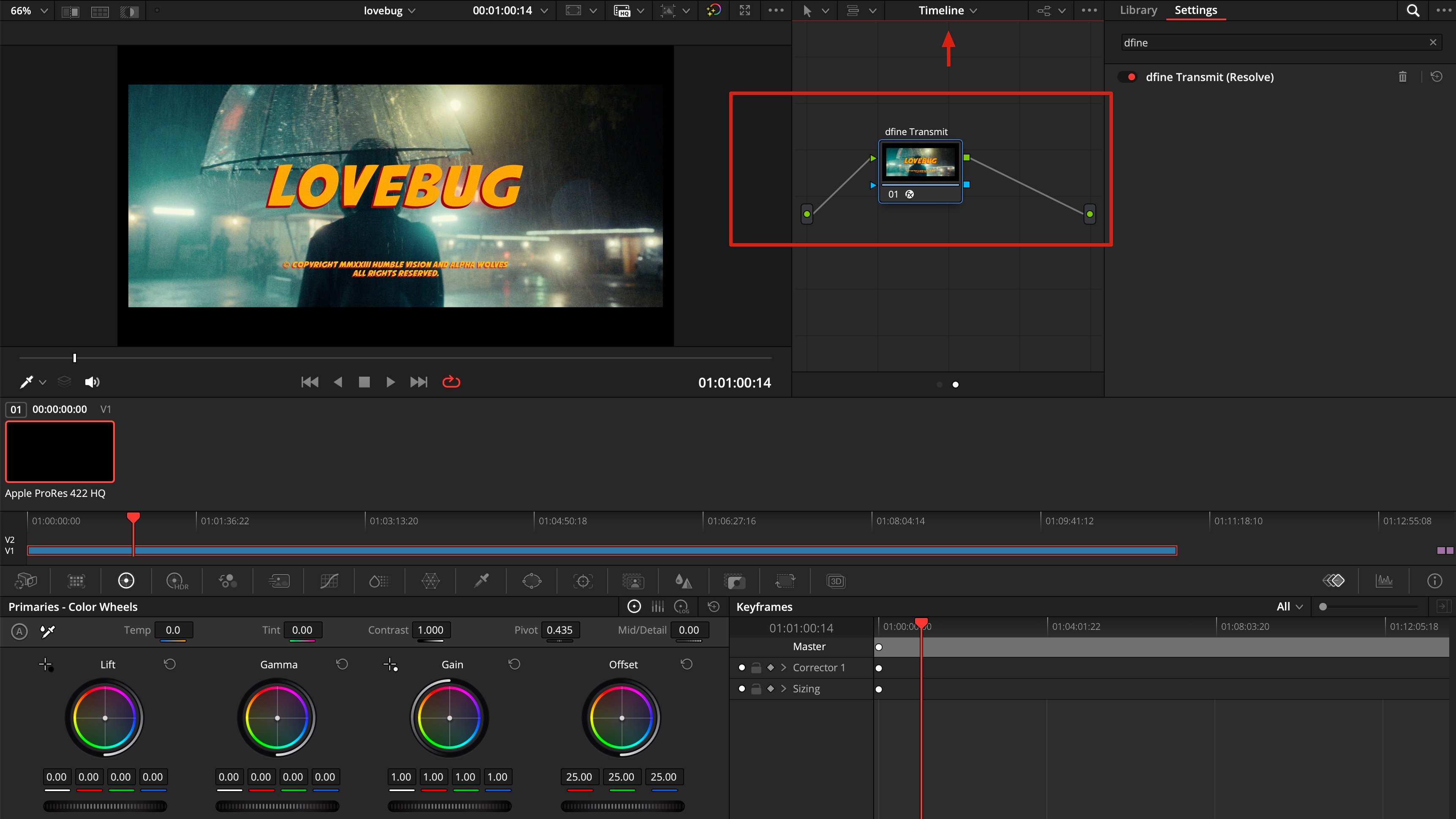
Check that it arrives
Play the timeline in Resolve, then switch to the Ingest tab in dfine.io Desktop. The preview shows your picture and the source is listed as connected. Press Start to go live.Sound is a separate step
The effect you just added carries picture only. Resolve keeps video and audio in different parts of the application, so sound needs its own effect on the Fairlight page.Activate audio in DaVinci Resolve
Add the dfine.io Transmit audio effect to the Main bus so your mix reaches the stream.