

1
Create a project and upload your file
Open Projects and click Create Project. Open the project, then use Upload in its file table to add your video, image or audio file. You can drag files straight in.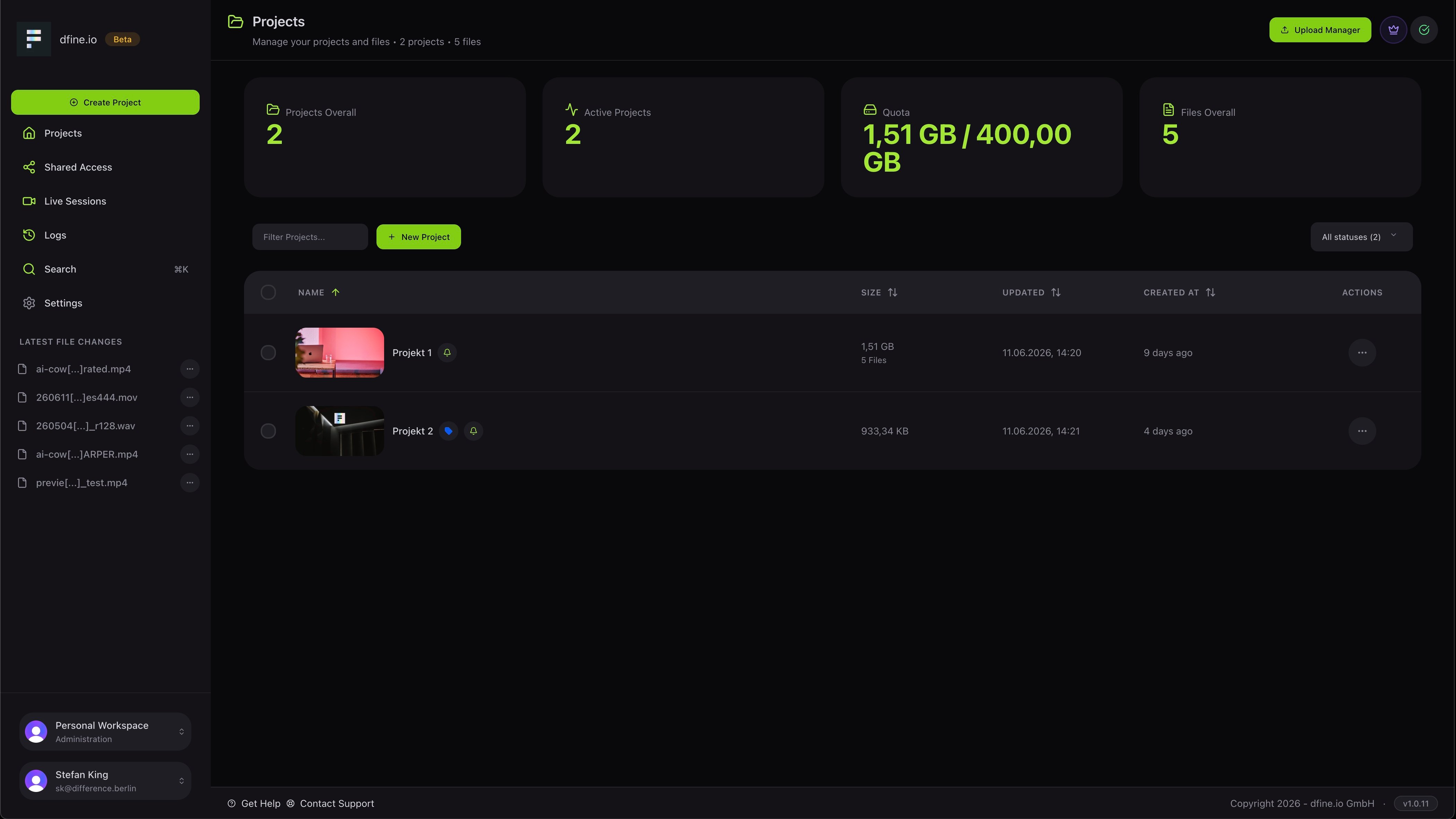
2
Open the file and leave feedback
Open the file to enter the review viewer and type your first comment. See Frame-accurate review for the full set of tools.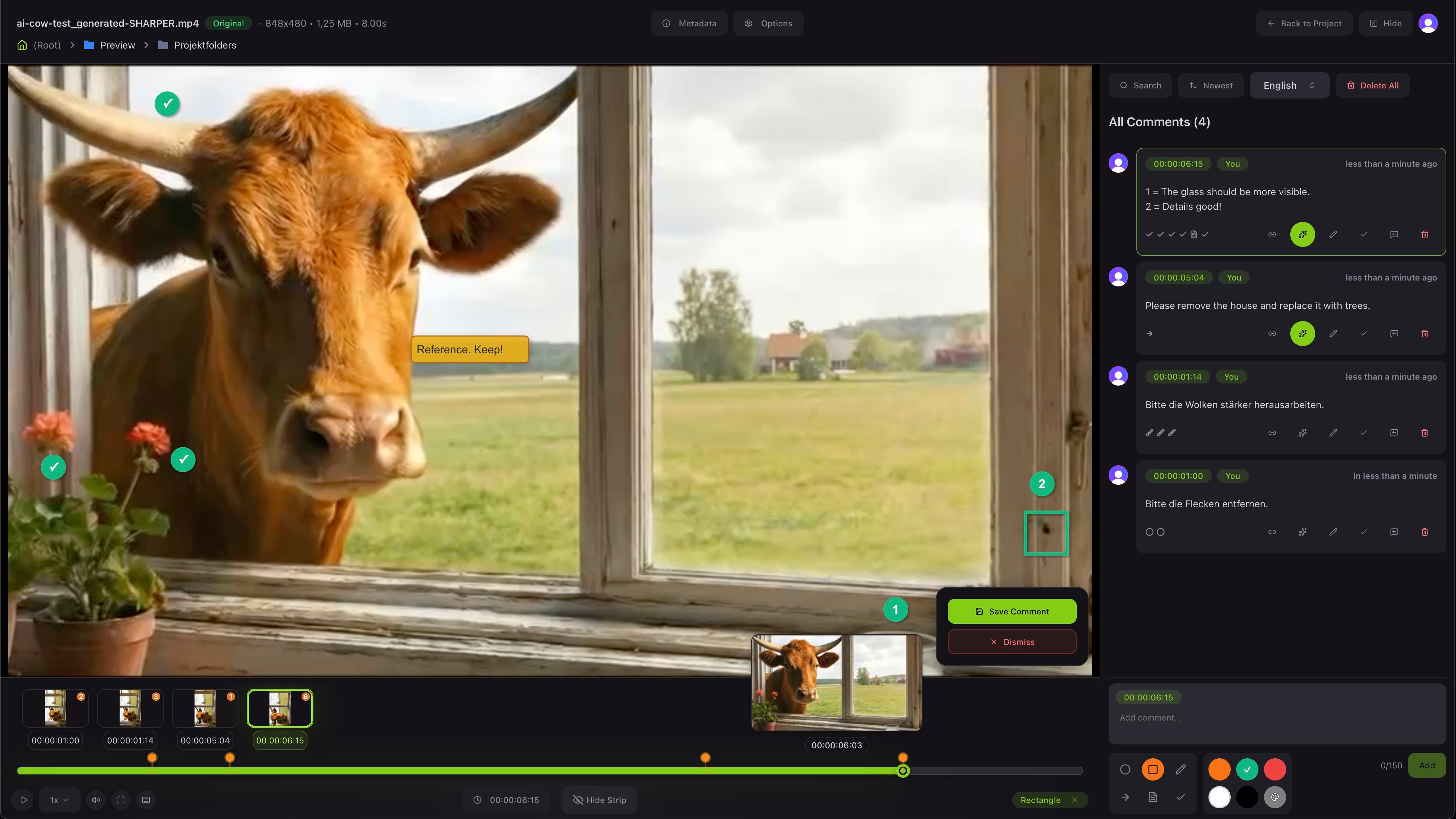
3
Share a link with your client
Use Share to create a link. Give it a name, set how long it stays valid, and add a password if you want. See Share with your clients for what recipients are allowed to do.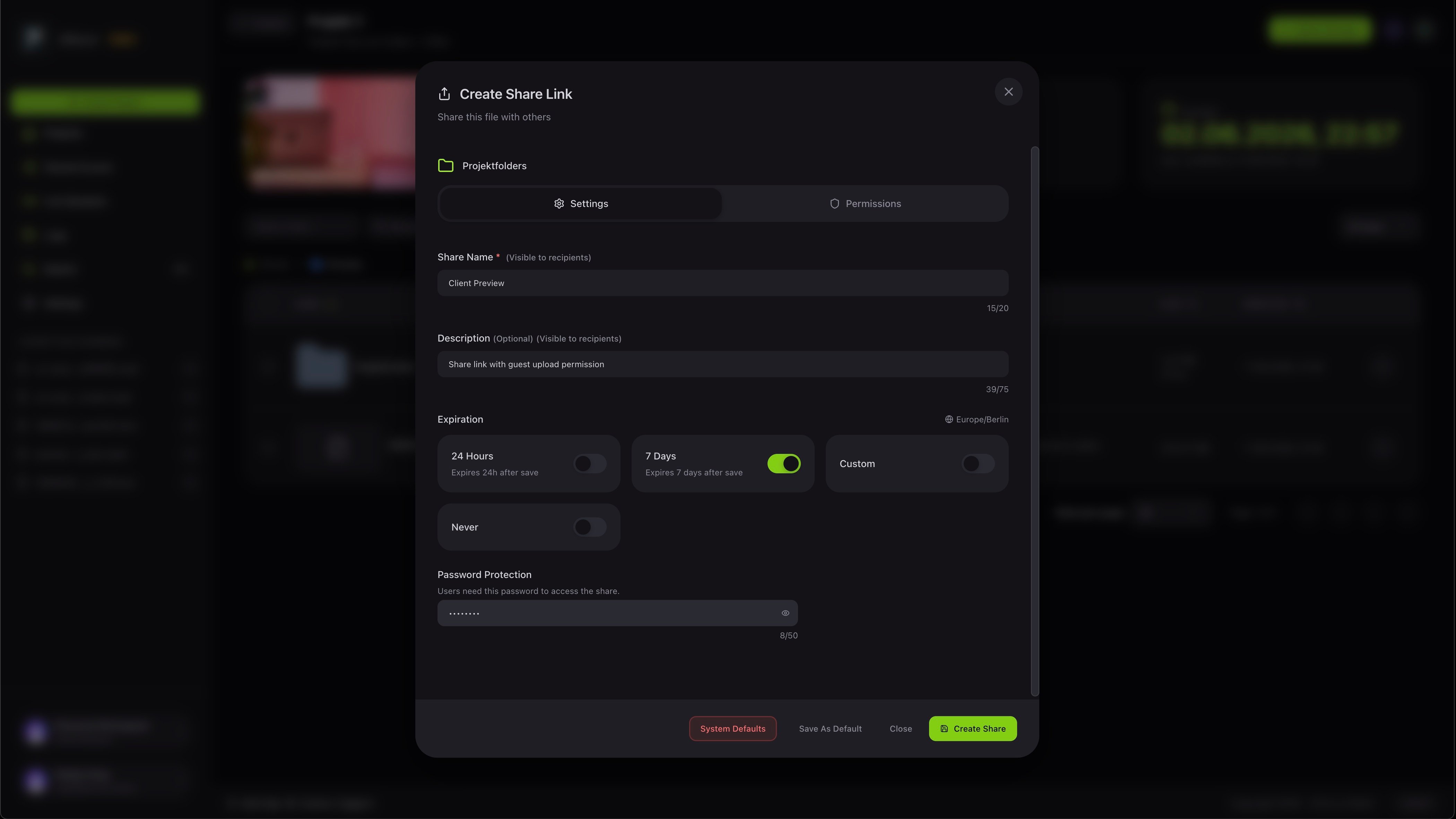
Go deeper on reviewing
Versions, approval and the full set of feedback tools.