

Leave feedback
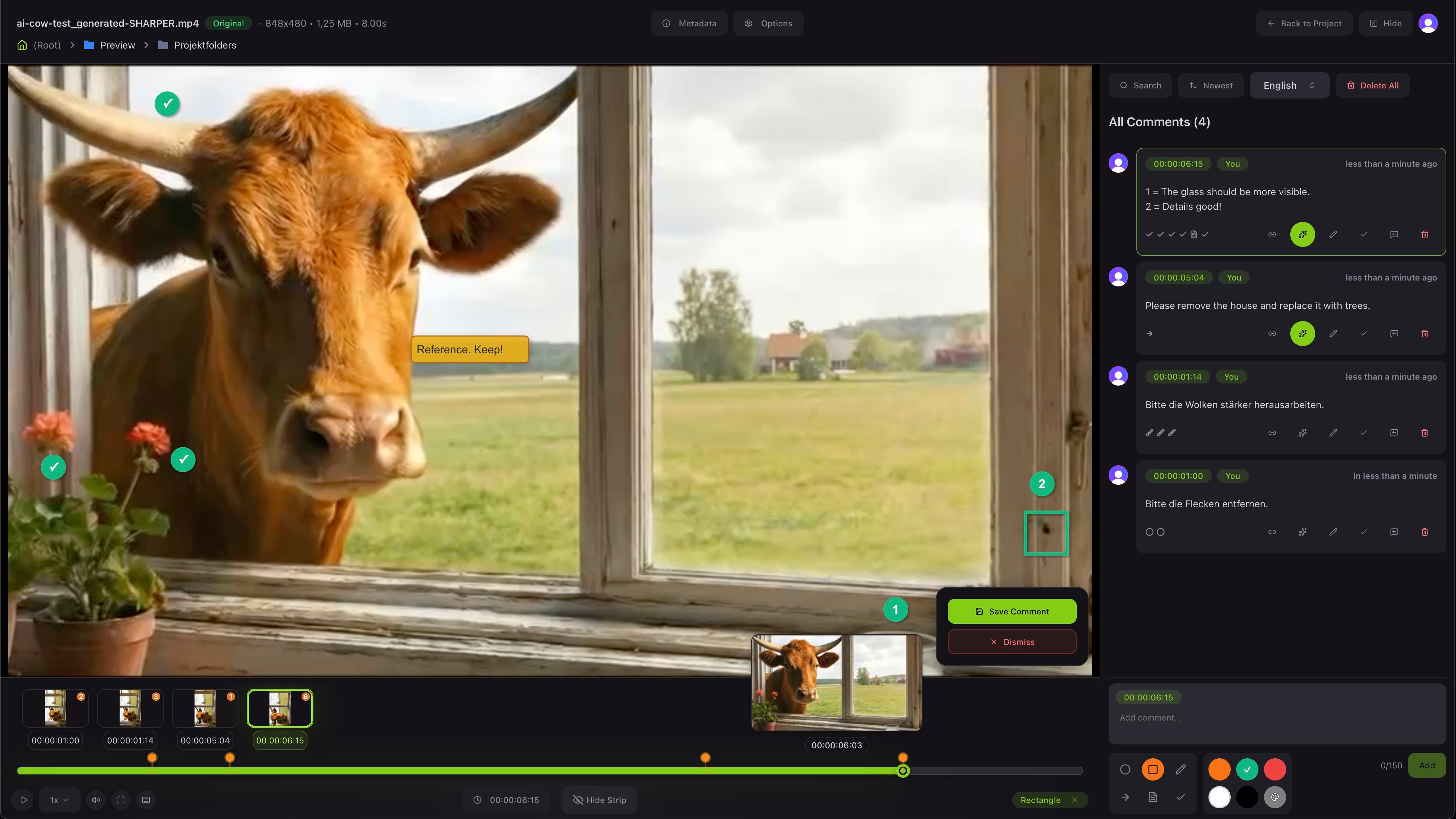
Type a comment and it attaches to the current frame. You can draw on the picture with simple tools and pick a color to make your note clear. Team members and clients can reply to each comment, so a whole discussion stays in one place.Move through the comments
The strip along the bottom shows a thumbnail for every comment. Click one and the viewer jumps straight to that frame with the drawing shown on top. You can also play, pause and change the speed like any video player.Versions and approval
Each file can have several versions. You upload a new version when the work changes, and you can compare it with the one before. When everyone is happy, you set the status to Approved. That switch sits in the notes dialog of the project file table, not in the viewer, so the status is clear to the whole team from the file list.Share it for review
Send a link so your client can leave feedback too.