

- Streaming Classic
- Review
The stream key links your live signal to the right stream slot. Together with the RTMPS server address it is all your encoder needs to go live.
1
Open your project
Go to My Projects and open the project you want to stream to.
2
Open the stream slot
A project holds one or more stream slots, and each slot has its own key. Open a slot, or create one with New stream slot.
3
Copy the key from the Ingest tab
In the slot, open the Ingest tab. You see the RTMPS server and the stream key, each with its own copy button. Paste both into your encoder.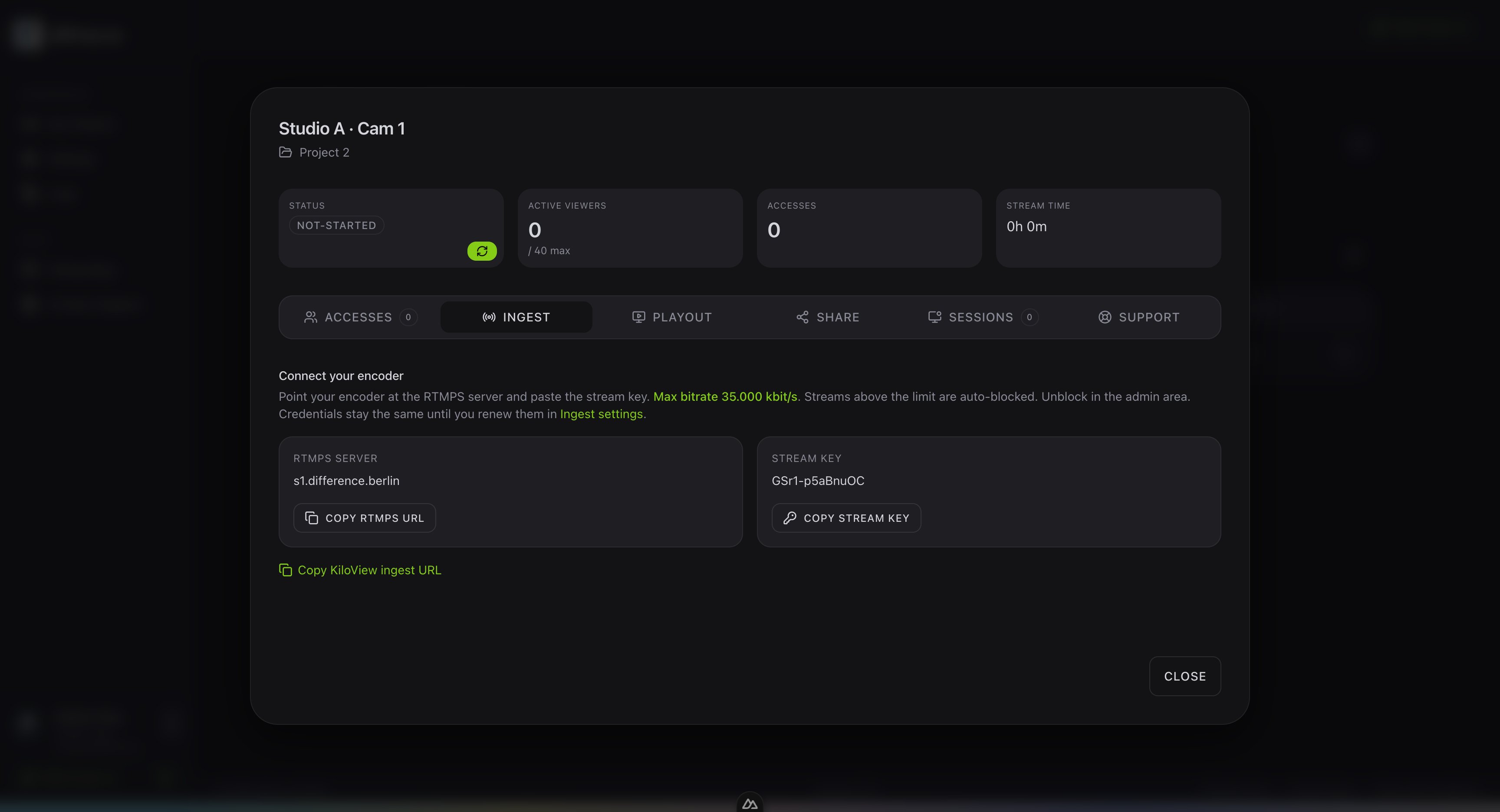
Find the ingest server URL
More on where your encoder sends the signal.