

- Streaming Classic
- Review
The ingest server URL tells your encoder where to send the signal. You copy it once from the app and paste it into the server field of your encoder.
1
Open Settings
In the app, go to Settings and open the Ingest tab.
2
Copy the URL
Under Ingest server authentication you find your username, password and default ingest server. Click Copy RTMPS ingest URL to copy the full address to your clipboard.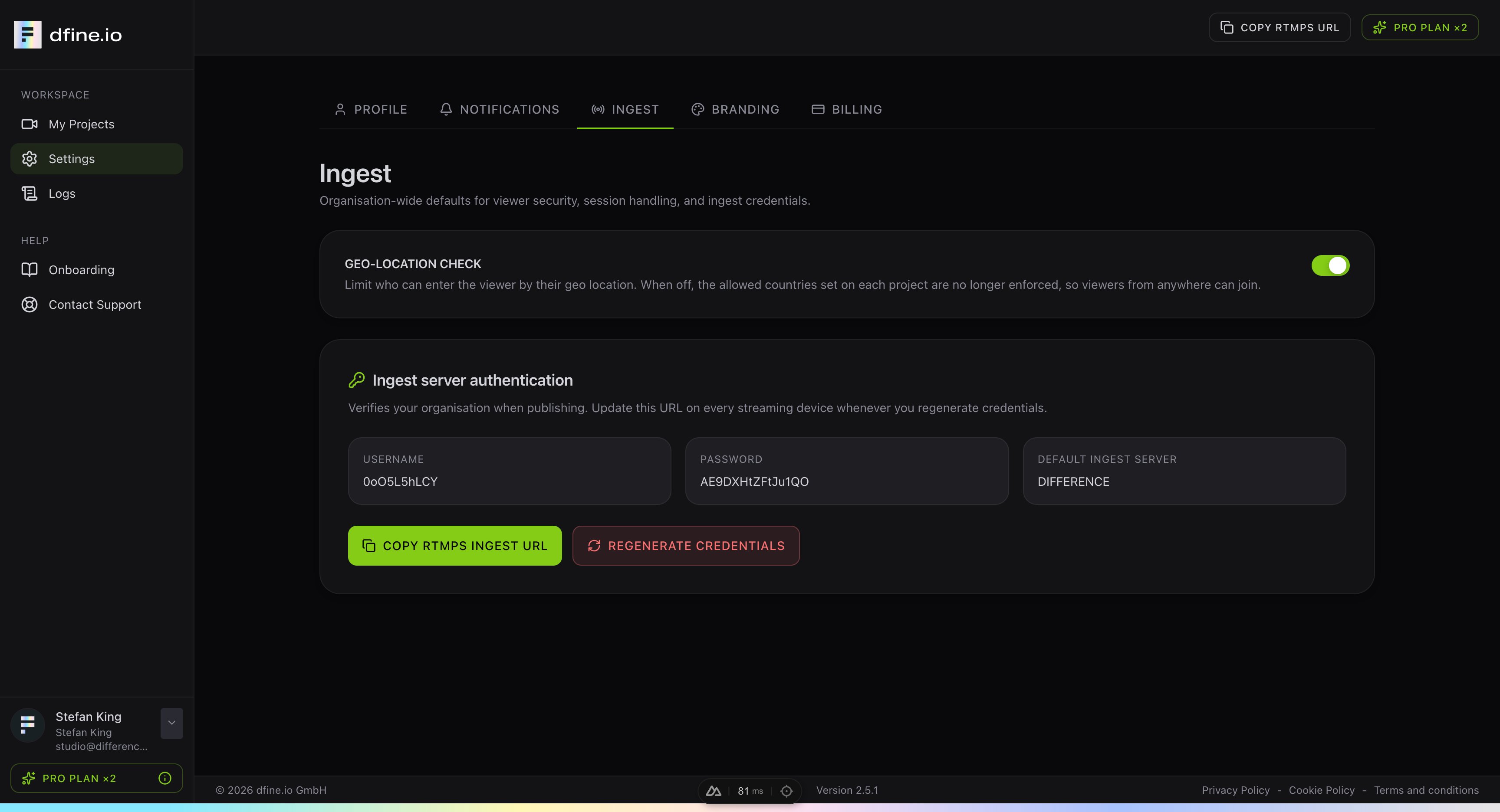
3
Paste it into your encoder
Paste the URL into the Server field of your encoder, for example in OBS. The address always starts with
rtmps:// because every stream is encrypted.If you ever regenerate your credentials, copy the URL again and update it on every device that streams.
Keep your quality high
A short checklist to get the best possible playback when streaming.