

This applies to OBS streaming for both dfine.io products — Streaming Classic and Review livestreaming.
Use the latest profile
Make sure you use the current OBS profile that matches your plan. You can download it any time.Download the OBS profiles
Latency under one second, online monitoring up to 4K, with pay as you go pricing.
Use the x264 encoder
Our servers work best with the x264 encoder in OBS. In OBS, open Settings, then Output, then check that the encoder is set to x264.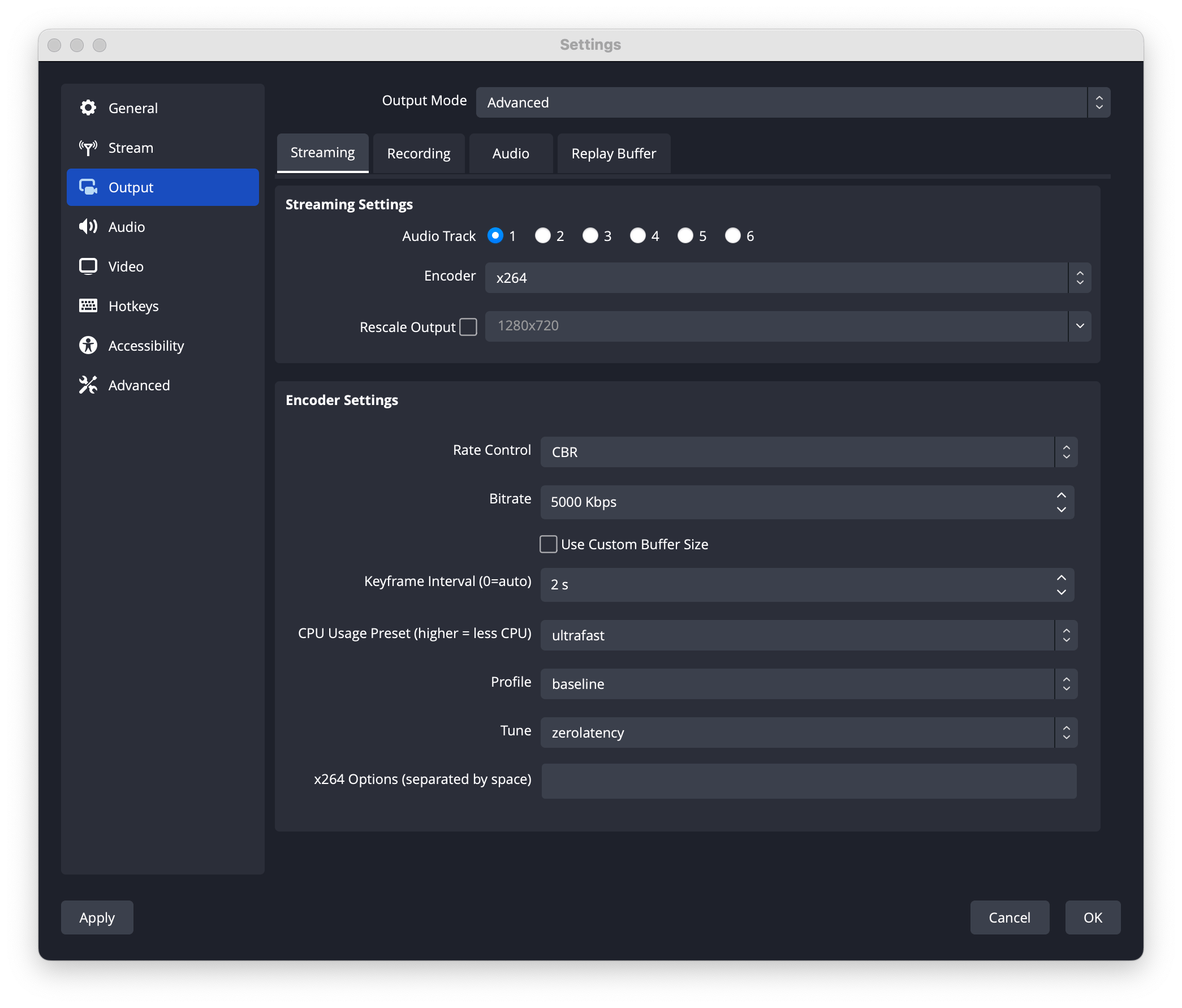
Match your video settings
Make sure your video settings match the source of your working environment.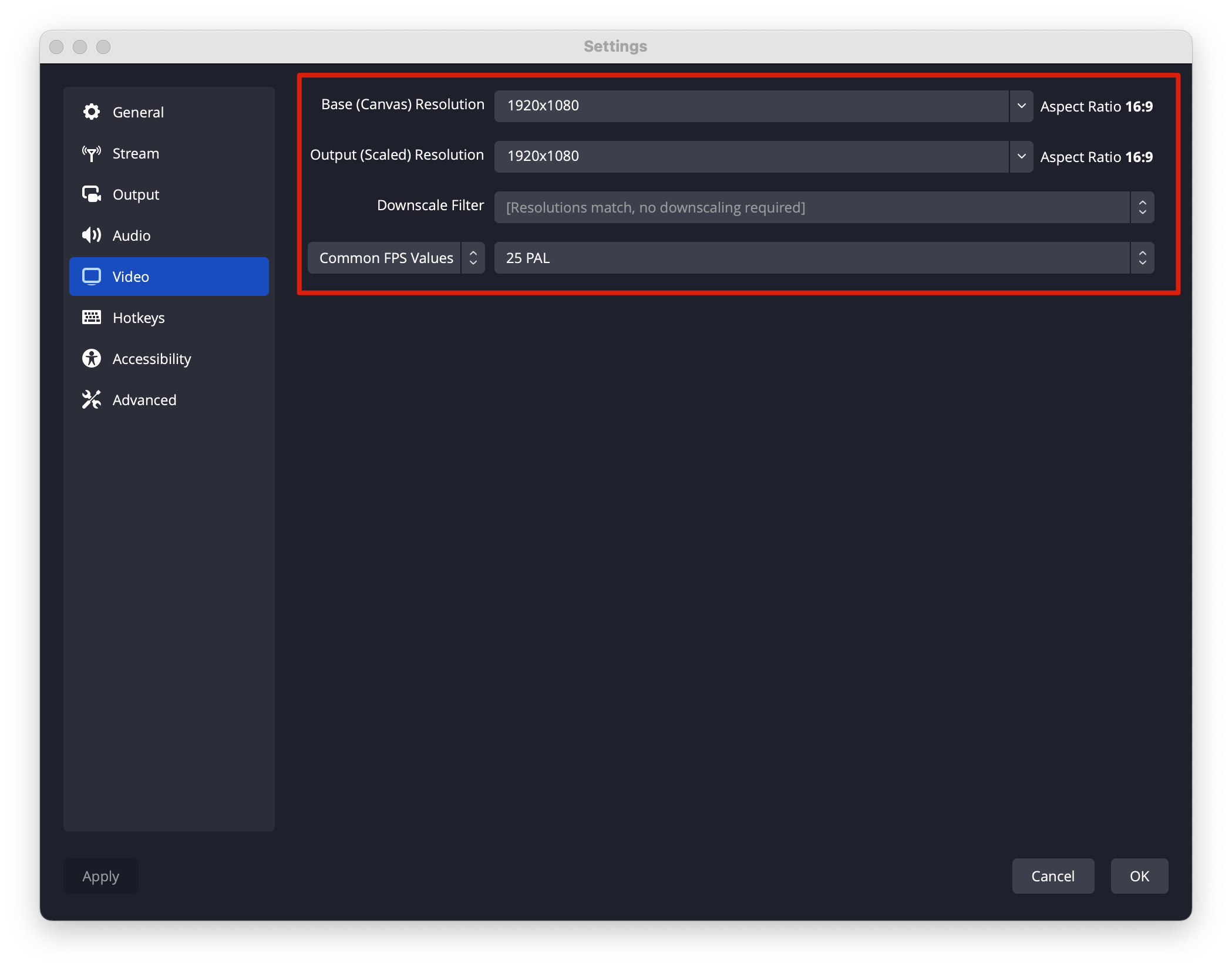
Keep your quality high
A short checklist to get the best possible playback.