

1
Open Conferencing
Click Conferencing in the sidebar. Create Room makes a room, Quick Create makes one in one click. The cards at the top show the minutes you used this period.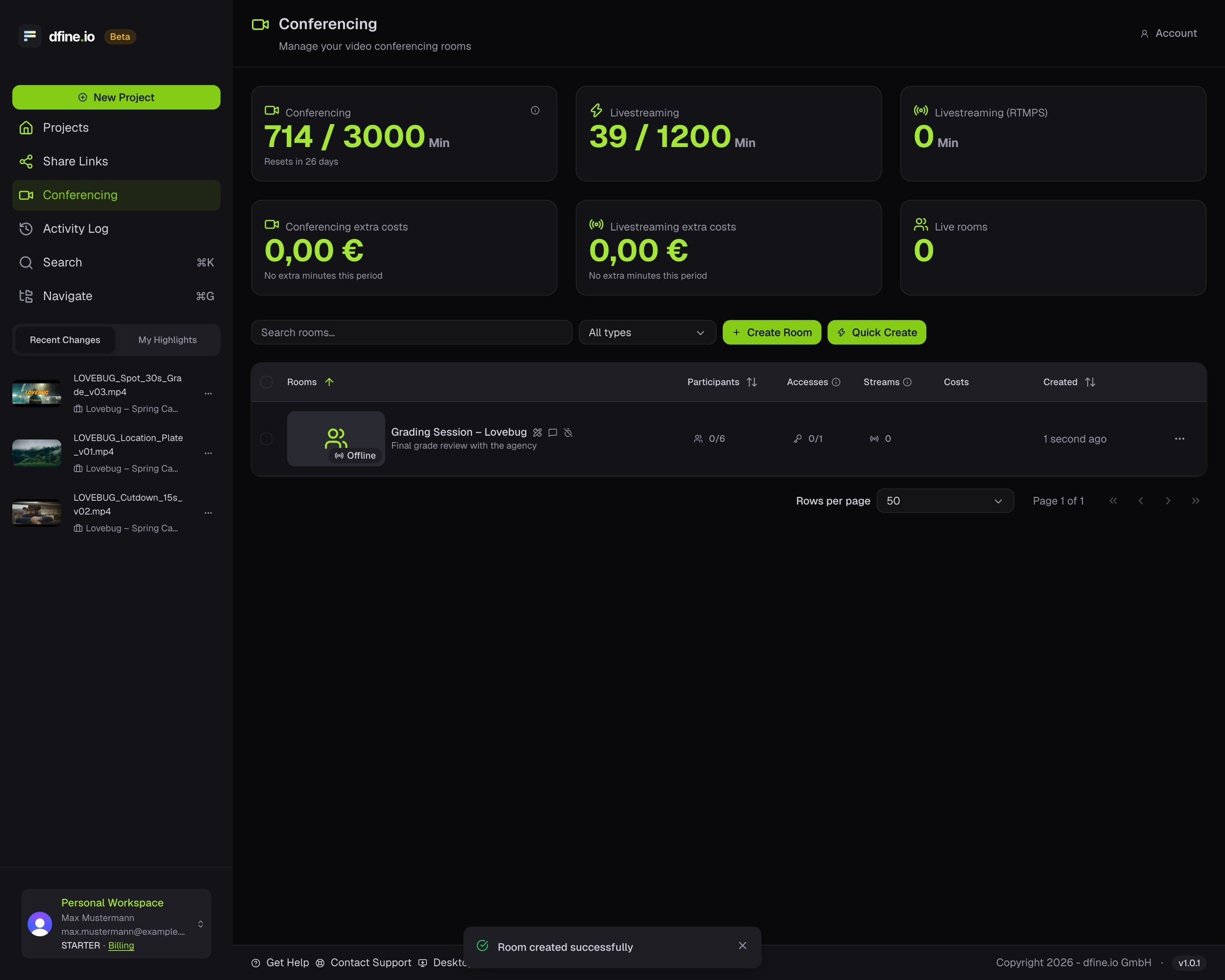
2
Open Accesses
In the room, go to the Accesses tab and click Add Access.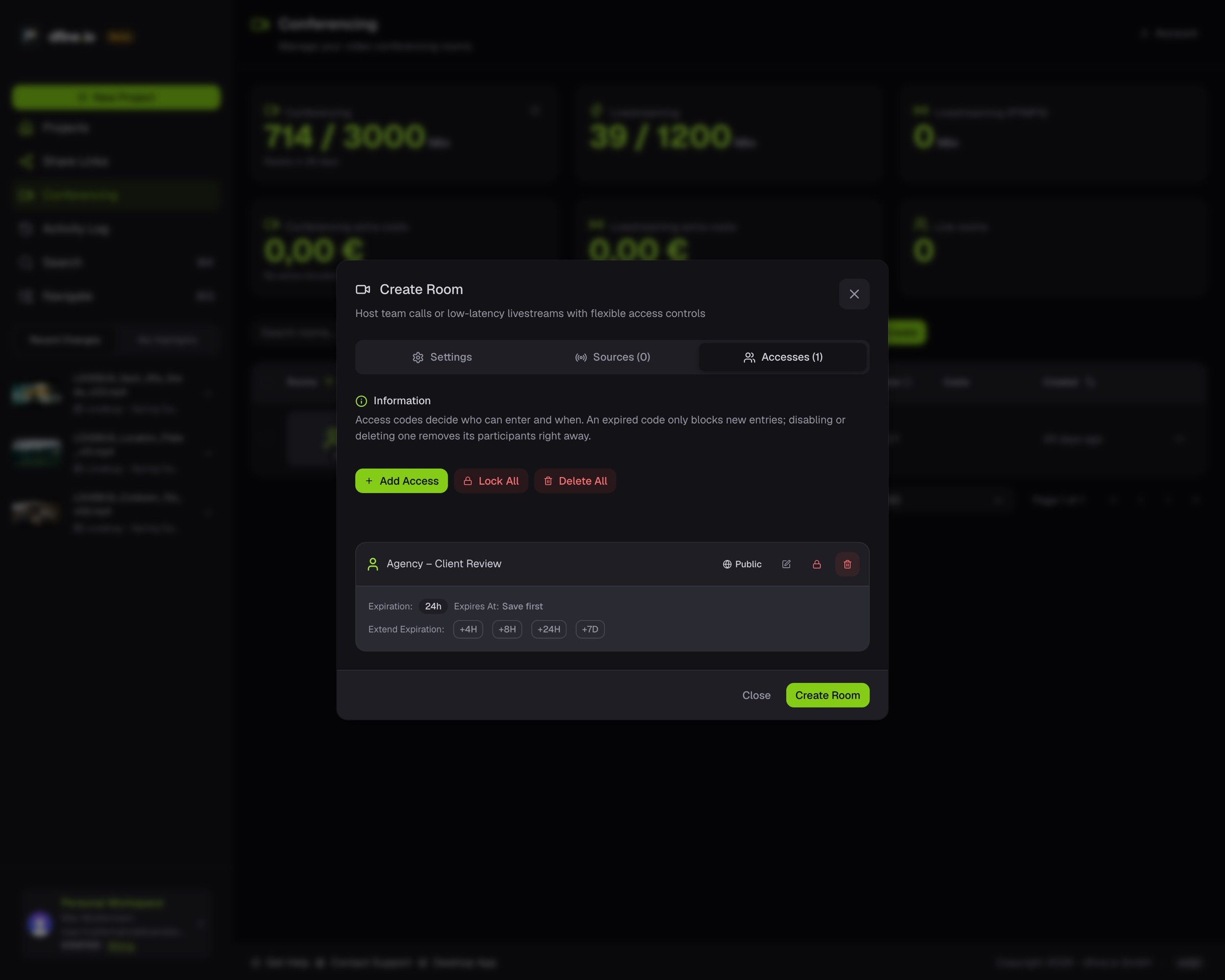
3
Set the access
Give it a name and a role, Host or Participant. Add a password, an expiration or a participant limit if you need them. Invite Only limits it to the people you invite.
4
Send the link
Copy the access link and send it. Turn the access off any time to block entry without deleting it.