

1
Switch on folder passwords
Open the account menu at the bottom of the sidebar, click Settings and open Security. Switch on folder protection and set a default folder password if you want one.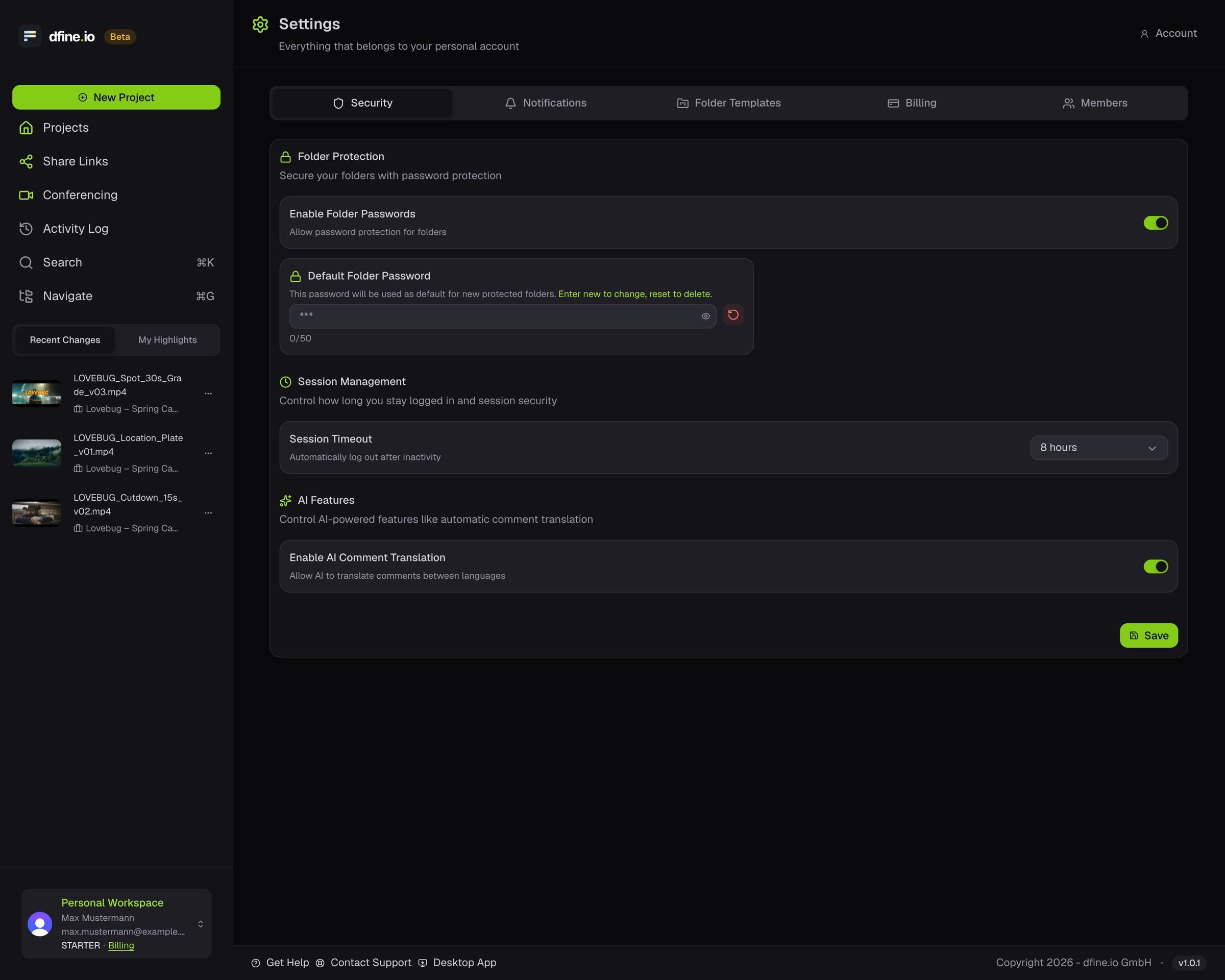
2
Protect the folder
In the project, open the folder’s menu and choose Protect Folder.
3
Check it
The folder shows a small lock. Anyone who opens it is asked for the password first.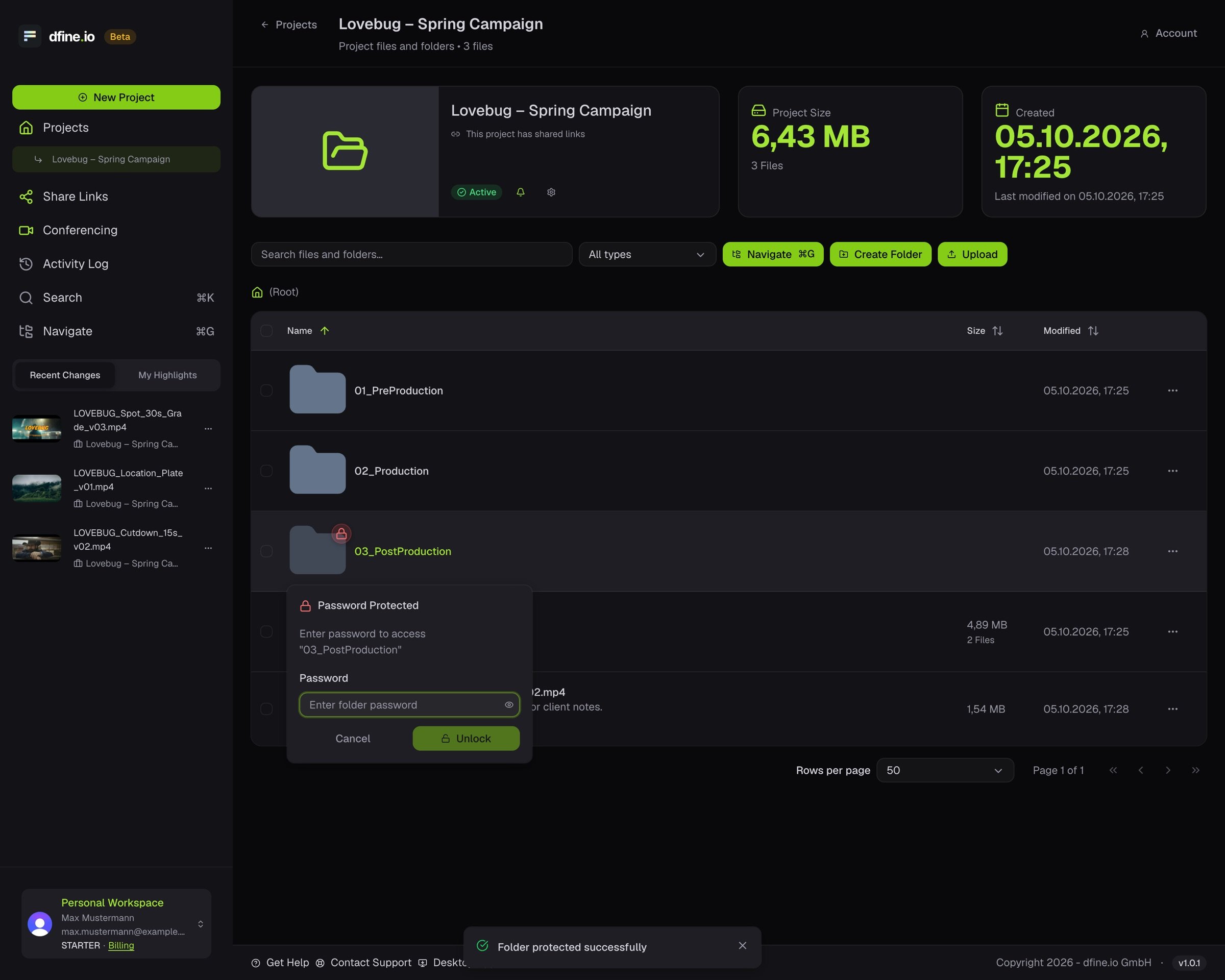
dfine.io Download cannot open a folder with its own password. Your client downloads that folder in the browser.