dfine.io Studio sends a picture to dfine.io and brings one back. It streams into a Review room over WHIP or to Streaming Classic over RTMPS, and it plays a Review session or a Streaming Classic stream out to a Blackmagic DeckLink card for your reference monitor.

Download dfine.io Studio

One app for Apple Silicon and Intel, macOS 13 or newer.
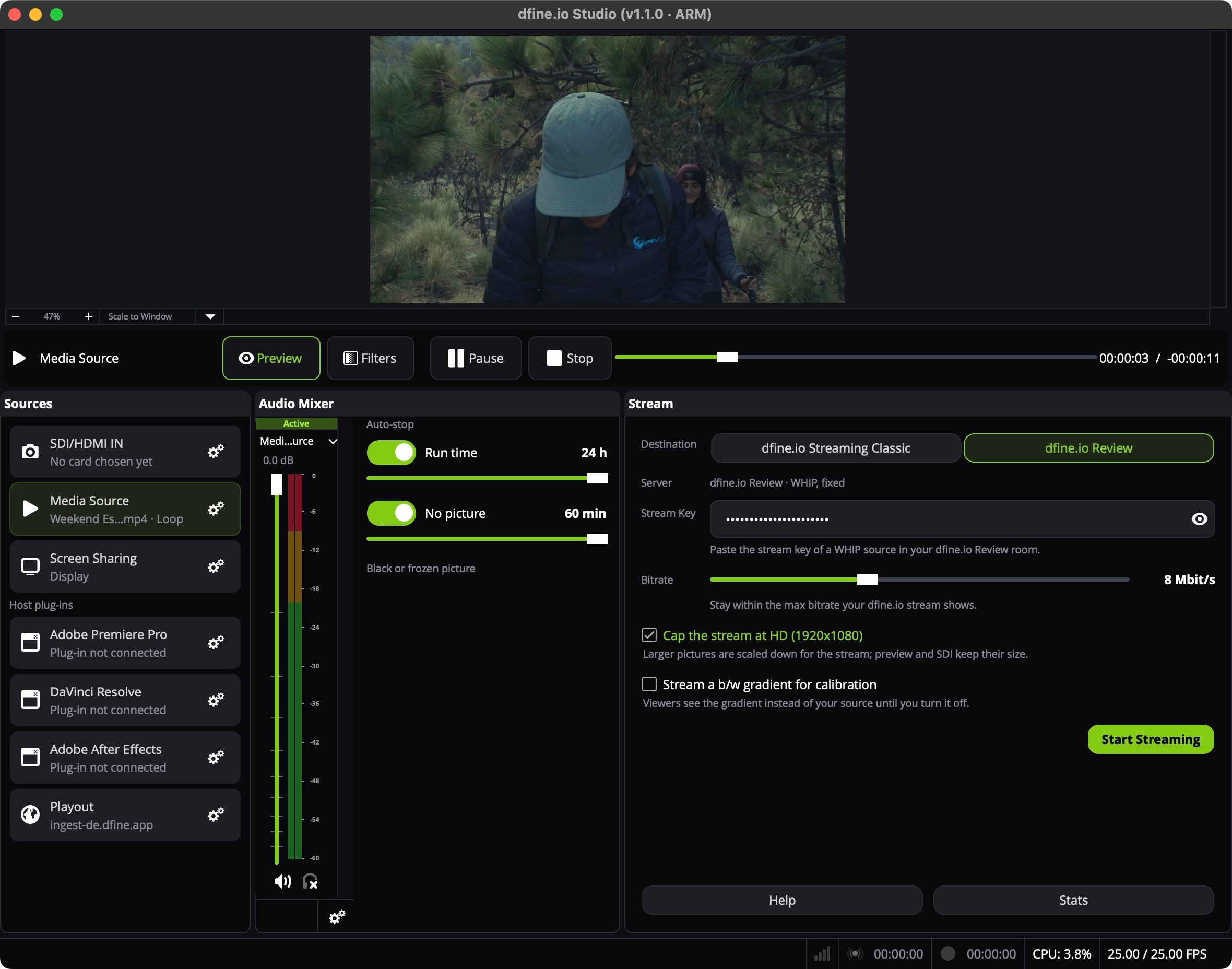
dfine.io Studio with the Sources panel, the Audio Mixer and the Stream panel set to dfine.io Review

How it is laid out

The preview at the top shows what goes out. Below it sit three panels:
  • Sources lists seven fixed sources. Click a row to put that source on air. The gear on a row opens its setup.
  • Audio Mixer shows the levels, with Auto-stop beside it.
  • Stream holds the destination, the stream key and Start Streaming. While the Playout row is on air, this panel turns into Playout.
Help and Stats sit under the Stream panel.

The sources

A row that cannot run on this Mac reads Not available on this Mac, for example SDI/HDMI IN without the Blackmagic Desktop Video driver.

One direction at a time

Studio either streams or plays out. A running stream locks the Playout row with Stop the stream to switch to Playout., and a running SDI output locks the other sources. Bitrate, HD cap and auto-stop: Stream settings.

Permissions

macOS asks for Screen & System Audio Recording the first time you share your screen or send DaVinci Resolve’s sound. Installing or removing the Resolve plug-in asks for your administrator password. Studio uses no camera and no microphone.