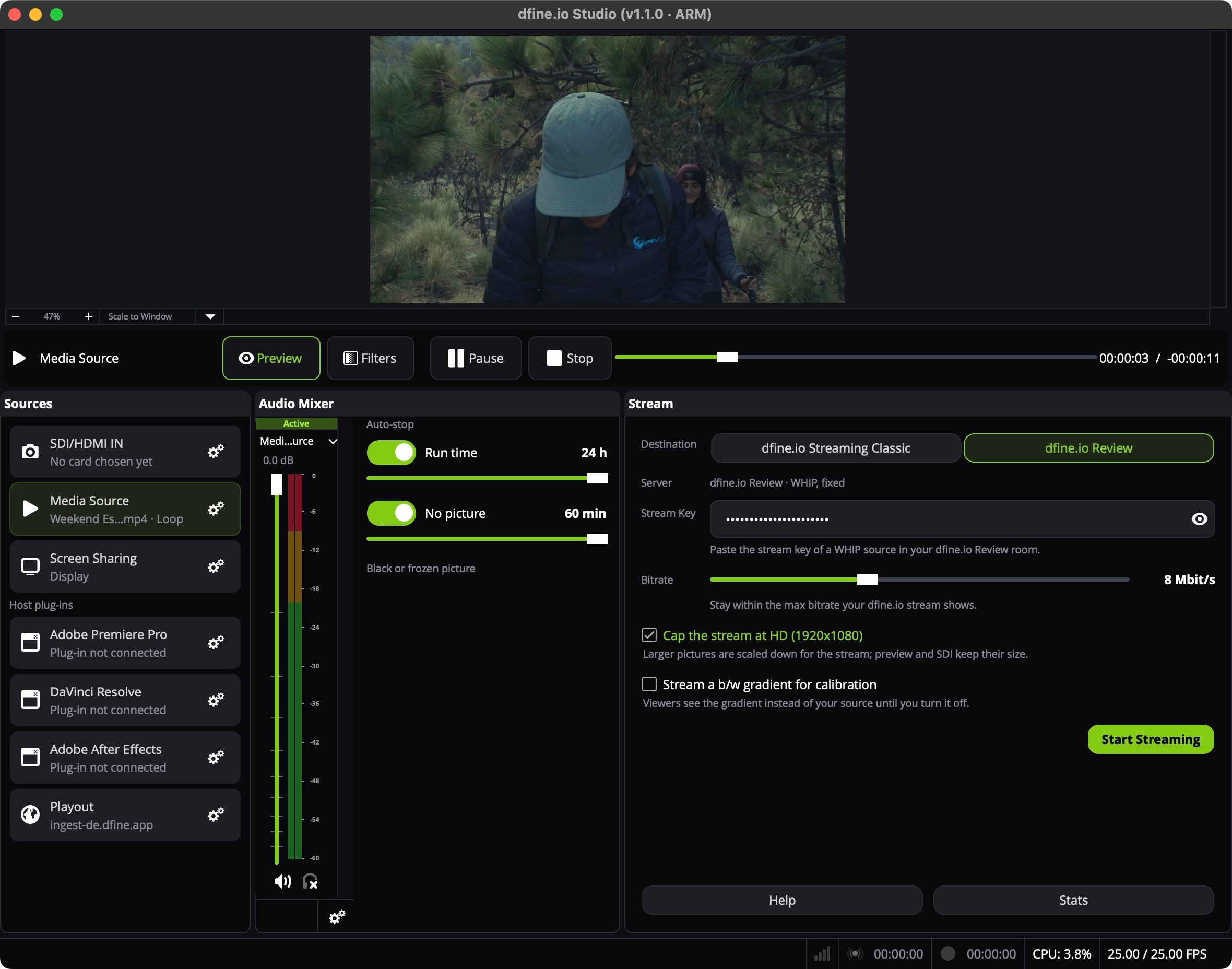
1. Choose the file
1
Open the gear
In Studio’s Sources panel, click the gear on Media Source. Until a file is chosen the row reads No file chosen.
2
Pick the file
Choose the file. Tick Loop if it should start over at the end.
2. Pick where it goes
- dfine.io Review
- dfine.io Streaming Classic
In Review, open the room and create a source with the type WHIP, or use Quick Create. Click Copy Stream Key.In Studio’s Stream panel, set Destination to dfine.io Review. Server reads dfine.io Review · WHIP, fixed. Paste the key into Stream Key.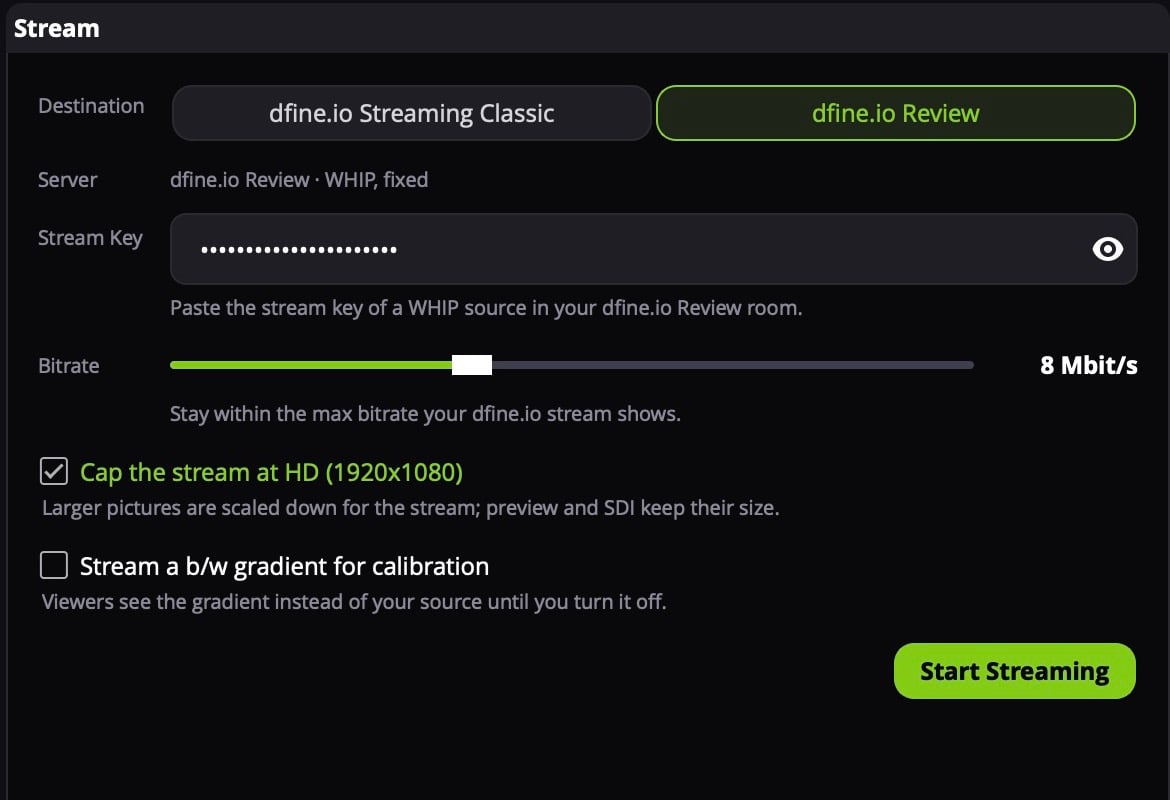
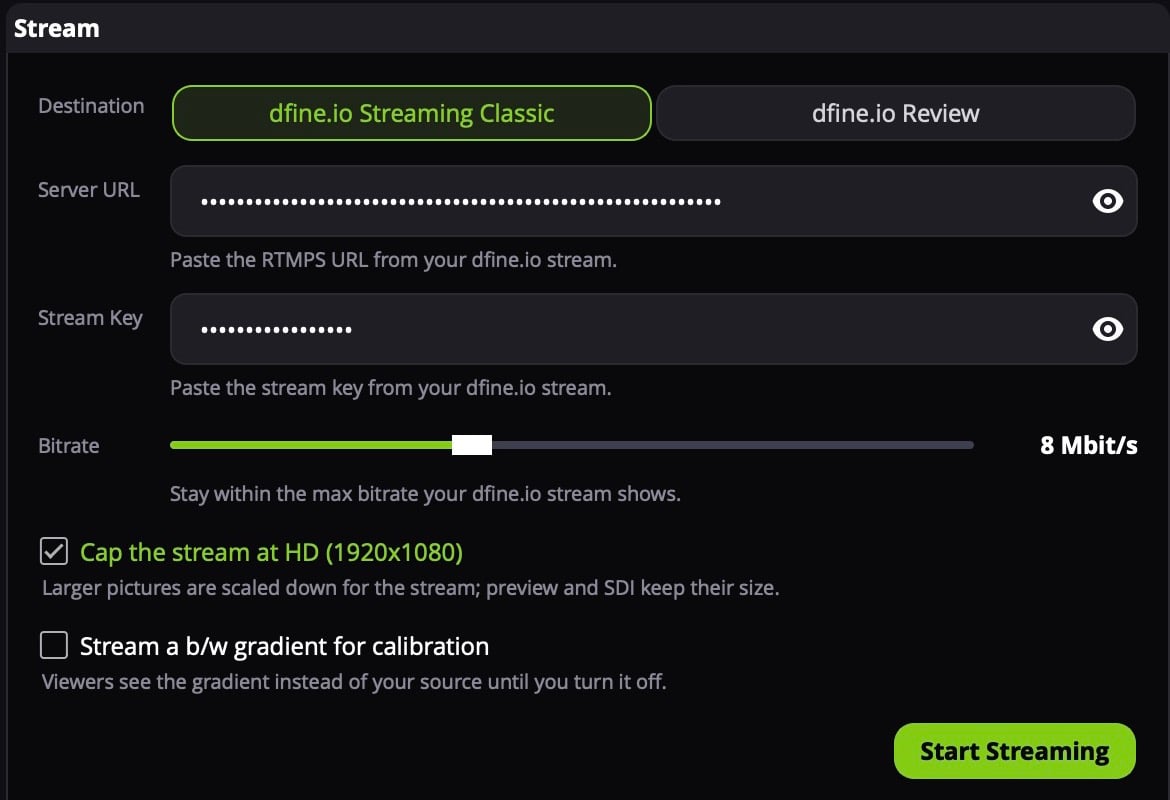
3. Start
Click the Media Source row to put it on air. Above the panels, Pause and Stop control the file, and the bar shows where it is. Click Start Streaming.