Premiere Pro hands its picture to other apps through Mercury Transmit, the route a Blackmagic or AJA card uses. The dfine.io Transmit plug-in registers as one of those devices, and dfine.io Studio sends what it receives to Review or Streaming Classic. You need dfine.io Studio on the Mac that runs Premiere Pro, and a Review room or a Streaming Classic stream.

1. Install the plug-in

1

Open the gear

In Studio’s Sources panel, click the gear on Adobe Premiere Pro. Plug-in reads Not installed.
2

Install

Click Install plug-in. No password is needed, the plug-in goes into your own Adobe plug-in folder.
3

Restart Premiere Pro

Quit Premiere Pro and start it again. It reads its plug-in folder only at launch.
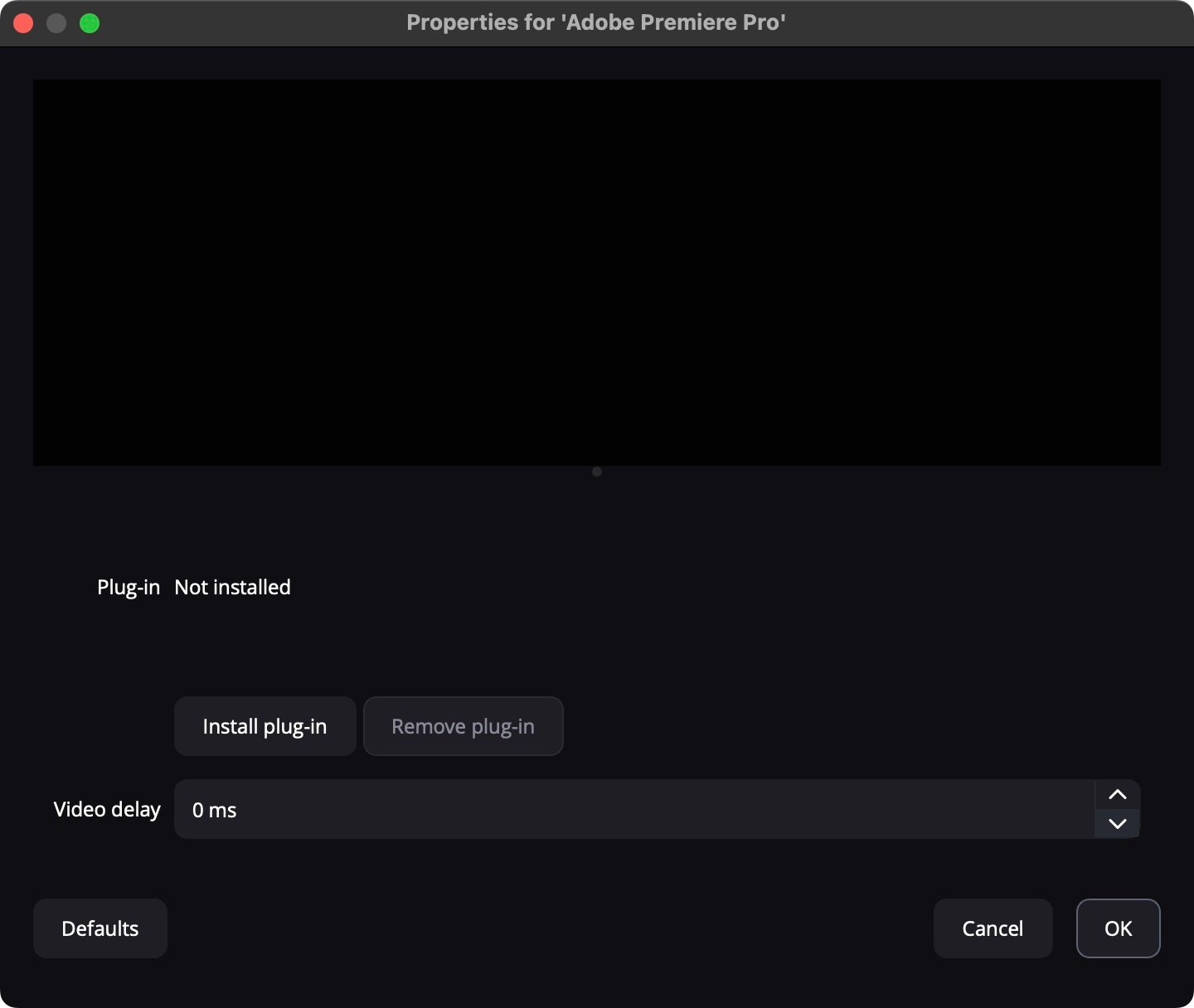
The setup of the Adobe Premiere Pro row with the plug-in state, Install plug-in and Video delay

2. Switch on Mercury Transmit

1

Open the playback settings

Go to Premiere Pro → Settings → Playback.
2

Enable Mercury Transmit

Tick Enable Mercury Transmit. Without it the device list stays inactive.
3

Select dfine.io Transmit

Tick dfine.io Transmit under Video Stream, and under Audio Stream if you want sound.
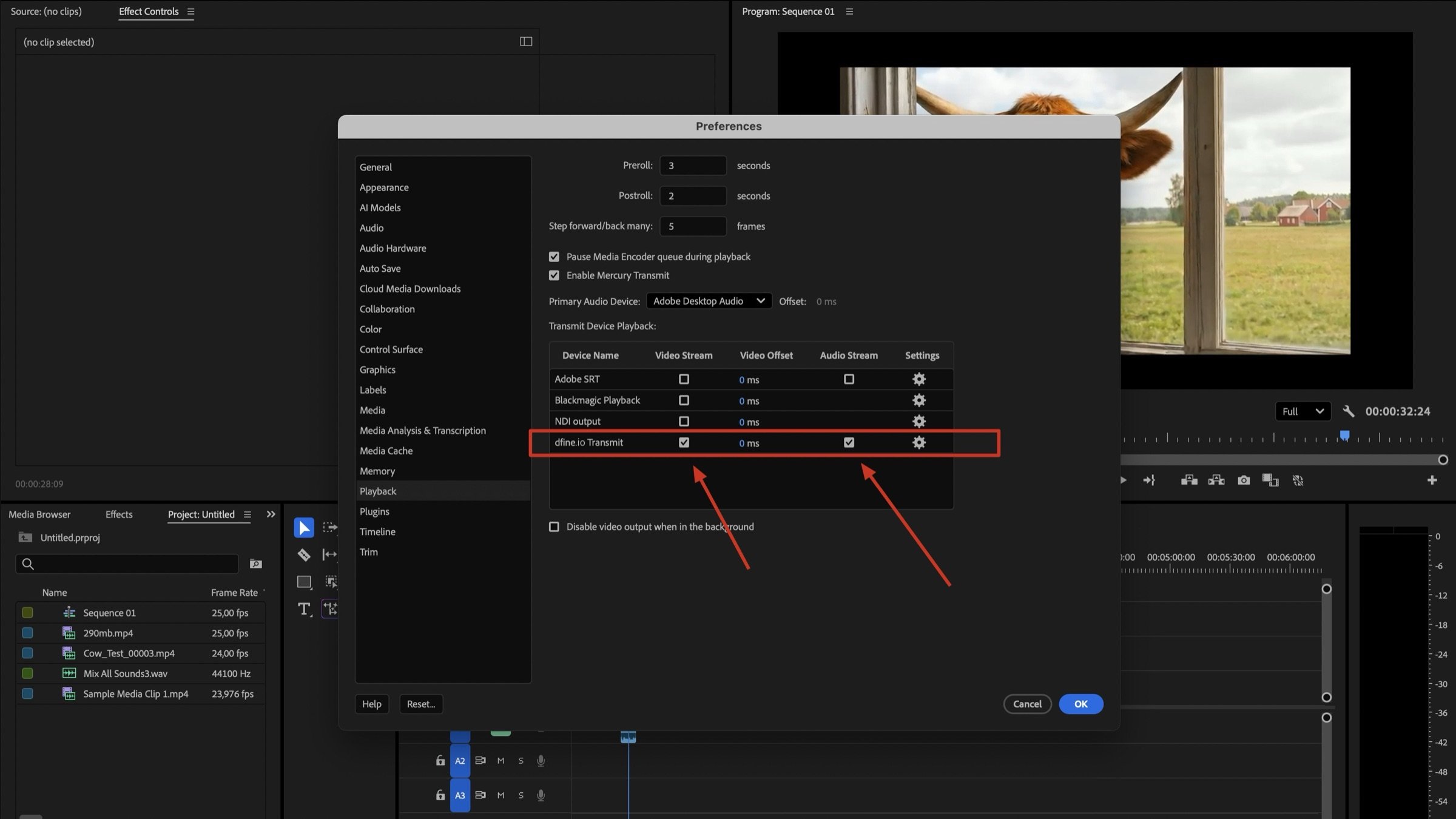
Premiere Pro playback preferences with Mercury Transmit enabled and dfine.io Transmit selected for video and audio

3. Pick where it goes

In Review, open the room and create a source with the type WHIP, or use Quick Create. Click Copy Stream Key.In Studio’s Stream panel, set Destination to dfine.io Review. Server reads dfine.io Review · WHIP, fixed. Paste the key into Stream Key.
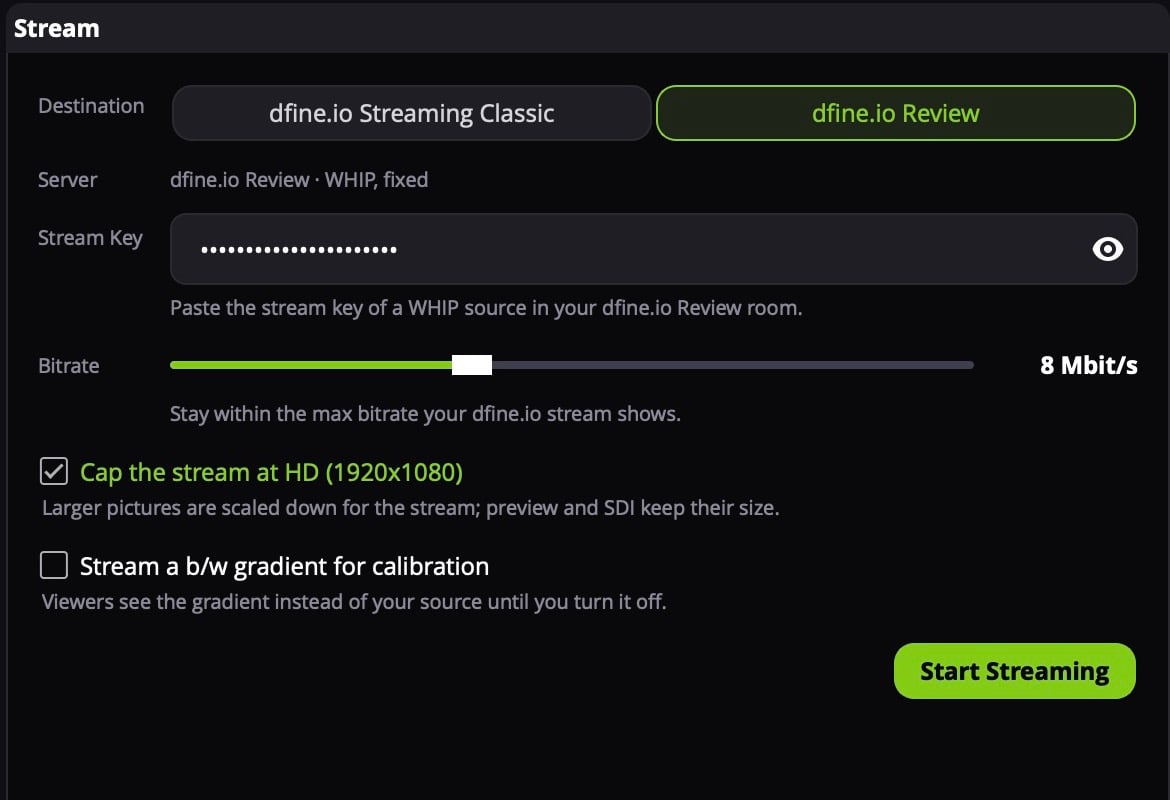
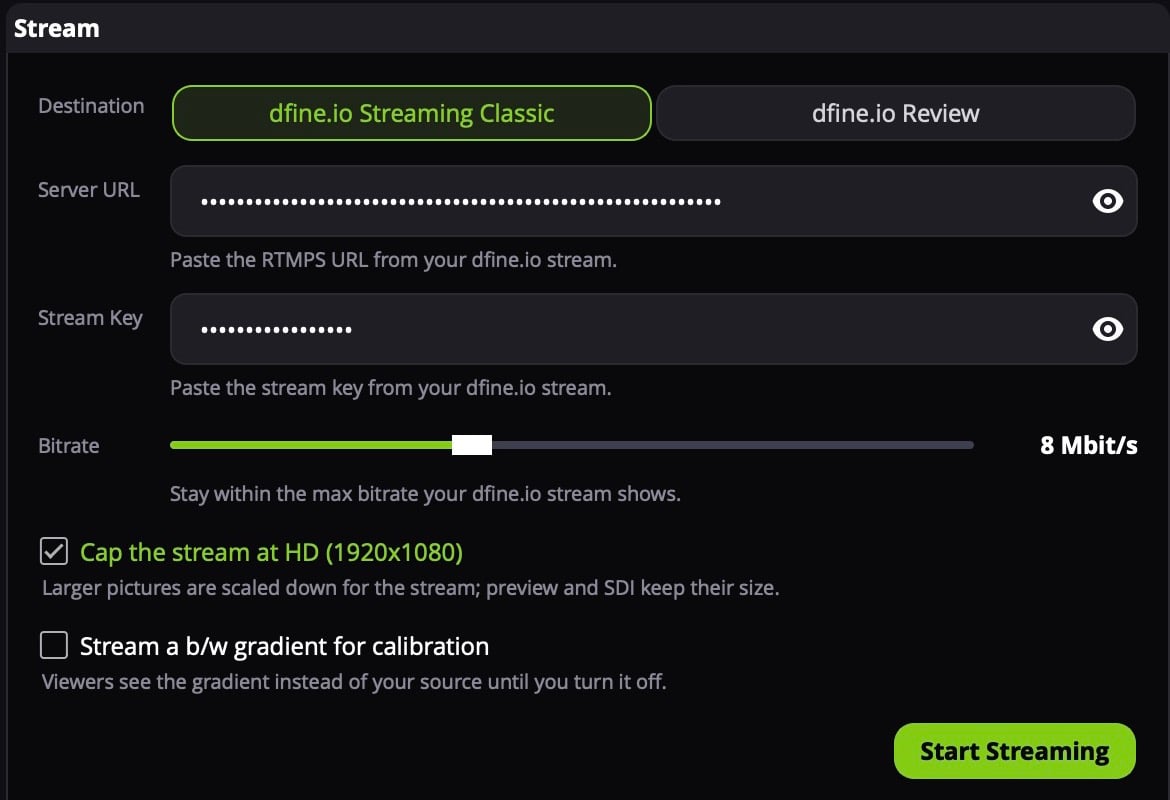
The Stream panel with Destination set to dfine.io Review and a stream key pasted
Paste the key of a WHIP source. Review refuses the key of an RTMPS source, those are meant for hardware encoders. Where the key is: stream key and server URL of a room.

4. Start

Play your sequence. In Studio the Adobe Premiere Pro row now shows the size and frame rate, for example 1920×1080 · 25p, instead of Plug-in not connected. Click the row to put it on air, then click Start Streaming. Your client sees the picture a few seconds later.
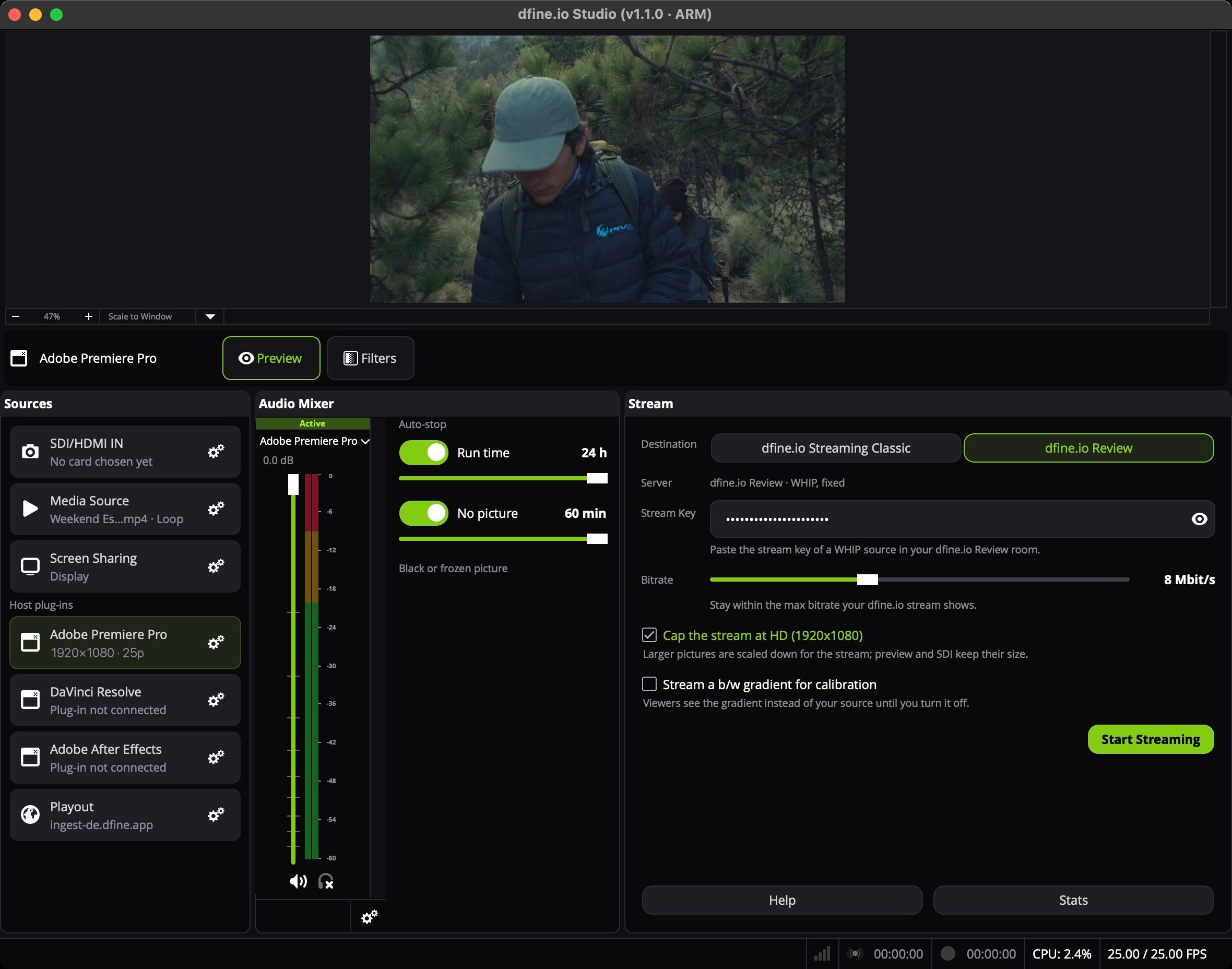
dfine.io Studio with the Adobe Premiere Pro row on air, showing 1920×1080 · 25p
If the picture arrives behind the sound, raise Video delay in the gear. It holds the picture back by up to 350 ms.

When nothing arrives

Premiere Pro was running during the install. Quit it completely and start it again. Mercury Transmit is off. The device checkbox does nothing while the main switch is unticked. Another device claims the output. Untick Blackmagic Playback or NDI output and try again. Nothing is playing. Premiere only sends while it plays or scrubs. On a paused timeline the last frame stays on the stream. More causes: Streaming from dfine.io Studio. Remove plug-in in the gear takes the plug-in out again.