

1
Open Logs
Open the Logs page. Each entry shows when it happened, the event, the person or viewer, the access type, the project or stream, and the location.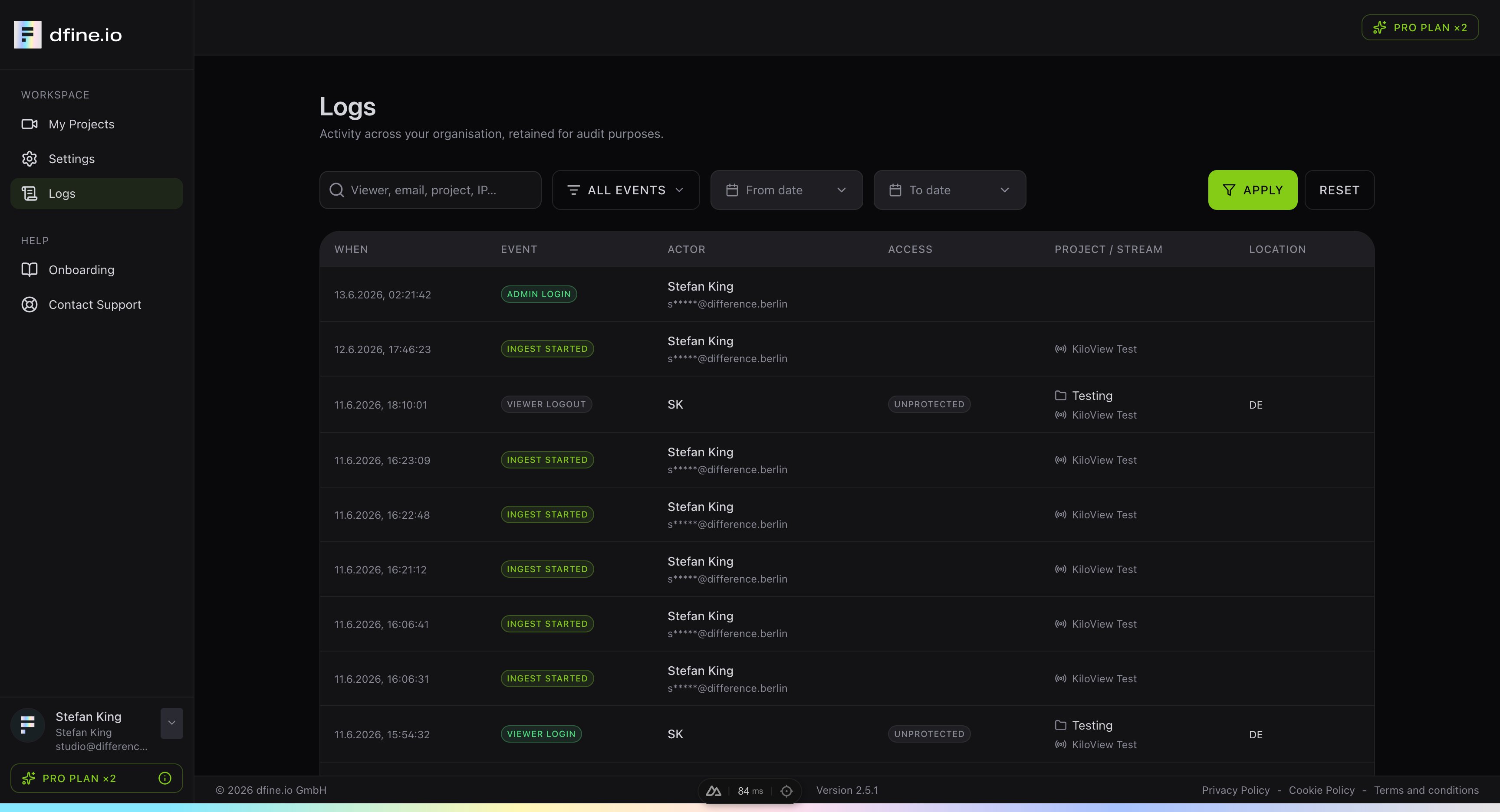
2
Filter
Search by viewer, email, project or IP address, pick one event type and set a date range. Typical events are an admin login, a stream that started, and viewers joining or leaving.