Your encoder or dfine.io Studio needs two values: where to send the signal, and the key of the slot it goes to.
1

Open your project

Go to My Projects and open the project you want to stream to.
2

Open the stream slot

Each slot has its own key. Open a slot, or create one with New stream slot.
3

Copy both from the Ingest tab

The Ingest tab shows the RTMPS server and the stream key, each with its own copy button.
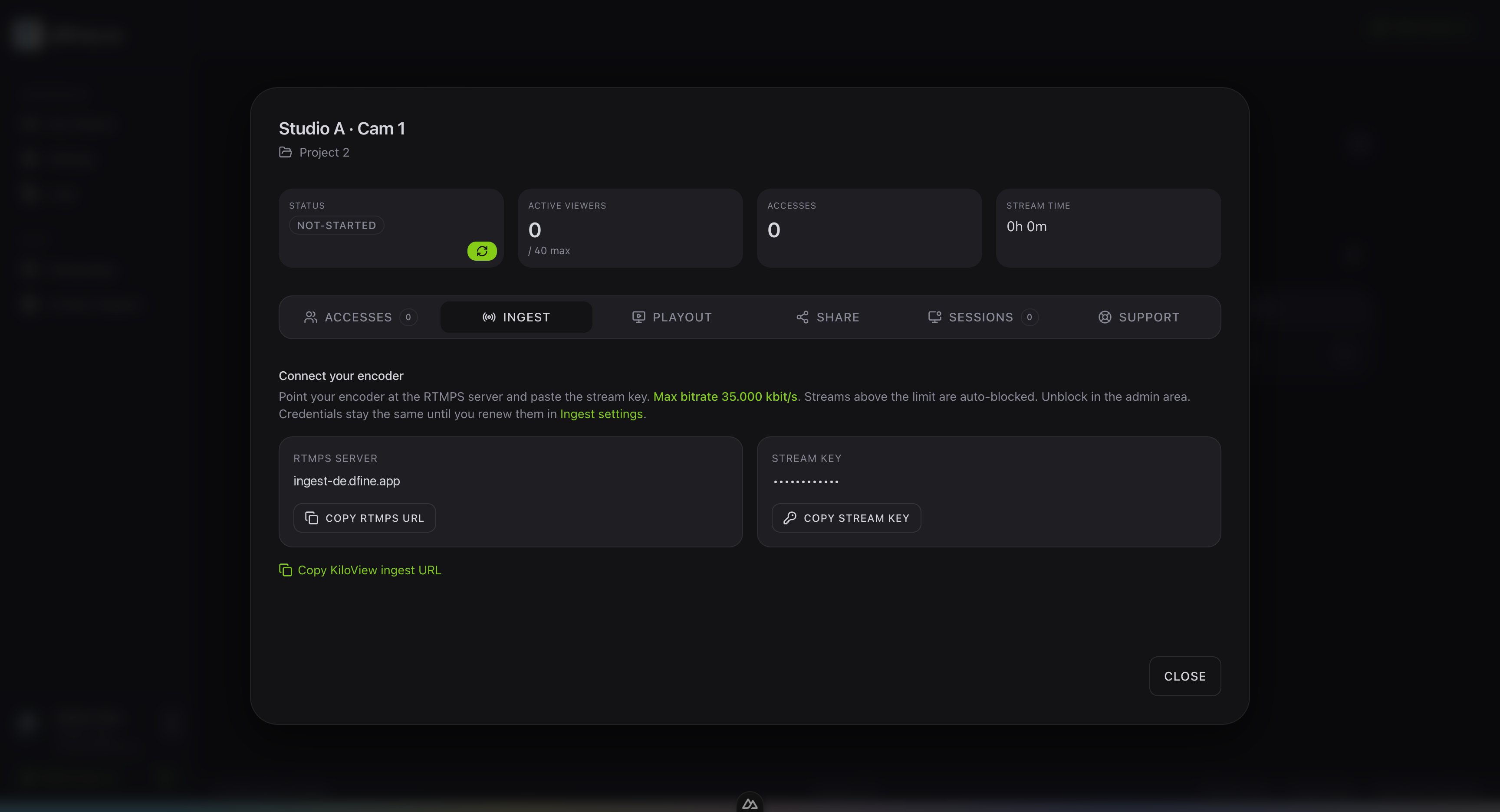
The Ingest tab of a stream slot showing the RTMPS server and the stream key
The full RTMPS URL with your credentials. Go to Settings and open Ingest. Under Ingest server authentication, Copy RTMPS ingest URL copies the whole address. It always starts with rtmps://, because every stream is encrypted.
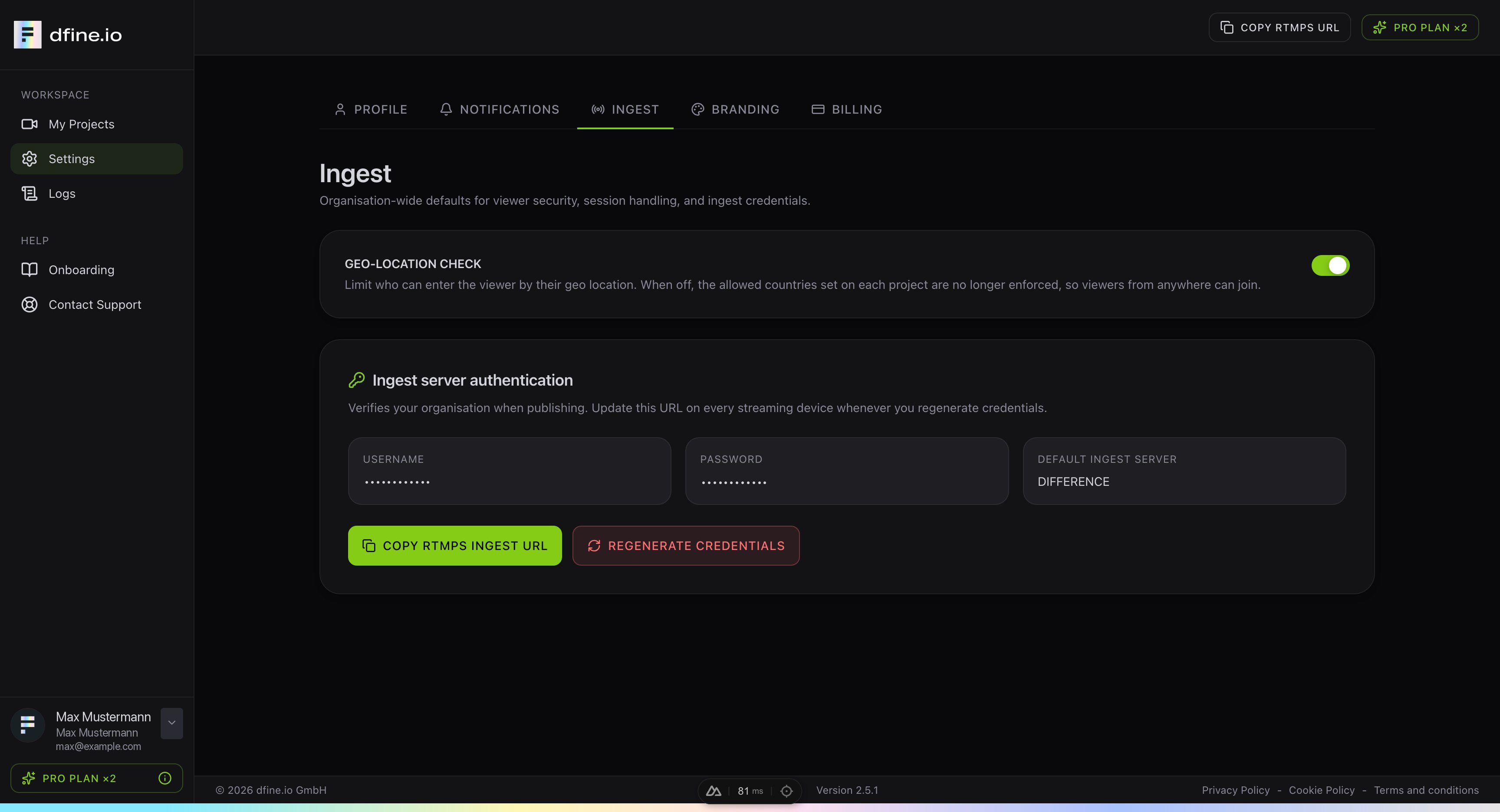
The Ingest tab in Settings with the copy button for the RTMPS ingest URL
Treat the stream key like a password. Anyone who has it can publish to your slot. If you regenerate your credentials, copy the URL again and update every device that streams.
Stream with these values: dfine.io Studio