

1
Pick a colour
The bar at the top shows Draw: with seven colours. Click one of them. On iPhone there are six.
2
Draw
Draw with mouse, finger or pen right on the large picture. The others see your stroke at once, together with your pointer and your name.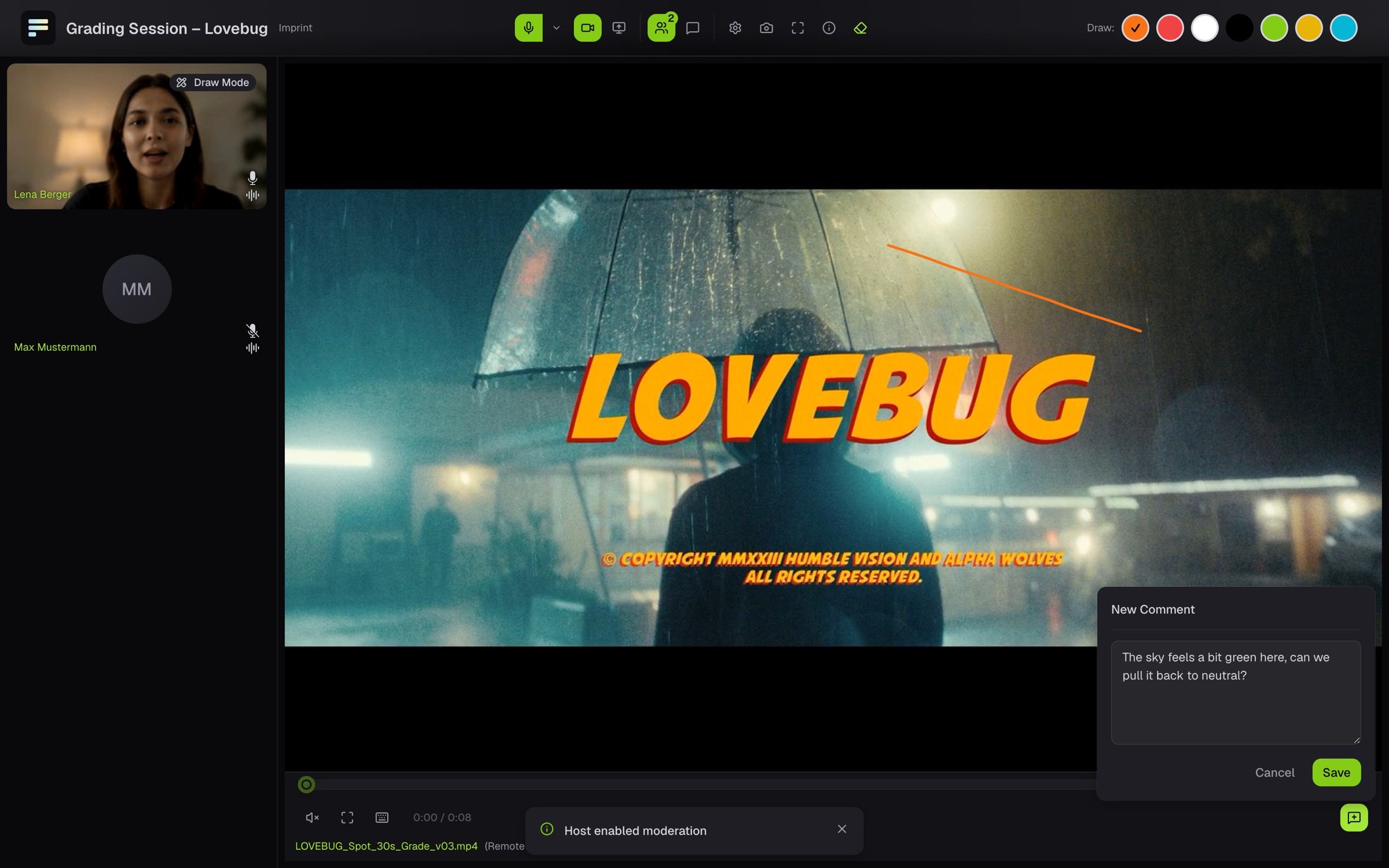
3
Stop
Click the active colour again. The D key also turns the pen on and off.
Keep a mark
Strokes on a live stream are not saved. To keep a spot, click the large picture and then the camera icon (Save Snapshot). Your browser downloads a JPG of the picture with your strokes. On a file, you attach your strokes to a comment. They then stay saved in the file with the point in time. See Comment.If the bar shows Drawing currently deactivated, the host has turned off drawing for guests. Ask in the room if you want to mark something.