Resolve does not have a Mercury Transmit equivalent, so the picture is picked up by an OpenFX effect instead. Where you place that effect decides what ends up on the stream, and the timeline node is the place that covers everything. The same effect also carries audio, switched on with one checkbox.
This needs DaVinci Resolve Studio on an Apple Silicon Mac. The free version does not load OpenFX plugins from other vendors, and the plugin itself is arm64 only because Resolve loads it into its own process. On an Intel Mac, use Premiere Pro or SDI IN instead.

Install the plugin

Install the Resolve plugin under Settings → Plugin Sources, then quit Resolve and start it again so it picks the plugin up.

Add the effect to the timeline node

The Color page has two node levels. Clip works on the shot under the playhead, Timeline works on the finished programme. You want Timeline, otherwise the stream only carries the one shot you happened to be on.
1

Open the Color page

Switch to the Color page and open the Library panel on the right, where the OpenFX effects live.
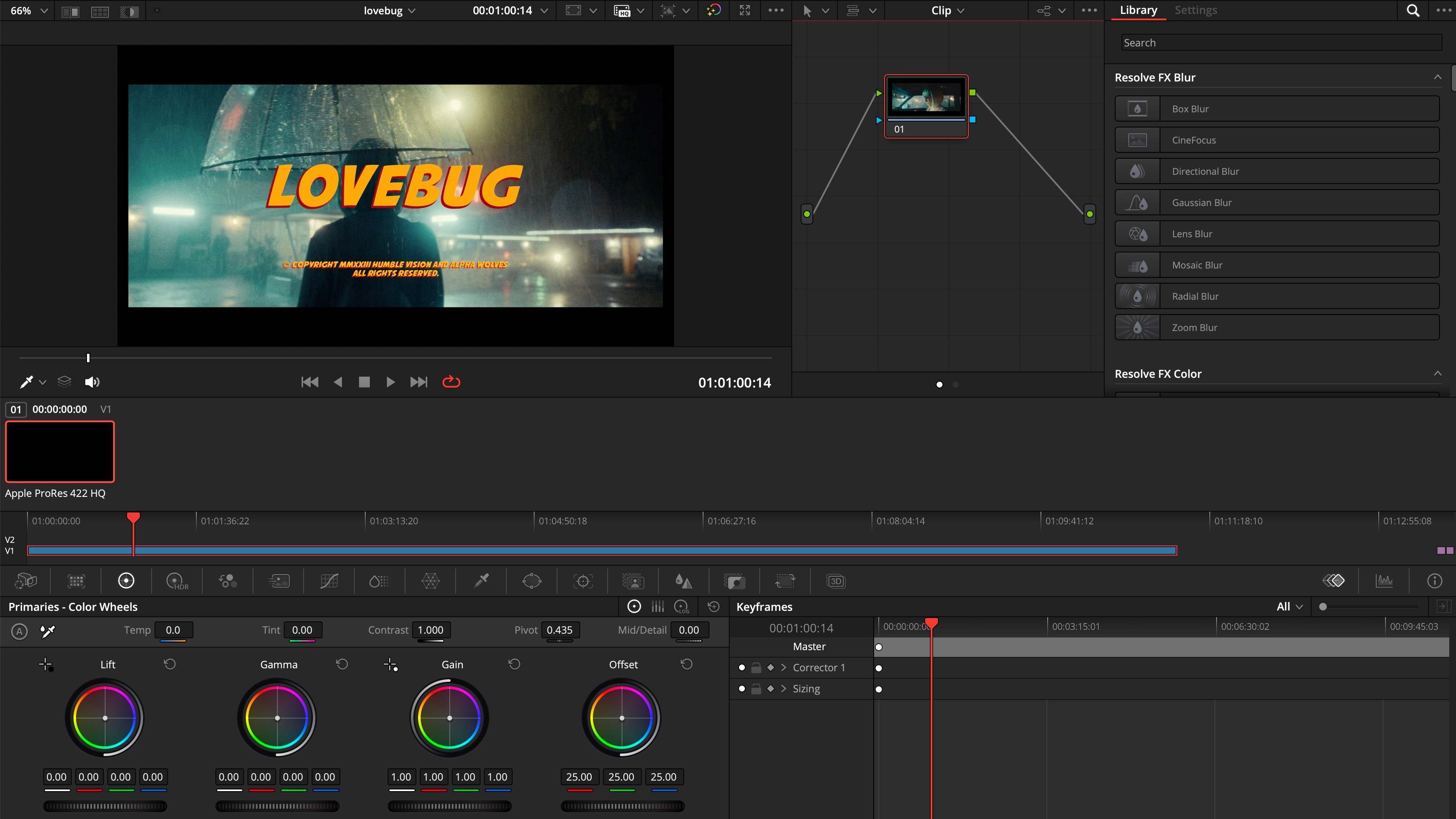
The DaVinci Resolve Color page with the OpenFX Library panel open on the right
2

Switch the node graph to Timeline

Above the node graph, change the mode from Clip to Timeline. Then type dfine into the library search. dfine.io Transmit appears.
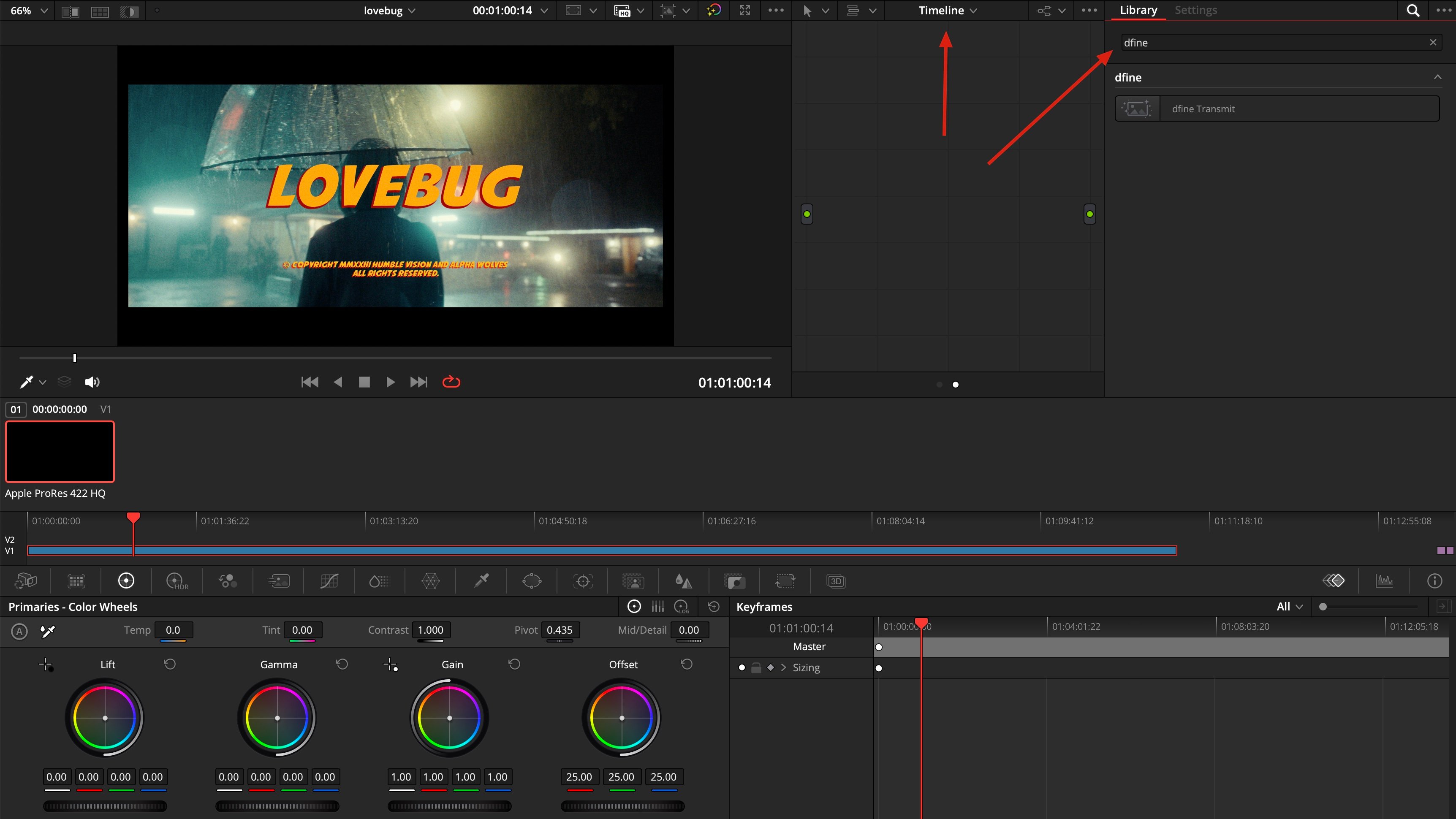
The node graph switched to Timeline mode with dfine.io Transmit found in the effects library
3

Drag it into the node graph

Pull dfine.io Transmit from the library into the empty node graph.
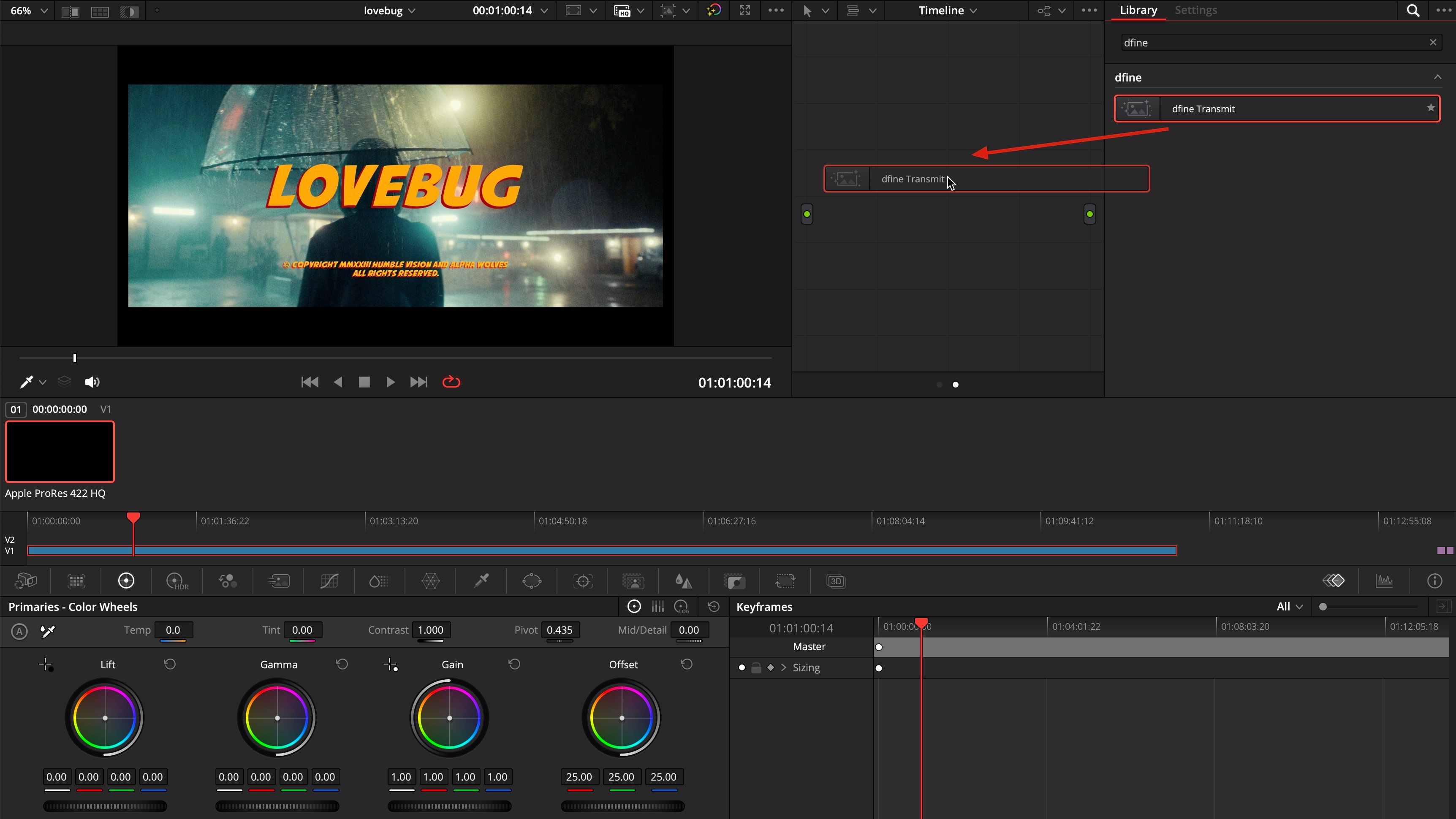
Dragging the dfine.io Transmit effect from the library into the node graph
4

Switch on Transmit Audio

With the node selected, open its settings on the right. Tick Transmit Audio. It is off by default, and this is the only step audio needs: no Fairlight, no second plugin.
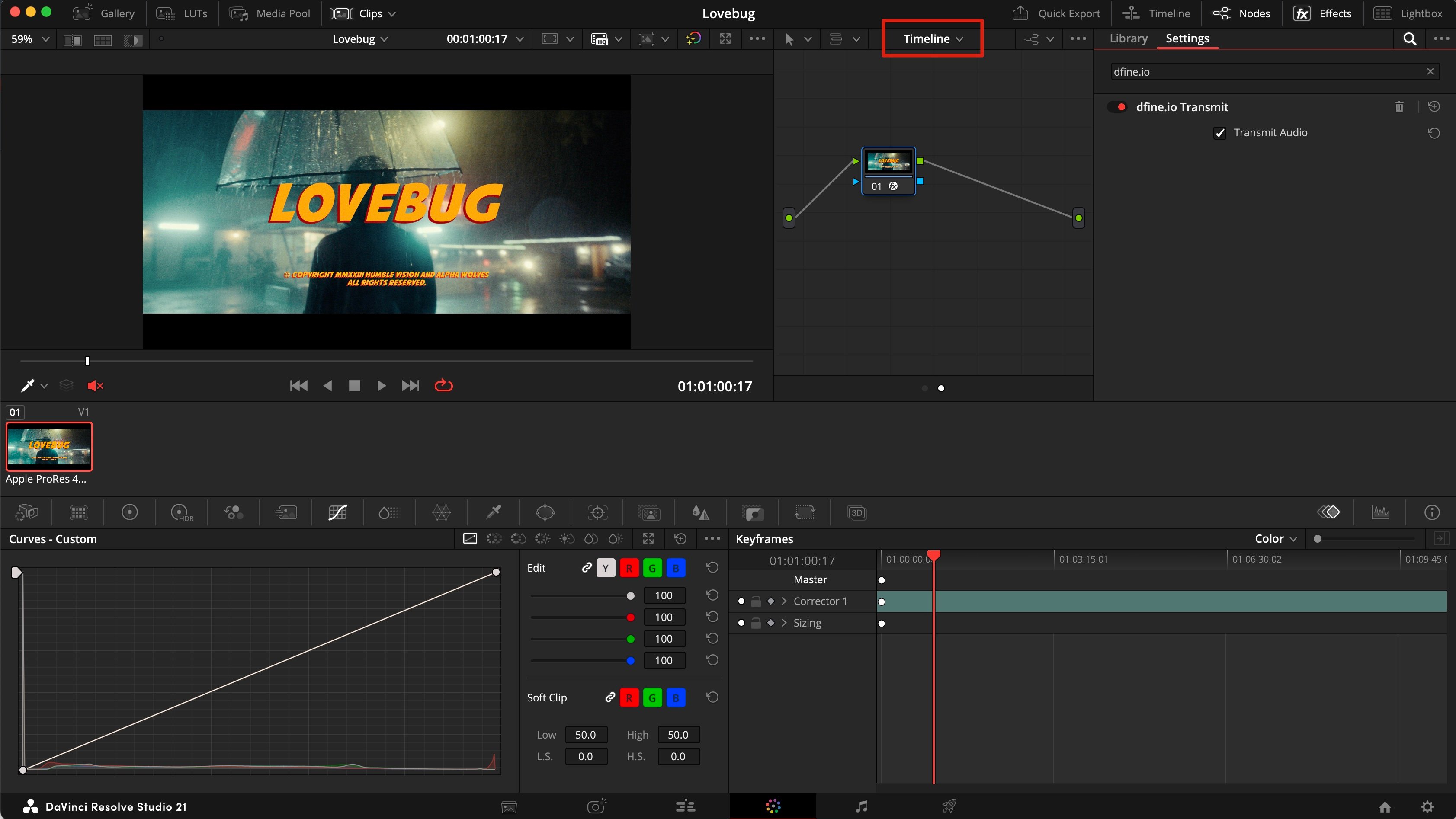
The dfine.io Transmit node settings with the Transmit Audio checkbox switched on

Check that it arrives

Play the timeline in Resolve, then follow Check that it arrives on the Ingest tab.

If picture arrives but audio does not

This happens when Resolve monitors through a DeckLink card: that path bypasses Core Audio, and the plugin only ever taps Core Audio. Go to Resolve → Preferences → Video and Audio I/O, set I/O Engine to System Audio, and switch on Mirror audio I/O engine output. Your DeckLink monitoring keeps working, and the plugin now has audio to tap.

When nothing arrives

Resolve was running during the install. Quit it completely and start it again. You are on the free version. OpenFX plugins from other vendors need Resolve Studio. You are on an Intel Mac. The Resolve plugin is Apple Silicon only. Use Premiere Pro or SDI IN instead. The node sits on Clip instead of Timeline. Then only the current shot is transmitted. Switch the graph to Timeline and add the effect there. Nothing is playing. Press play in Resolve. Without playback there are no frames to send.