

1
Switch the output to Advanced
Open Settings → Output and set Output Mode to Advanced. Then open the Streaming tab.
2
Set the encoder
Match these values: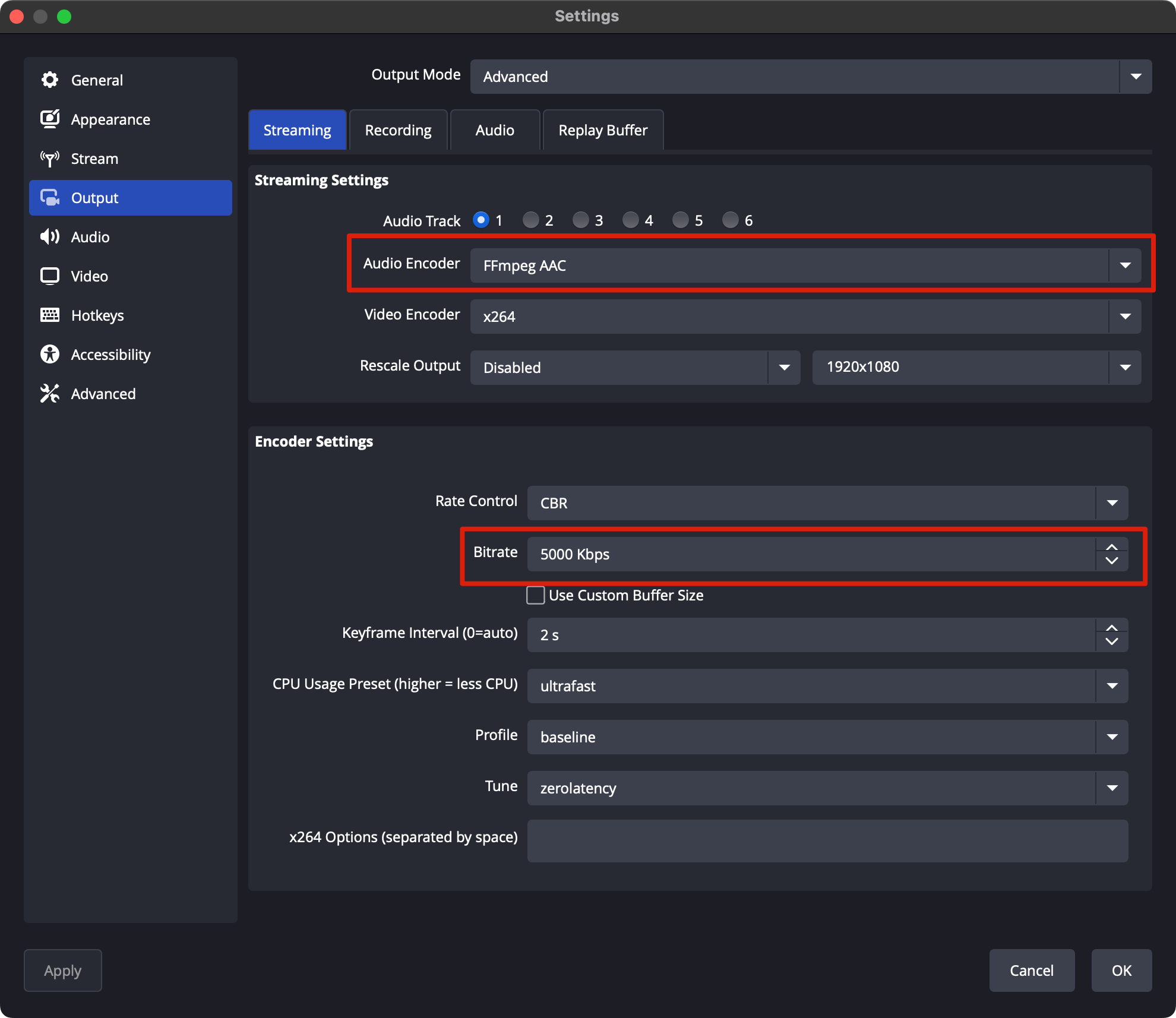
3
Match the video to your source
In Settings → Video, set Base (Canvas) Resolution and Output (Scaled) Resolution to your source, for example 1920x1080, and pick your source’s frame rate.
4
Set the color format
In Settings → Advanced, set Color Format to NV12, Color Space to Rec. 709 and Color Range to Limited. H.264 carries 8 bit.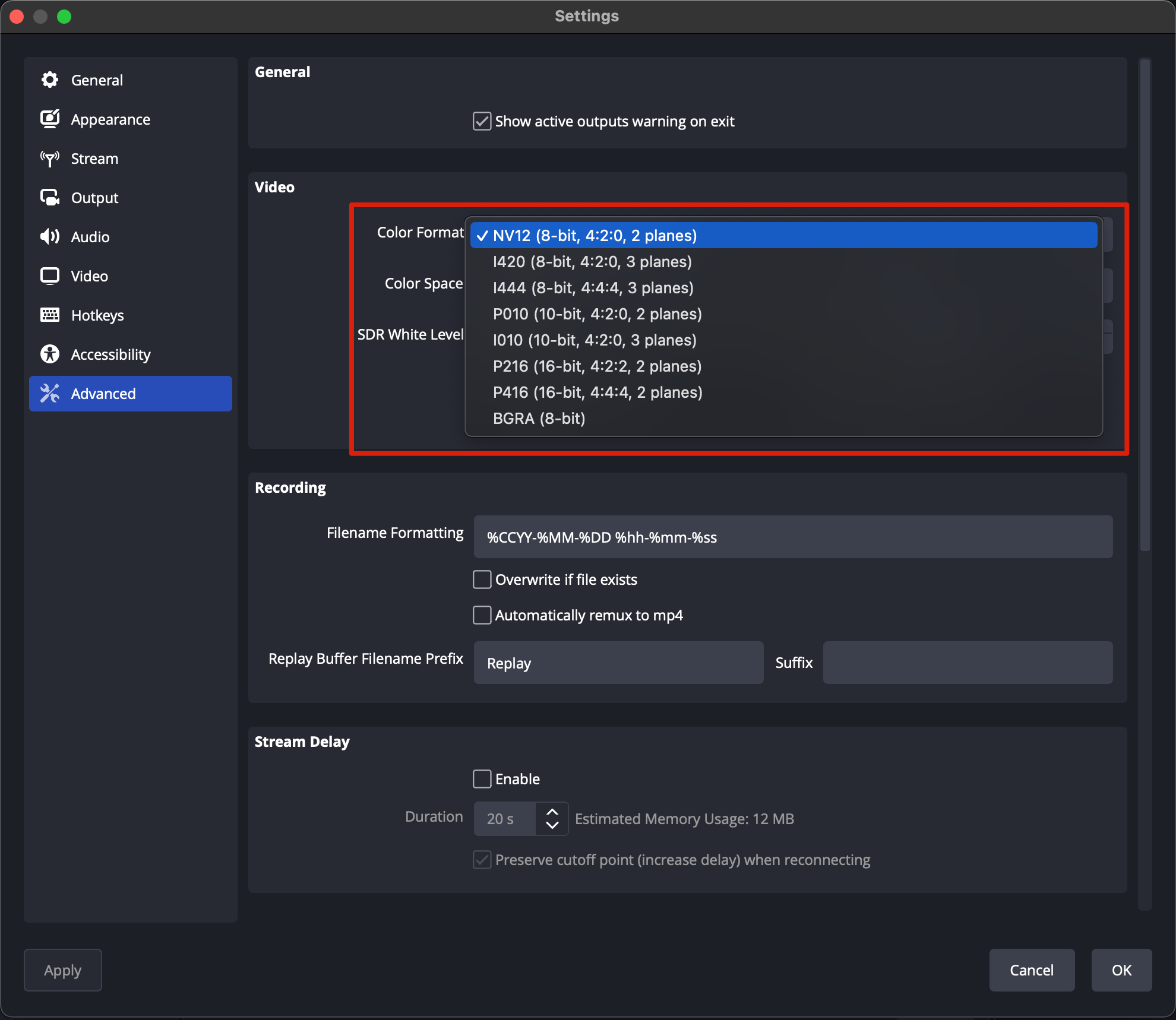
Next: OBS settings (RTMPS)
Enter your ingest URL and stream key, then go live.