> ## Documentation Index
> Fetch the complete documentation index at: https://docs.dfine.app/llms.txt
> Use this file to discover all available pages before exploring further.
# Your projects
> Create projects, add stream slots and give your clients access.
A project holds your streams and the people who are allowed to watch them. You manage all of them under **My Projects**.
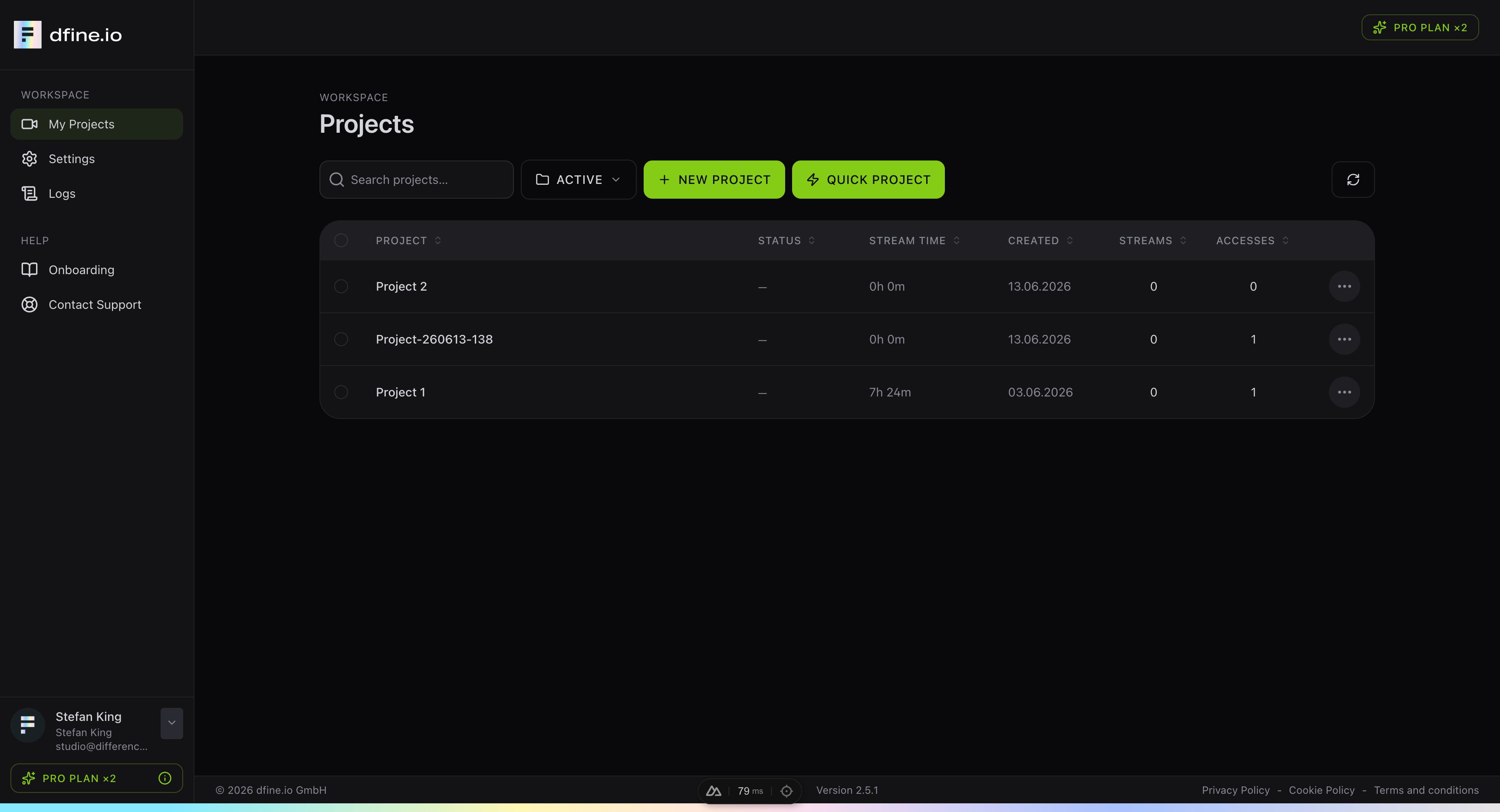 ## The project list
Each row is one project. The columns give you a quick overview:
* **Status** shows whether a project is live right now.
* **Stream time** is how long the project has streamed in total.
* **Created** is the day you set it up.
* **Streams** and **Accesses** count the stream slots and the viewers with access.
You can search your projects by name and filter the list, for example to show only active ones.
## Create a project
You have two ways to start:
* **New project** lets you set everything up step by step.
* **Quick project** creates a project, a stream slot and a protected viewer access that is valid for 24 hours, all in one click. It is the fastest way to go live for a quick review.
Use the menu at the end of each row to edit, archive, bookmark or delete a project.
## Stream slots
A project holds one or more stream slots. Each slot is one ingest endpoint with its own stream key, and you add one with **New stream slot**.
## The project list
Each row is one project. The columns give you a quick overview:
* **Status** shows whether a project is live right now.
* **Stream time** is how long the project has streamed in total.
* **Created** is the day you set it up.
* **Streams** and **Accesses** count the stream slots and the viewers with access.
You can search your projects by name and filter the list, for example to show only active ones.
## Create a project
You have two ways to start:
* **New project** lets you set everything up step by step.
* **Quick project** creates a project, a stream slot and a protected viewer access that is valid for 24 hours, all in one click. It is the fastest way to go live for a quick review.
Use the menu at the end of each row to edit, archive, bookmark or delete a project.
## Stream slots
A project holds one or more stream slots. Each slot is one ingest endpoint with its own stream key, and you add one with **New stream slot**.
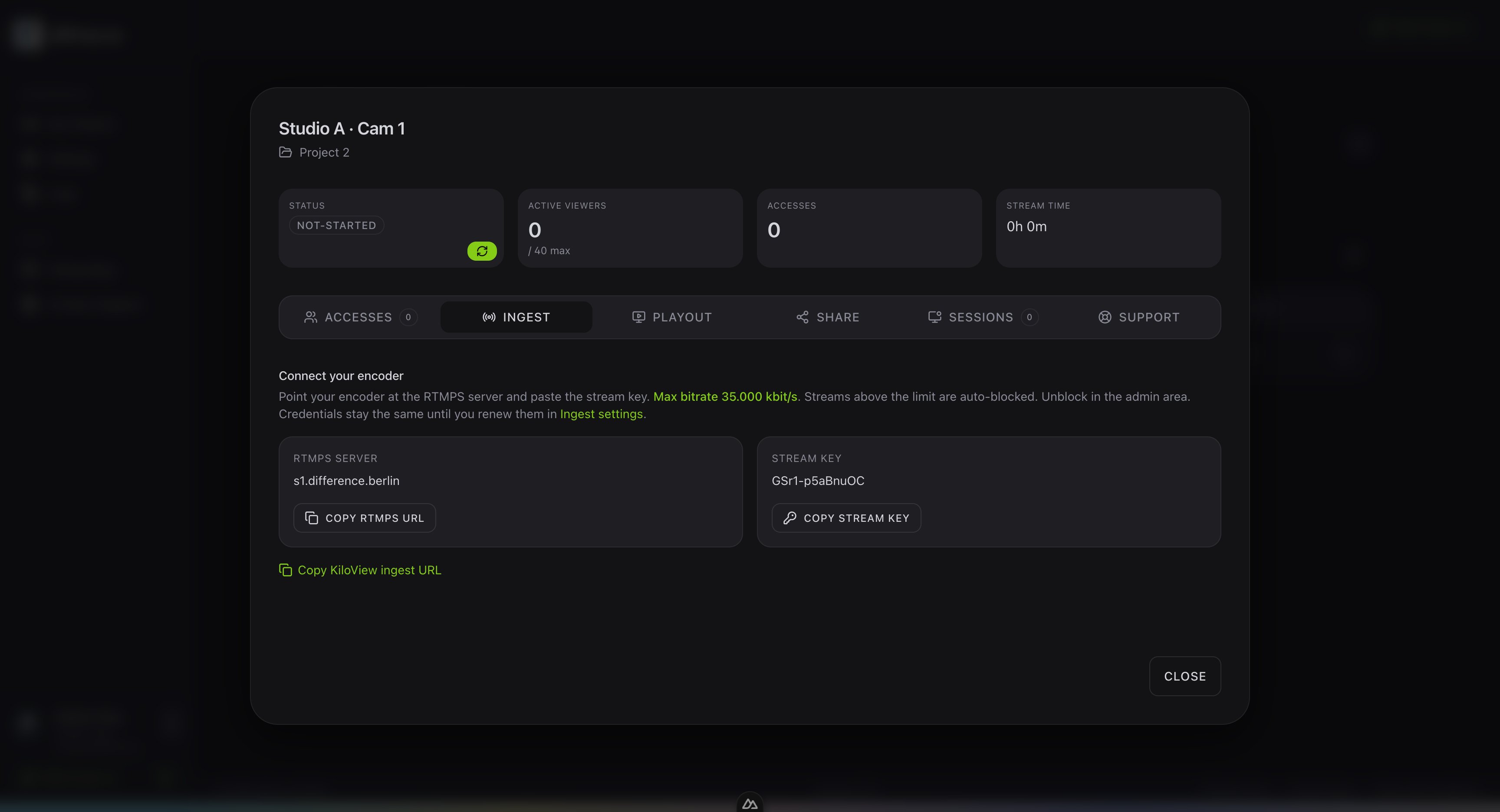 Open a slot to manage everything in one place:
* **Ingest** has the RTMPS server and the stream key for your encoder.
* **Playout** creates the link for a reference monitor or decoder.
* **Share** lets an outside publisher stream into the slot with their own credentials.
* **Accesses** holds the viewer access codes for your clients.
## Give your clients access
In the **Accesses** tab, choose **New access** to create a viewer access code. You set a name, a start and end time, and pick how strict the access should be.
Open a slot to manage everything in one place:
* **Ingest** has the RTMPS server and the stream key for your encoder.
* **Playout** creates the link for a reference monitor or decoder.
* **Share** lets an outside publisher stream into the slot with their own credentials.
* **Accesses** holds the viewer access codes for your clients.
## Give your clients access
In the **Accesses** tab, choose **New access** to create a viewer access code. You set a name, a start and end time, and pick how strict the access should be.
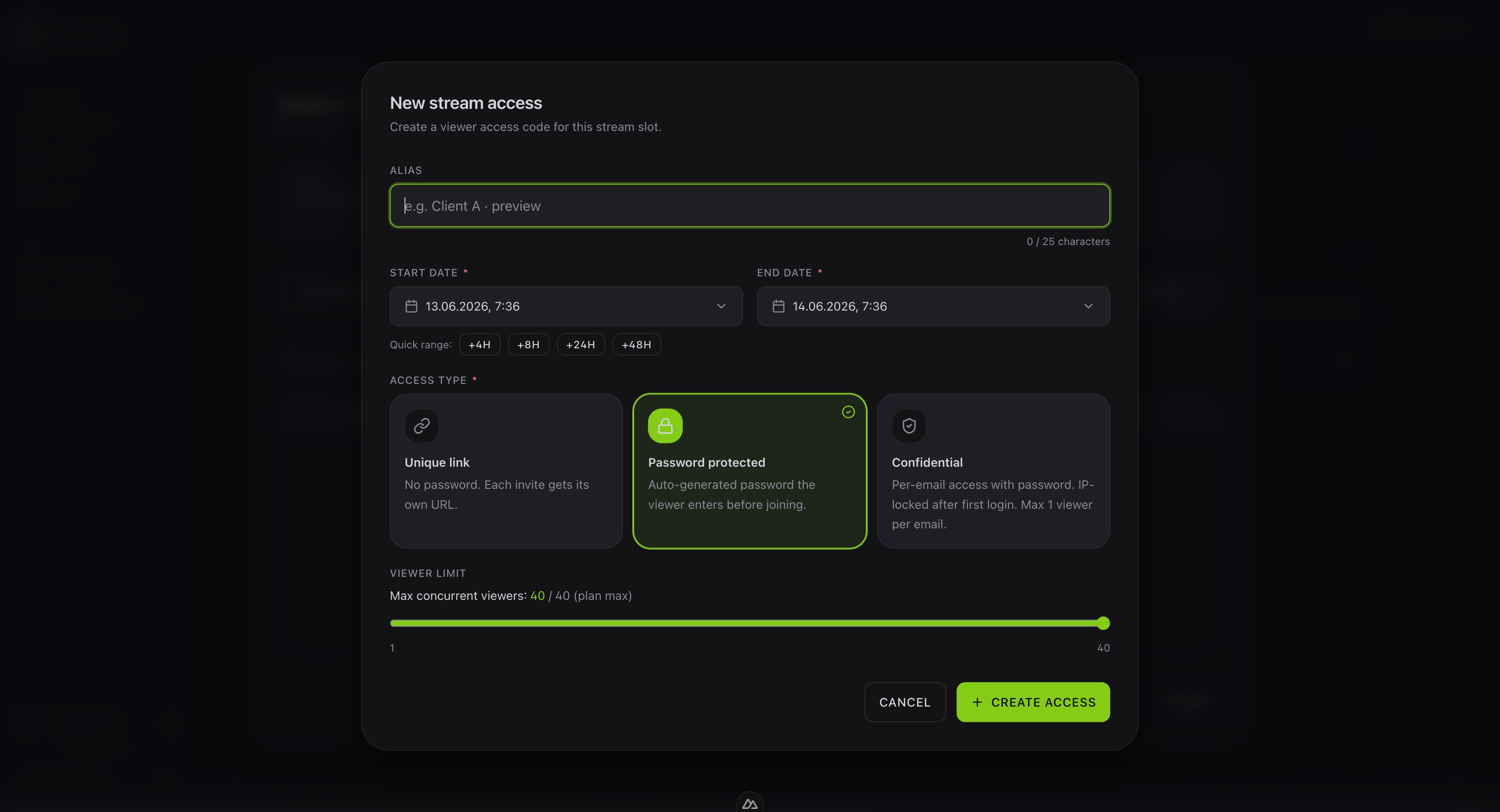 * **Unique link** has no password, and each invite gets its own URL.
* **Password protected** adds an auto generated password the viewer enters before joining.
* **Confidential** ties access to a single email, with a password and an IP lock after the first login.
Copy the key your encoder needs from the slot.
* **Unique link** has no password, and each invite gets its own URL.
* **Password protected** adds an auto generated password the viewer enters before joining.
* **Confidential** ties access to a single email, with a password and an IP lock after the first login.
Copy the key your encoder needs from the slot.