> ## Documentation Index
> Fetch the complete documentation index at: https://docs.dfine.app/llms.txt
> Use this file to discover all available pages before exploring further.
# Download a share at full size
> Paste a Review share link into dfine.io Download and pull its files to your Mac at full size, with pause and resume.
The Mac app dfine.io Download fetches the files of a Review share link straight to your Mac. You get the originals at full size, the folders come along, and a transfer that breaks off continues where it stopped. No sign-in: the link is the permission.
One app for Apple Silicon and Intel, macOS 15 or newer.
 ## Download a share
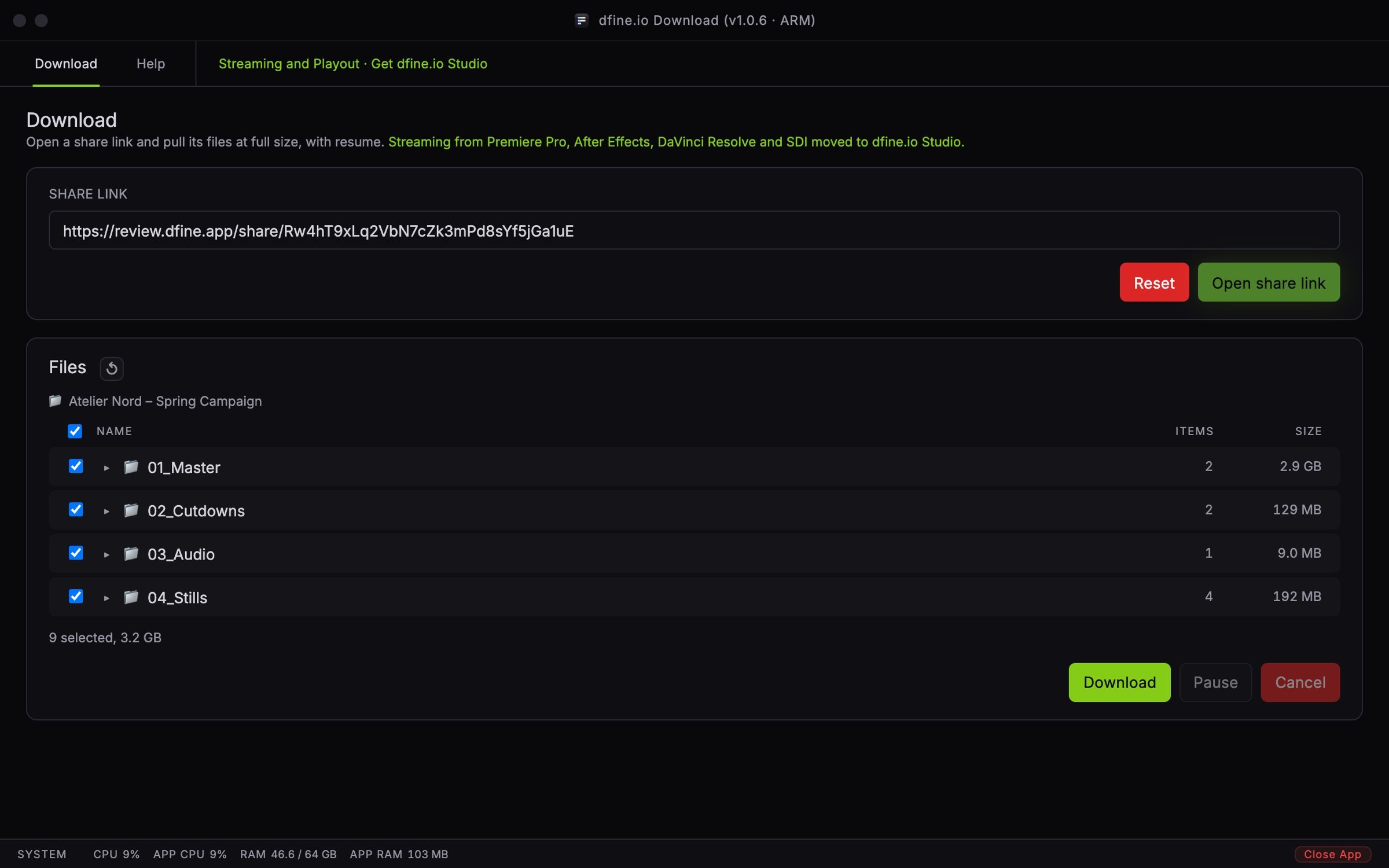
Paste the share link into **Share link** and click **Open share link**.
A protected share shows a **Password** field. Enter the password and click **Unlock**.
**Files** lists the share with **Name**, **Items** and **Size**. Everything is ticked; untick what you do not need.
Click **Download** and choose a folder. The app recreates the folders there.
## Download a share
Paste the share link into **Share link** and click **Open share link**.
A protected share shows a **Password** field. Enter the password and click **Unlock**.
**Files** lists the share with **Name**, **Items** and **Size**. Everything is ticked; untick what you do not need.
Click **Download** and choose a folder. The app recreates the folders there.
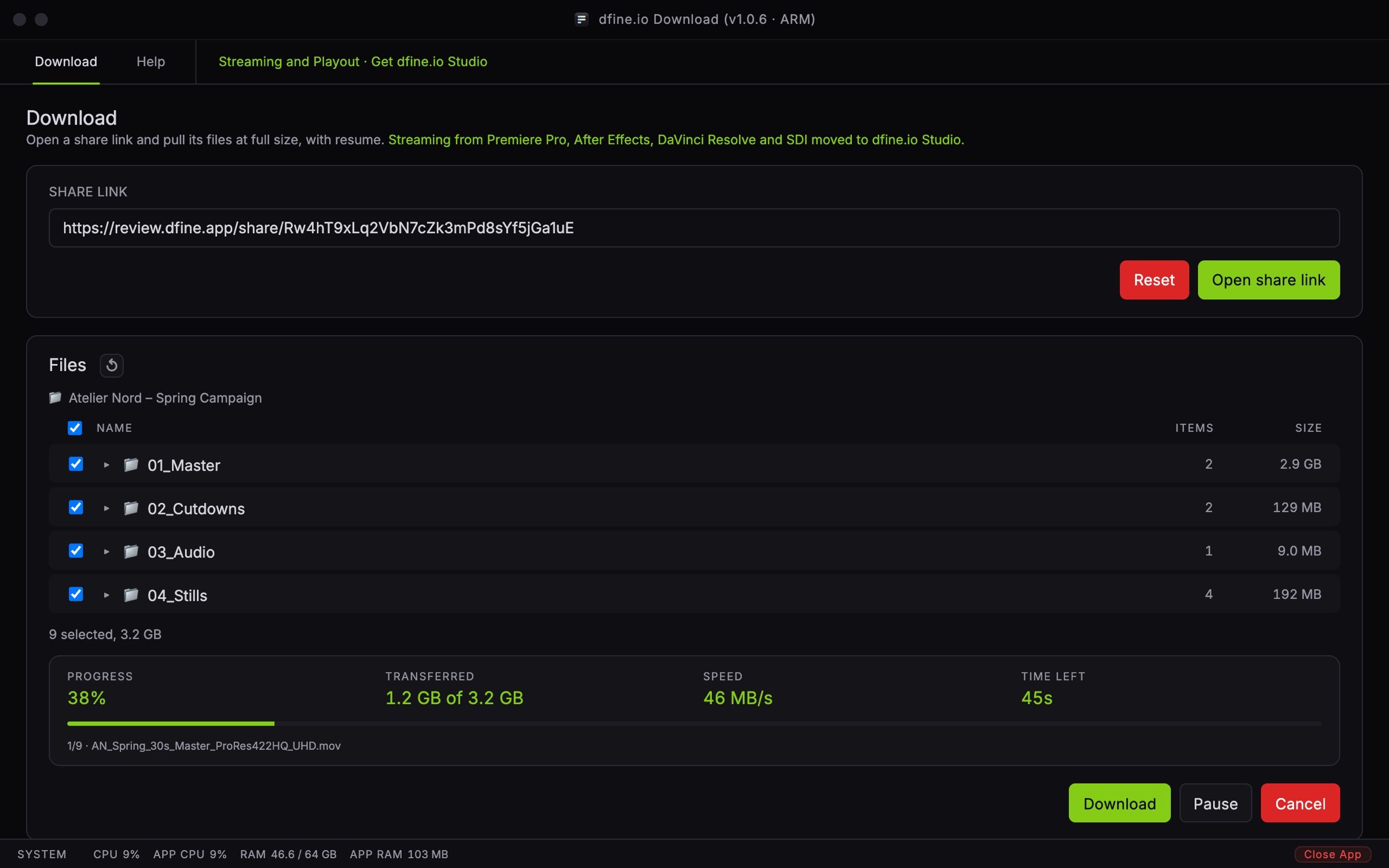 **Progress**, **Transferred**, **Speed** and **Time left** show where you are. **Pause** holds the transfer and turns into **Resume**. **Cancel** stops it, and what has arrived stays on disk, so starting again continues where it left off. An existing file is never overwritten; the new one gets a number. At the end the app says **Download complete**.
## Good to know
**Only Review share links work.** Links to `review.dfine.app/share/` open. Anything else is refused.
**Opening from the browser.** A share page can hand its link to the app. The app asks once before it opens it.
**Locked folders stay closed.** A folder with its own password does not open here. Download it in your browser for now.
**When a share does not open**, the app names the reason: protected, invitation-only, expired, not open yet, switched off by the sender, view limit reached, not available in your country, archived project, or no files right now.
## Help tab
**Open the full documentation** leads here. **Debug logging** writes `~/.dfine-monitor/logs/monitor.log`; switching it off deletes the file. The tab also shows your version and whether an update is out.
This documentation is built and hosted on [Mintlify](https://mintlify.com), a developer documentation platform.
**Progress**, **Transferred**, **Speed** and **Time left** show where you are. **Pause** holds the transfer and turns into **Resume**. **Cancel** stops it, and what has arrived stays on disk, so starting again continues where it left off. An existing file is never overwritten; the new one gets a number. At the end the app says **Download complete**.
## Good to know
**Only Review share links work.** Links to `review.dfine.app/share/` open. Anything else is refused.
**Opening from the browser.** A share page can hand its link to the app. The app asks once before it opens it.
**Locked folders stay closed.** A folder with its own password does not open here. Download it in your browser for now.
**When a share does not open**, the app names the reason: protected, invitation-only, expired, not open yet, switched off by the sender, view limit reached, not available in your country, archived project, or no files right now.
## Help tab
**Open the full documentation** leads here. **Debug logging** writes `~/.dfine-monitor/logs/monitor.log`; switching it off deletes the file. The tab also shows your version and whether an update is out.
This documentation is built and hosted on [Mintlify](https://mintlify.com), a developer documentation platform.