> ## Documentation Index
> Fetch the complete documentation index at: https://docs.dfine.app/llms.txt
> Use this file to discover all available pages before exploring further.
# The stream is jittering
> Fix a shaky or stuttering stream when you publish from OBS.
If your stream stutters or jitters while you use OBS, two things usually cause it: an outdated profile or the wrong encoder.
This applies to OBS streaming for **both** dfine.io products — Streaming Classic and Review livestreaming.
## Use the latest profile
Make sure you use the current OBS profile that matches your plan. You can download it any time.
Latency under one second, online monitoring up to 4K, with pay as you go pricing.
## Use the x264 encoder
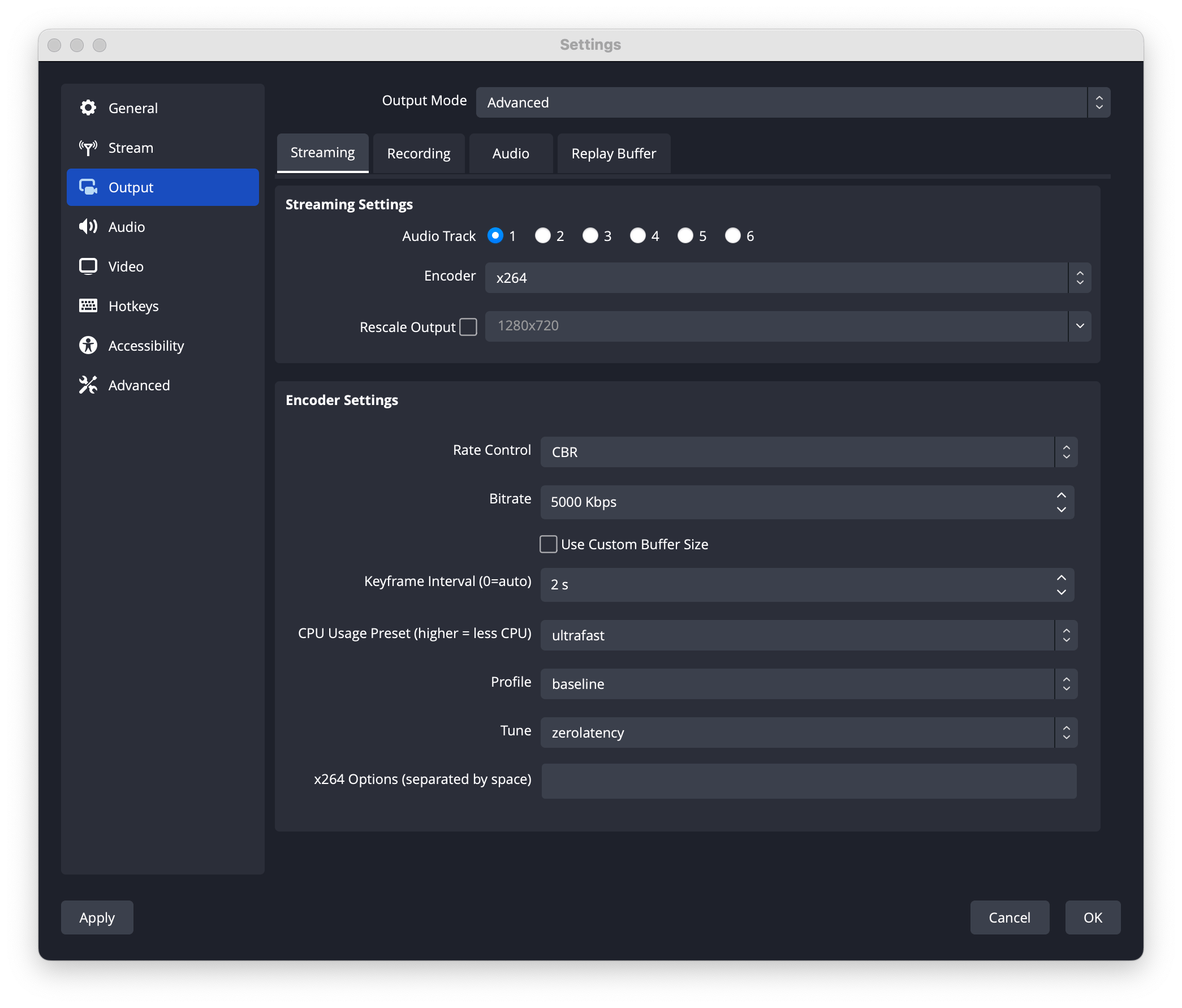
Our servers work best with the x264 encoder in OBS. In OBS, open **Settings**, then **Output**, then check that the encoder is set to x264.
 ## Match your video settings
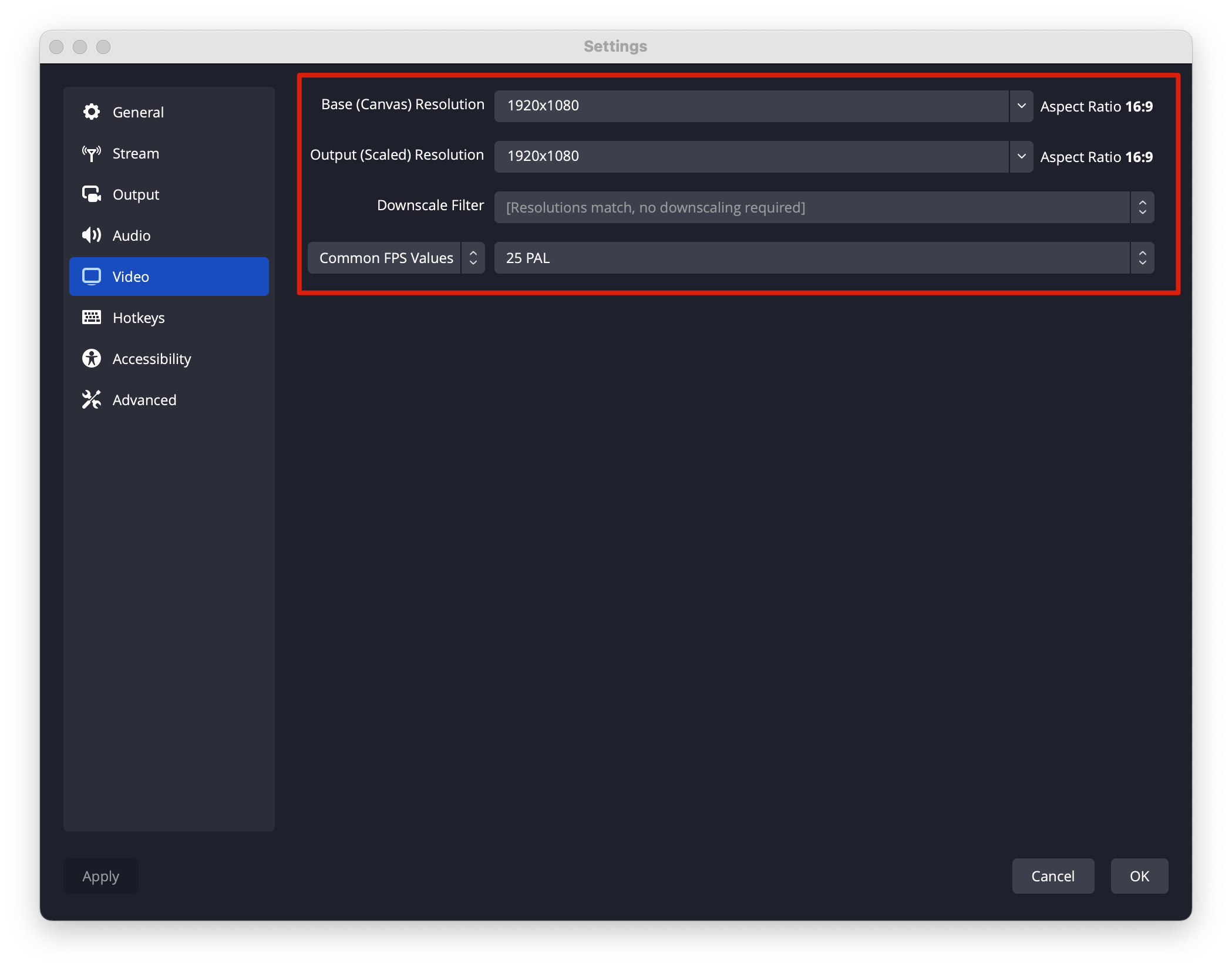
Make sure your video settings match the source of your working environment.
## Match your video settings
Make sure your video settings match the source of your working environment.
 A short checklist to get the best possible playback.