> ## Documentation Index
> Fetch the complete documentation index at: https://docs.dfine.app/llms.txt
> Use this file to discover all available pages before exploring further.
# Watch
> Turn on the sound in the dfine.io Streaming Classic player, go full screen, check the connection and report a problem.
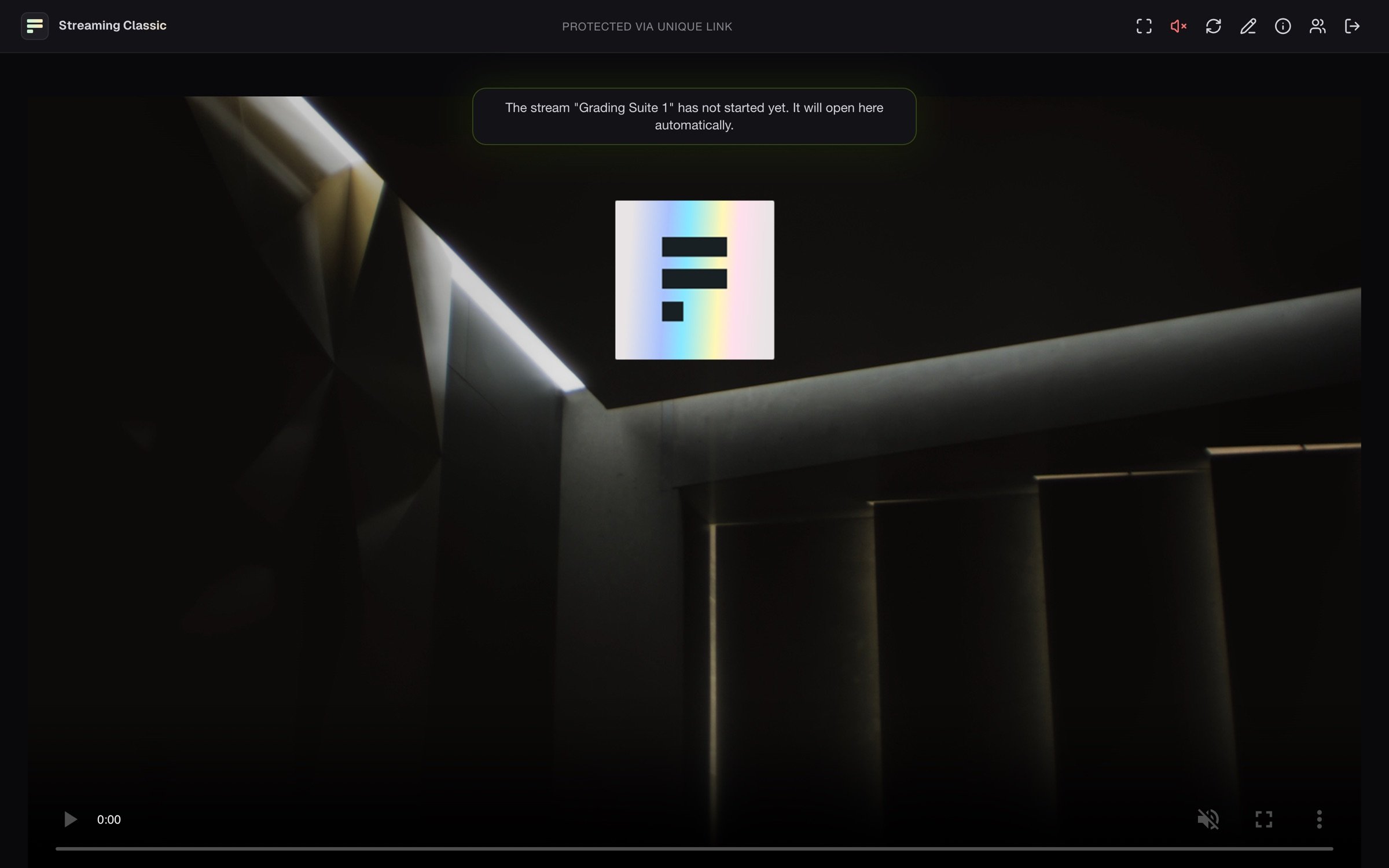
After you sign in you see the player. Its buttons sit as icons at the top right. Hover over one to see its name.
 ## Turn on the sound
The stream starts muted, because browsers only play sound after a click. Click the red, crossed-out speaker icon (**Unmute**). A second click mutes again.
## Full screen
Click the full-screen icon (**Fullscreen**). On iPhone this button is missing. Tap the picture there and use the video's own full-screen button.
## If the picture is missing
| You see | Meaning |
| - | - |
| **The stream … has not started yet.** | The stream has not started. The picture appears by itself. |
| **The stream … has ended.** | The stream is over. |
| **Retrying in … seconds.** | The connection dropped, and the player tries again by itself. |
**Reconnect** connects again at once. Clicking the logo reloads the page.
## Check the connection
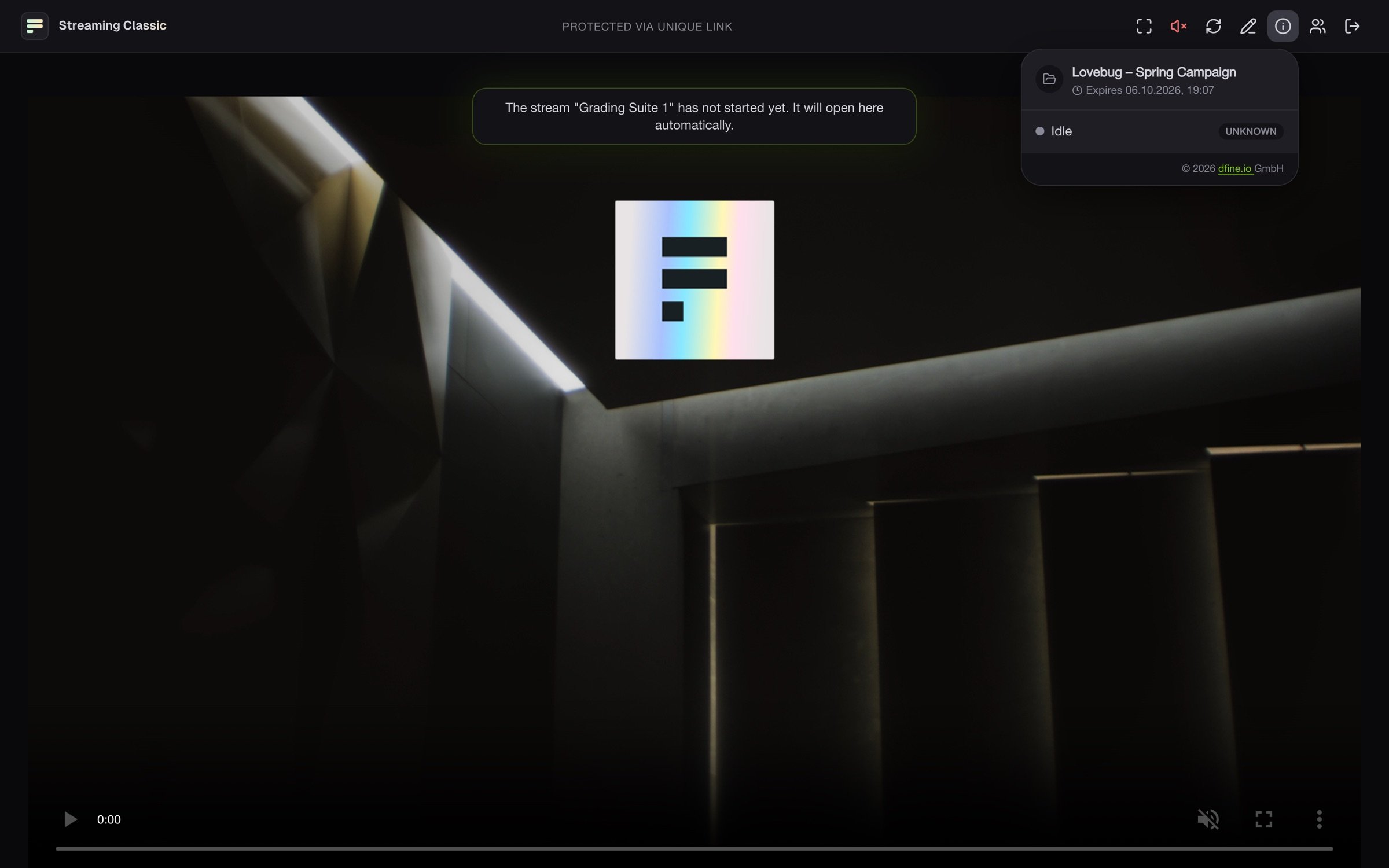
The info icon (**Stream info**) shows the project and when your access expires. While the stream runs, it adds the quality of your connection, resolution, frame rate and bitrate. If the picture stutters, click **Report a connection problem** there and then **Send report**. We get the connection data and details about your browser and device, but no name and no email address.
## Turn on the sound
The stream starts muted, because browsers only play sound after a click. Click the red, crossed-out speaker icon (**Unmute**). A second click mutes again.
## Full screen
Click the full-screen icon (**Fullscreen**). On iPhone this button is missing. Tap the picture there and use the video's own full-screen button.
## If the picture is missing
| You see | Meaning |
| - | - |
| **The stream … has not started yet.** | The stream has not started. The picture appears by itself. |
| **The stream … has ended.** | The stream is over. |
| **Retrying in … seconds.** | The connection dropped, and the player tries again by itself. |
**Reconnect** connects again at once. Clicking the logo reloads the page.
## Check the connection
The info icon (**Stream info**) shows the project and when your access expires. While the stream runs, it adds the quality of your connection, resolution, frame rate and bitrate. If the picture stutters, click **Report a connection problem** there and then **Send report**. We get the connection data and details about your browser and device, but no name and no email address.
 ## Who else is watching
**Viewers** lists everyone watching right now. Your own entry is marked **You**. Change your name with **Change your name**.
This documentation is built and hosted on [Mintlify](https://mintlify.com), a developer documentation platform.
## Who else is watching
**Viewers** lists everyone watching right now. Your own entry is marked **You**. Change your name with **Change your name**.
This documentation is built and hosted on [Mintlify](https://mintlify.com), a developer documentation platform.