> ## Documentation Index
> Fetch the complete documentation index at: https://docs.dfine.app/llms.txt
> Use this file to discover all available pages before exploring further.
# OBS encoder settings
> Set the OBS output, video and color settings Streaming Classic expects before your first stream.
Set these values once in OBS before your first stream. They are the values from [Encoder settings](/en/streaming-classic/encoder-settings), at the places OBS keeps them.
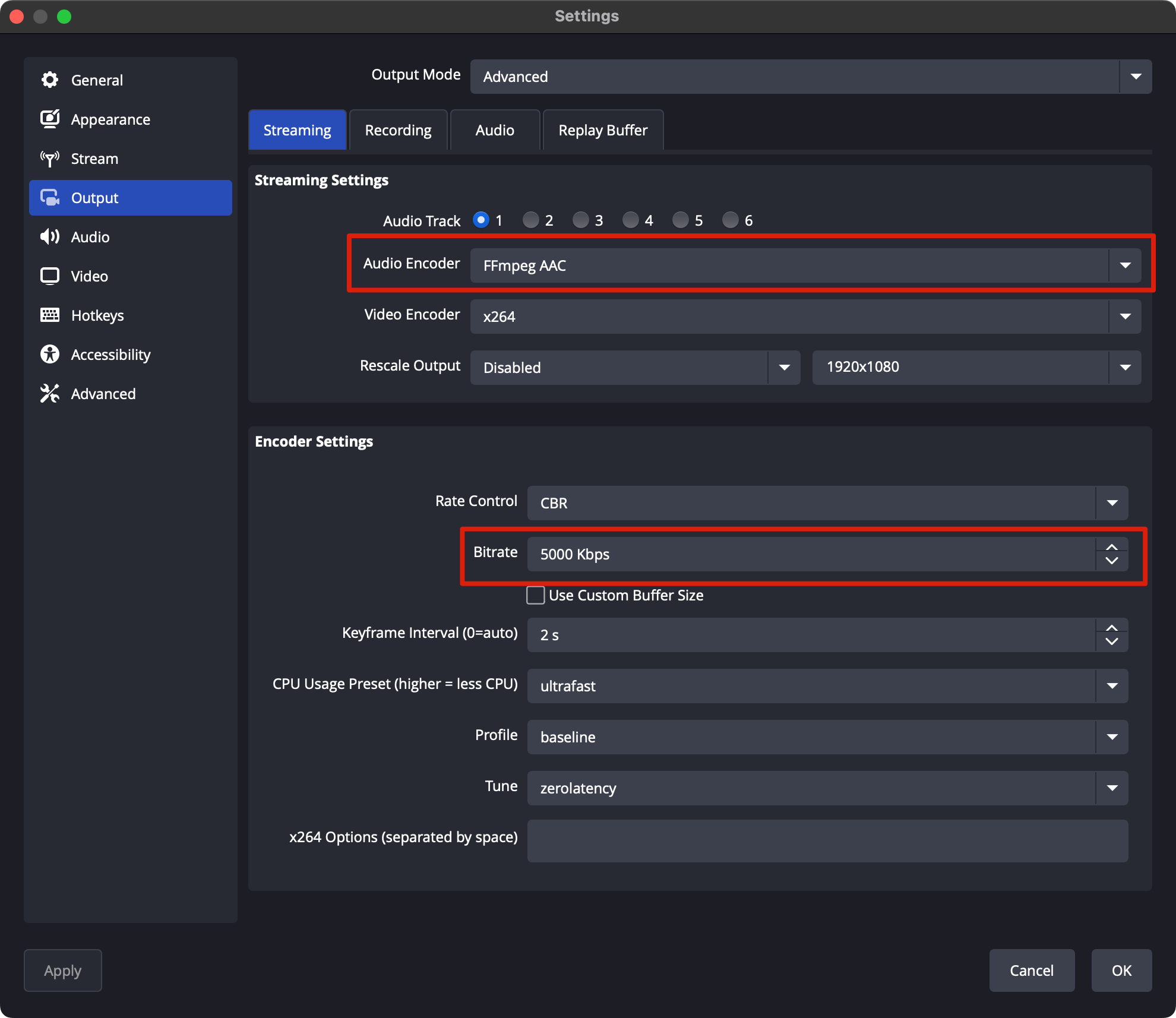
Open **Settings → Output** and set **Output Mode** to **Advanced**. Then open the **Streaming** tab.
Match these values:
| Setting | Value |
| - | - |
| Video Encoder | x264 |
| Rate Control | CBR |
| Bitrate | 5000 Kbps for 1080p, within your plan. On the Free plan 450 Kbps |
| Keyframe Interval | 1 s |
| CPU Usage Preset | ultrafast |
| Profile | main |
| Tune | zerolatency |
 In **Settings → Video**, set **Base (Canvas) Resolution** and **Output (Scaled) Resolution** to your source, for example 1920x1080, and pick your source's frame rate.
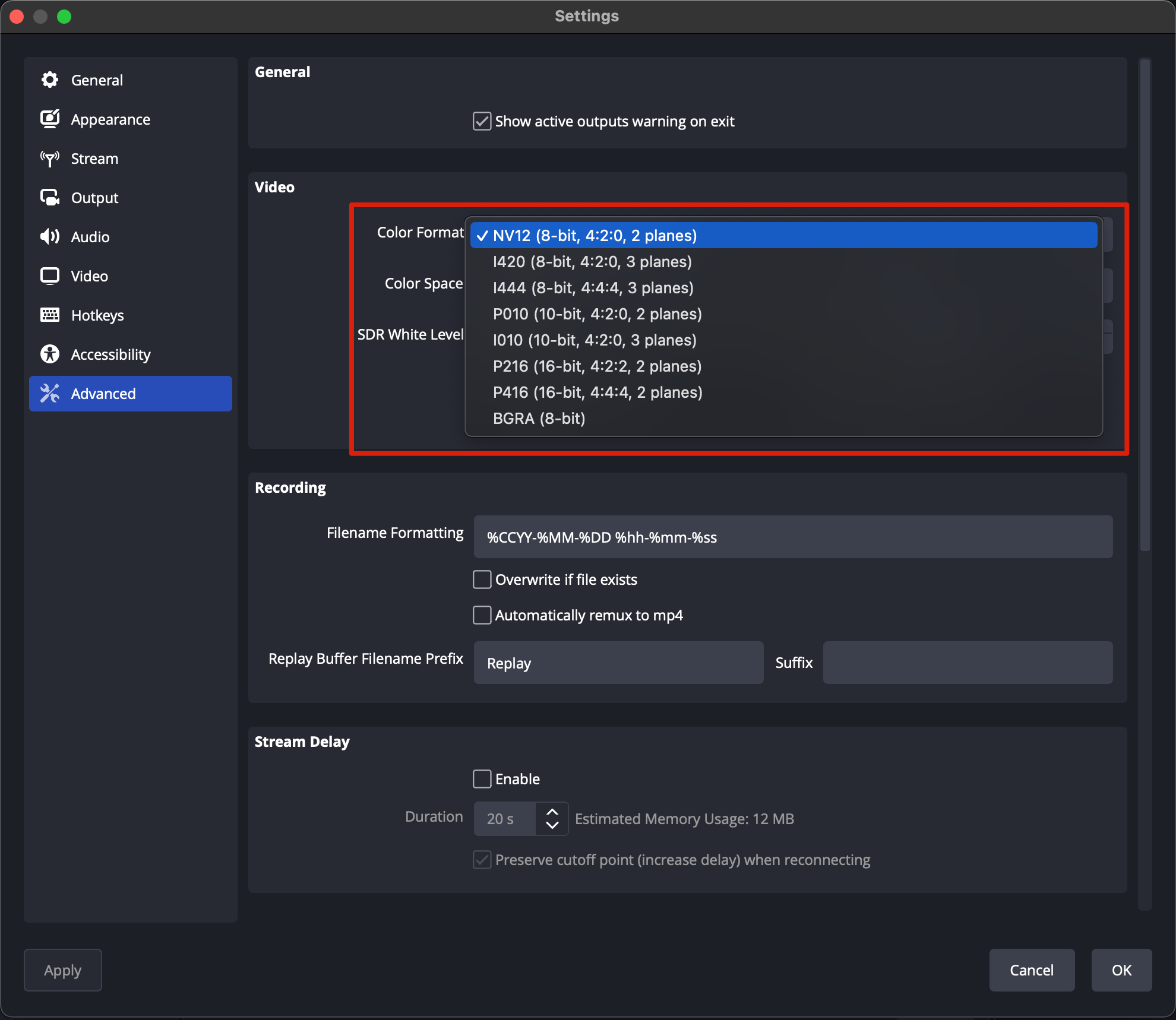
In **Settings → Advanced**, set **Color Format** to **NV12**, **Color Space** to **Rec. 709** and **Color Range** to **Limited**. H.264 carries 8 bit.
In **Settings → Video**, set **Base (Canvas) Resolution** and **Output (Scaled) Resolution** to your source, for example 1920x1080, and pick your source's frame rate.
In **Settings → Advanced**, set **Color Format** to **NV12**, **Color Space** to **Rec. 709** and **Color Range** to **Limited**. H.264 carries 8 bit.
 Enter your ingest URL and stream key, then go live.
This documentation is built and hosted on [Mintlify](https://mintlify.com), a developer documentation platform.
Enter your ingest URL and stream key, then go live.
This documentation is built and hosted on [Mintlify](https://mintlify.com), a developer documentation platform.