> ## Documentation Index
> Fetch the complete documentation index at: https://docs.dfine.app/llms.txt
> Use this file to discover all available pages before exploring further.
# Take over moderation
> How the team hands control of a file stream to a guest, and what the guest can then operate.
When the host plays a file for everyone, it runs in **Remote Mode**: one person controls it, and the picture follows for everyone else. The team can hand this control to a guest, for example to a director who wants to step through the cut themselves.
## Hand over control (team)
Only members of the team that owns the room can hand over control. Guests can take moderation, but cannot pass it on.
Click the gear (**Meeting settings**) and open **File Stream**. **Remote Mode** has to be on.
**Hand Over Control** lists every participant. Click the name of the person who should control playback. They then carry the **moderating** badge.
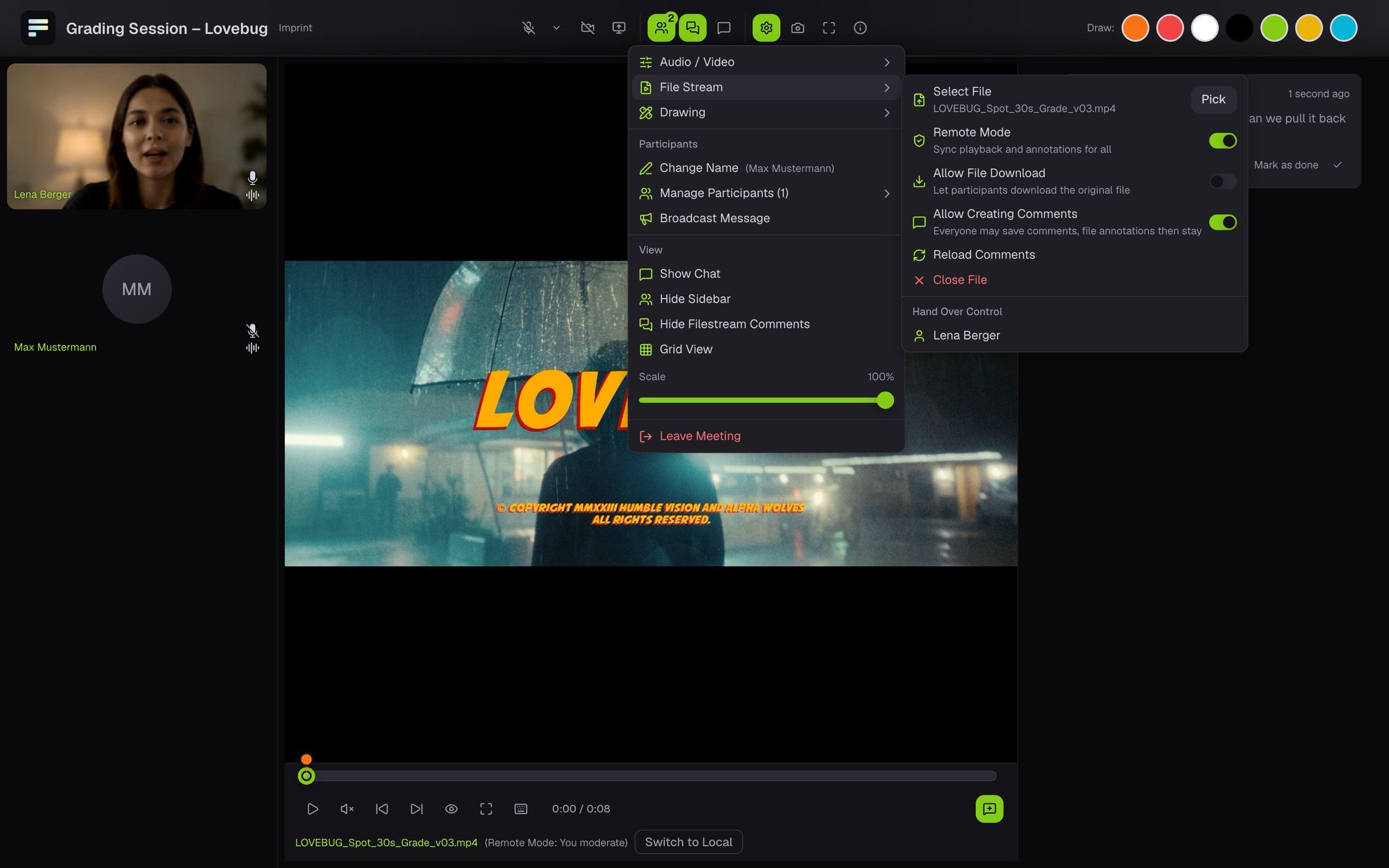 **Revoke** in the same menu takes control back.
## What you see as a guest
As soon as you get control, the room shows **You now have moderation rights for the video**. Under the picture it says **(Remote Mode: You moderate)**, and you have play and pause, the timeline and the jumps between comments. Everyone else sees what you do right away.
**Revoke** in the same menu takes control back.
## What you see as a guest
As soon as you get control, the room shows **You now have moderation rights for the video**. Under the picture it says **(Remote Mode: You moderate)**, and you have play and pause, the timeline and the jumps between comments. Everyone else sees what you do right away.
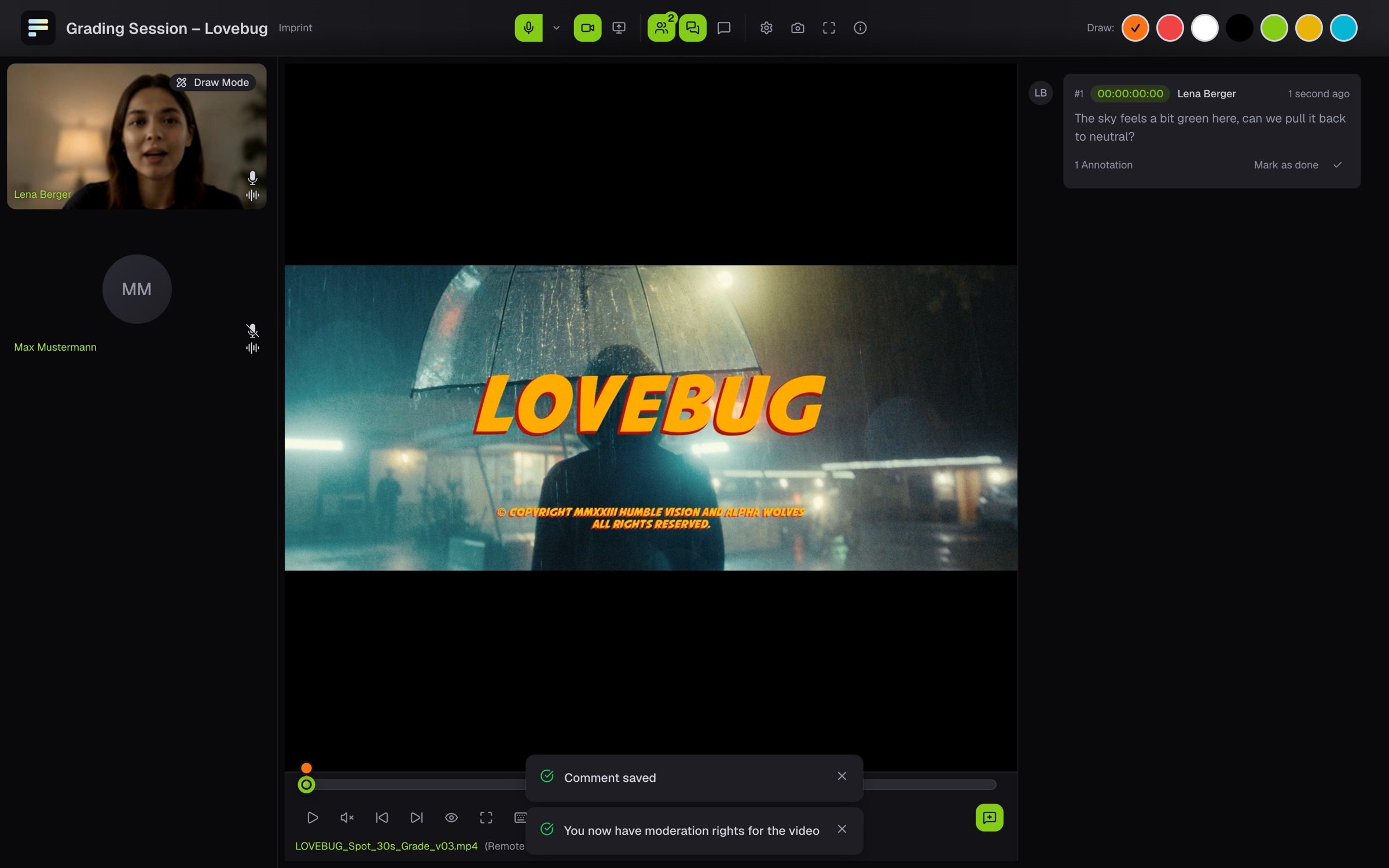 The others see **(Remote Mode: your name moderates)** and cannot operate playback. The team still decides which file plays.
| Key | Action |
| - | - |
| Space | Play and pause |
| J, K, L | One second back, stop, play |
| ← and → | One frame back or forward |
| ↑ and ↓ | To the start or the end |
| B and N | To the previous or next comment |
If your browser shows **Update your browser to follow the shared file**, it is too old to follow the file stream in sync. This affects older Safari versions. Update the browser and join again.
This documentation is built and hosted on [Mintlify](https://mintlify.com), a developer documentation platform.
The others see **(Remote Mode: your name moderates)** and cannot operate playback. The team still decides which file plays.
| Key | Action |
| - | - |
| Space | Play and pause |
| J, K, L | One second back, stop, play |
| ← and → | One frame back or forward |
| ↑ and ↓ | To the start or the end |
| B and N | To the previous or next comment |
If your browser shows **Update your browser to follow the shared file**, it is too old to follow the file stream in sync. This affects older Safari versions. Update the browser and join again.
This documentation is built and hosted on [Mintlify](https://mintlify.com), a developer documentation platform.