> ## Documentation Index
> Fetch the complete documentation index at: https://docs.dfine.app/llms.txt
> Use this file to discover all available pages before exploring further.
# Draw on the picture
> Mark what you mean on a live stream or a file in a live session, and save the picture with your marks.
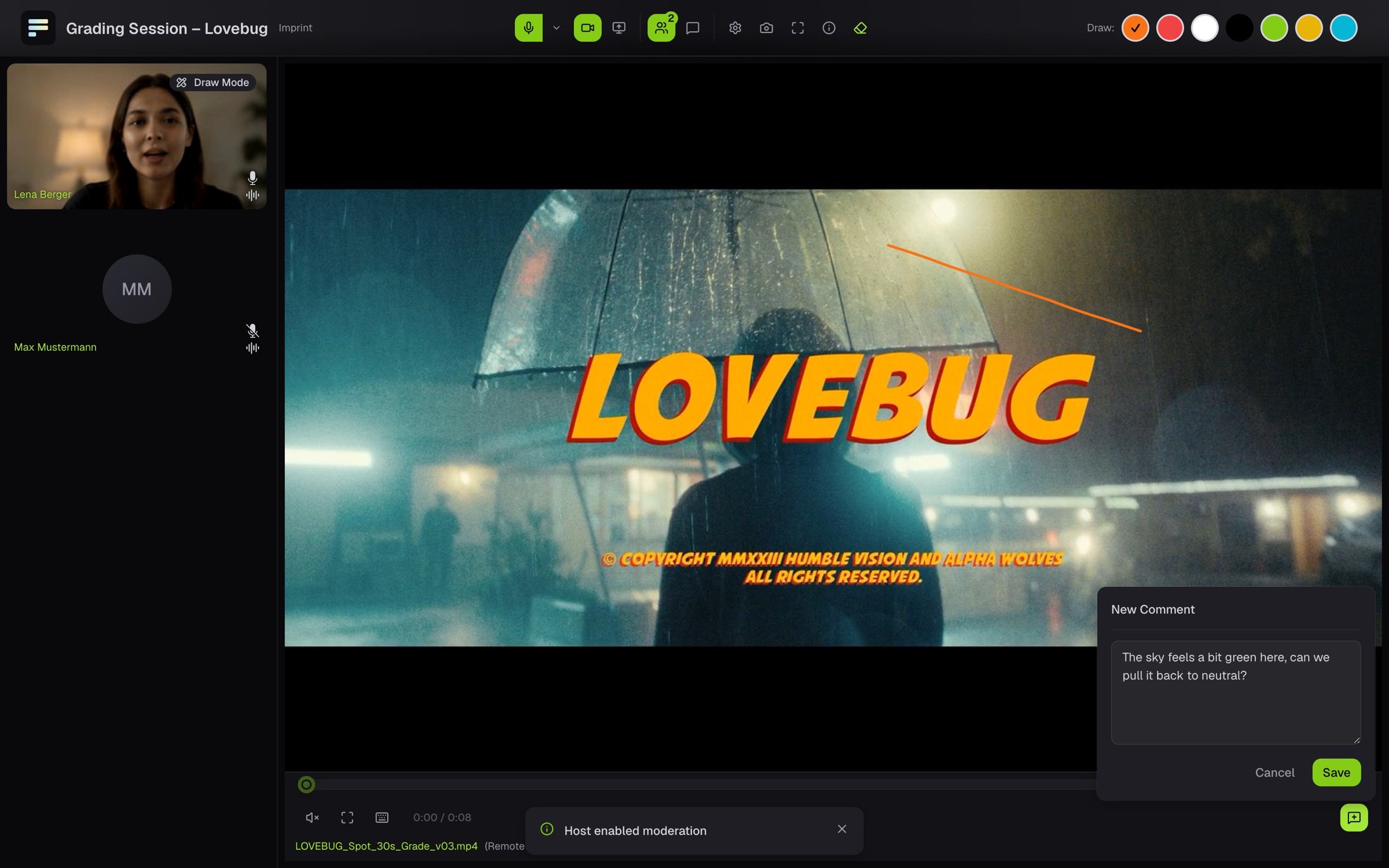
In a live session you point at what you mean right on the picture: a sky that is too green, or an edge that bothers you. This works on a **live stream** that someone sends into the room from their editing or grading system, and on a **file** the host plays for everyone. You cannot draw on camera pictures, shared screens or small thumbnails.
The bar at the top shows **Draw:** with seven colours. Click one of them. On iPhone there are six.
Draw with mouse, finger or pen right on the large picture. The others see your stroke at once, together with your pointer and your name.
 Click the active colour again. The **D** key also turns the pen on and off.
Strokes disappear by themselves after five seconds, so the picture stays clear. If the host turned that off, they stay. You then remove your own strokes with the eraser (**Delete Annotations**).
## Keep a mark
Strokes on a live stream are not saved. To keep a spot, click the large picture and then the camera icon (**Save Snapshot**). Your browser downloads a JPG of the picture with your strokes.
On a file, you attach your strokes to a comment. They then stay saved in the file with the point in time. See [Comment](/en/review/viewers/comment).
If the bar shows **Drawing currently deactivated**, the host has turned off drawing for guests. Ask in the room if you want to mark something.
This documentation is built and hosted on [Mintlify](https://mintlify.com), a developer documentation platform.
Click the active colour again. The **D** key also turns the pen on and off.
Strokes disappear by themselves after five seconds, so the picture stays clear. If the host turned that off, they stay. You then remove your own strokes with the eraser (**Delete Annotations**).
## Keep a mark
Strokes on a live stream are not saved. To keep a spot, click the large picture and then the camera icon (**Save Snapshot**). Your browser downloads a JPG of the picture with your strokes.
On a file, you attach your strokes to a comment. They then stay saved in the file with the point in time. See [Comment](/en/review/viewers/comment).
If the bar shows **Drawing currently deactivated**, the host has turned off drawing for guests. Ask in the room if you want to mark something.
This documentation is built and hosted on [Mintlify](https://mintlify.com), a developer documentation platform.