> ## Documentation Index
> Fetch the complete documentation index at: https://docs.dfine.app/llms.txt
> Use this file to discover all available pages before exploring further.
# Where do I turn on a password, expiry or downloads for a share?
> Share a file or folder from its row menu and set password, invite only, audit trail, expiry, countries, access limit and what recipients may do.
A share link lets your client open a file or folder without an account. Its protection is set when you create it.
In the project, open the menu on the file or folder and choose **Share**. On **Settings**, enter the name your recipients see.
Switch on what you need: **Password**, **Invite Only** for named recipients, **Audit Trail** to record every access, **Expiration**, a country restriction and an access limit.
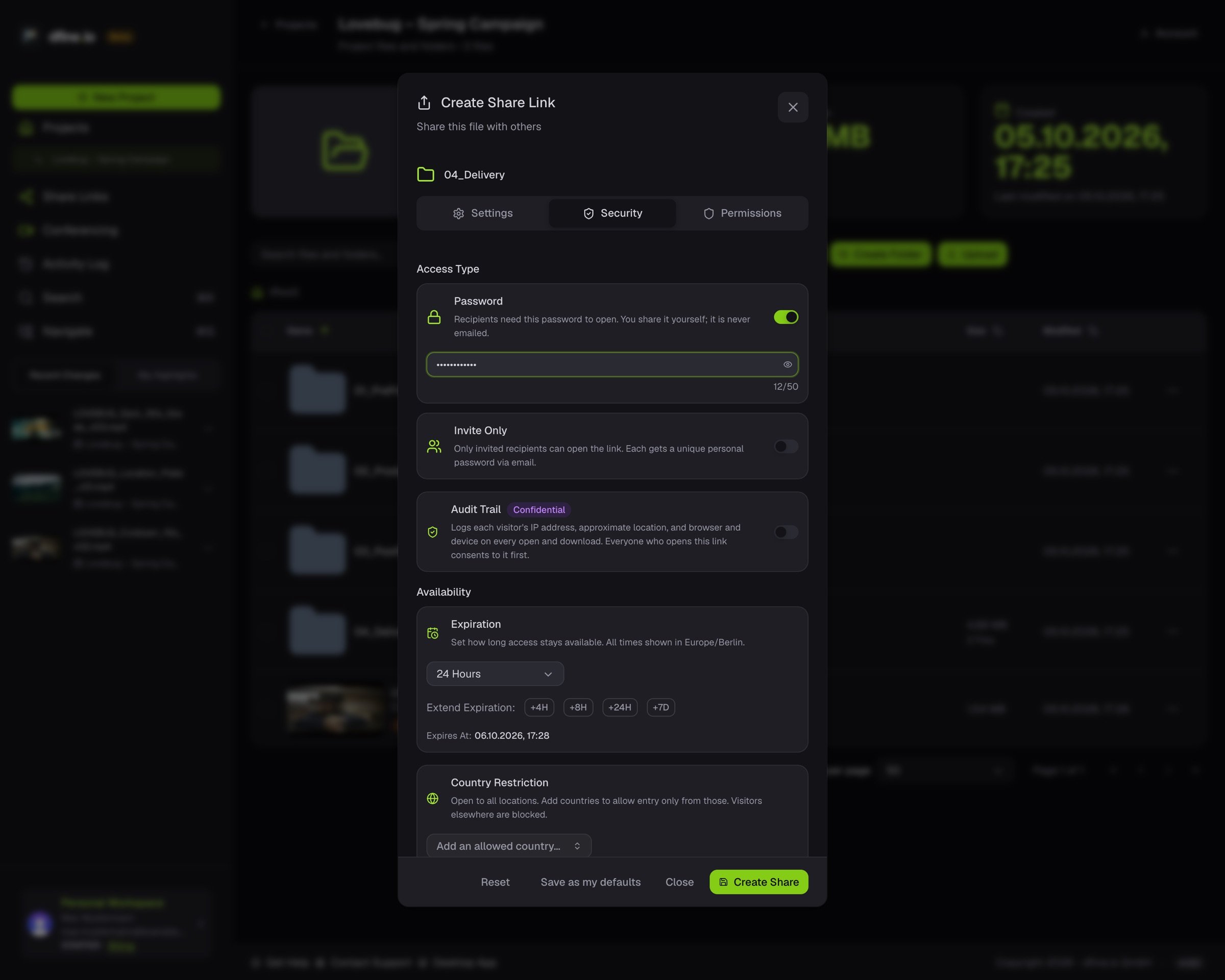 Set what recipients may do: download, upload, add to a stack, comment and more, each with its own switch.
Click **Create Share** and copy the link.
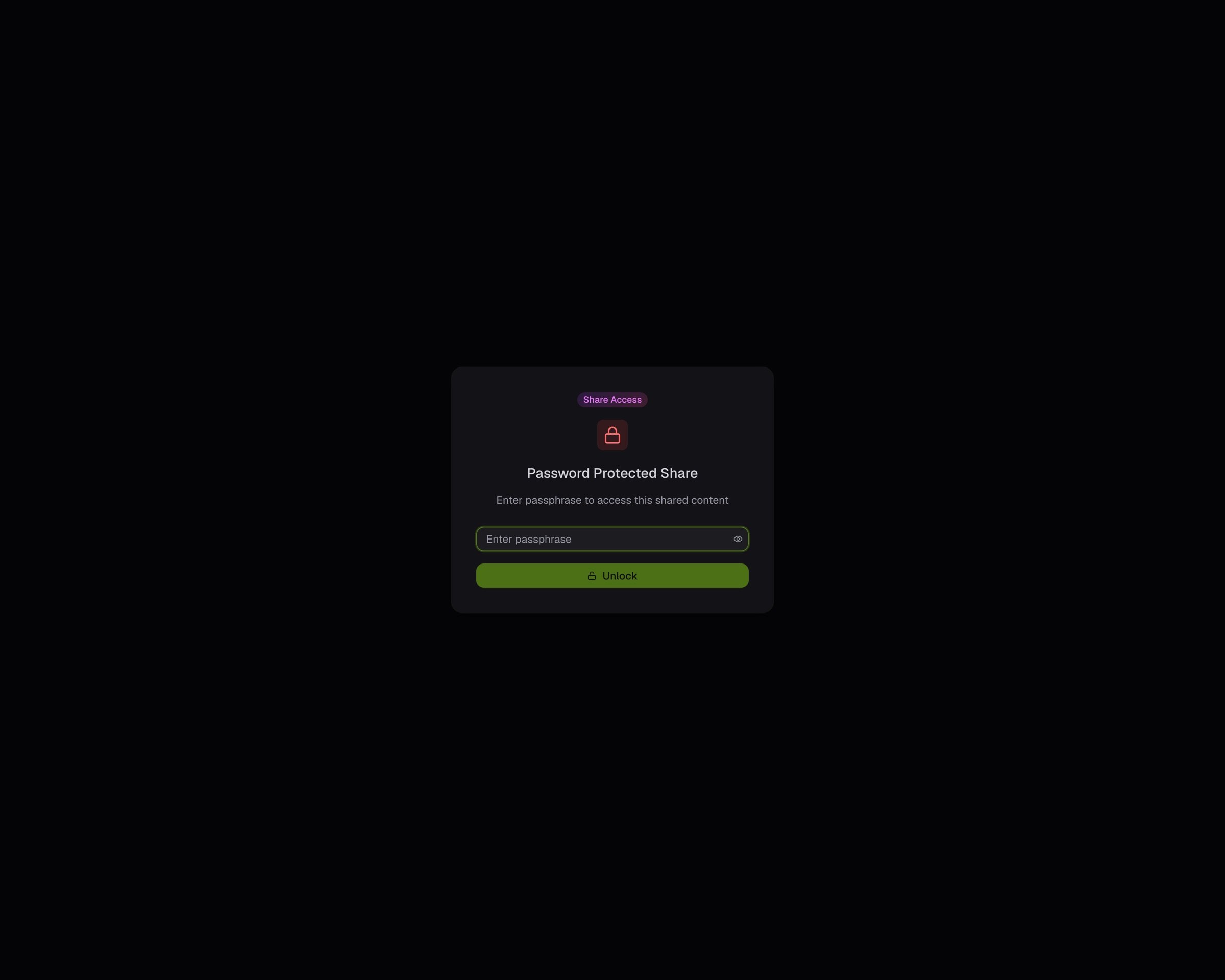
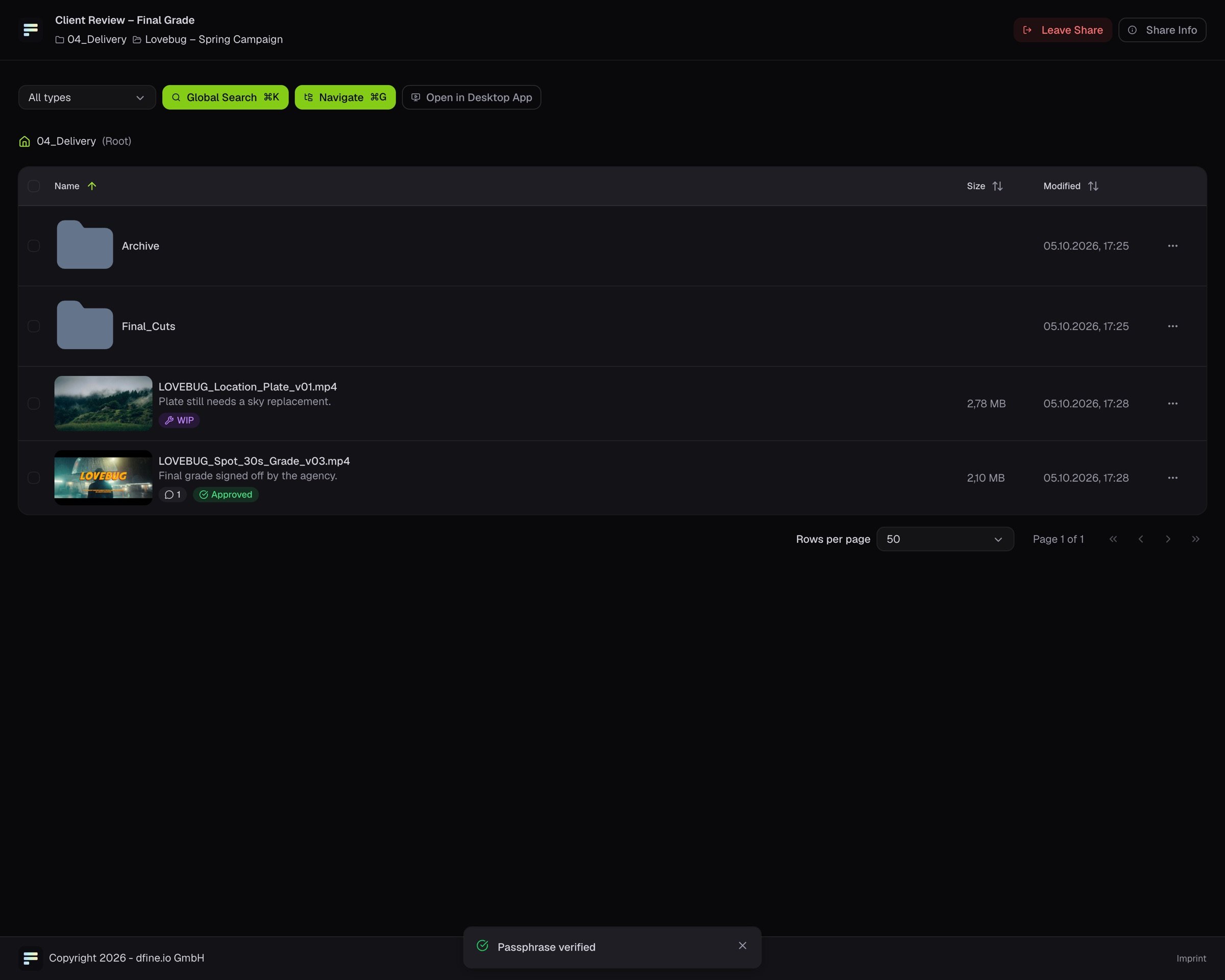
**What your client sees.** With a password, a passphrase screen first. After that, a clean view of your shared folder.
Set what recipients may do: download, upload, add to a stack, comment and more, each with its own switch.
Click **Create Share** and copy the link.
**What your client sees.** With a password, a passphrase screen first. After that, a clean view of your shared folder.
 Your client wants the originals at full size: [Download a share at full size](/en/workflows/download). Your links later: [Where do I find my share links?](/en/review/find/share-links)
This documentation is built and hosted on [Mintlify](https://mintlify.com), a developer documentation platform.
Your client wants the originals at full size: [Download a share at full size](/en/workflows/download). Your links later: [Where do I find my share links?](/en/review/find/share-links)
This documentation is built and hosted on [Mintlify](https://mintlify.com), a developer documentation platform.