> ## Documentation Index
> Fetch the complete documentation index at: https://docs.dfine.app/llms.txt
> Use this file to discover all available pages before exploring further.
# Where do I turn on a password for a folder?
> Switch on folder passwords under Settings, Security, then choose Protect Folder in a folder's menu.
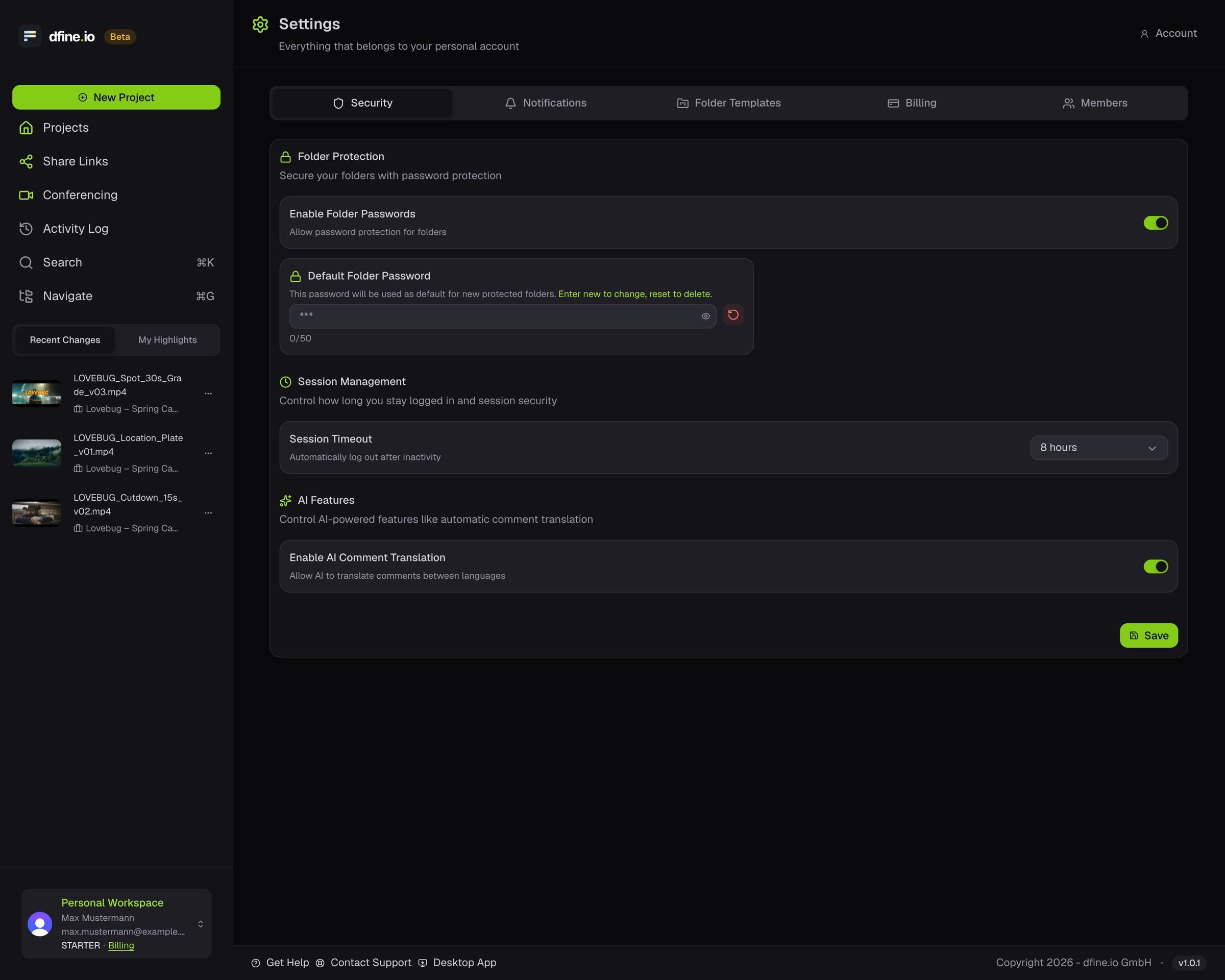
Open the account menu at the bottom of the sidebar, click **Settings** and open **Security**. Switch on folder protection and set a default folder password if you want one.
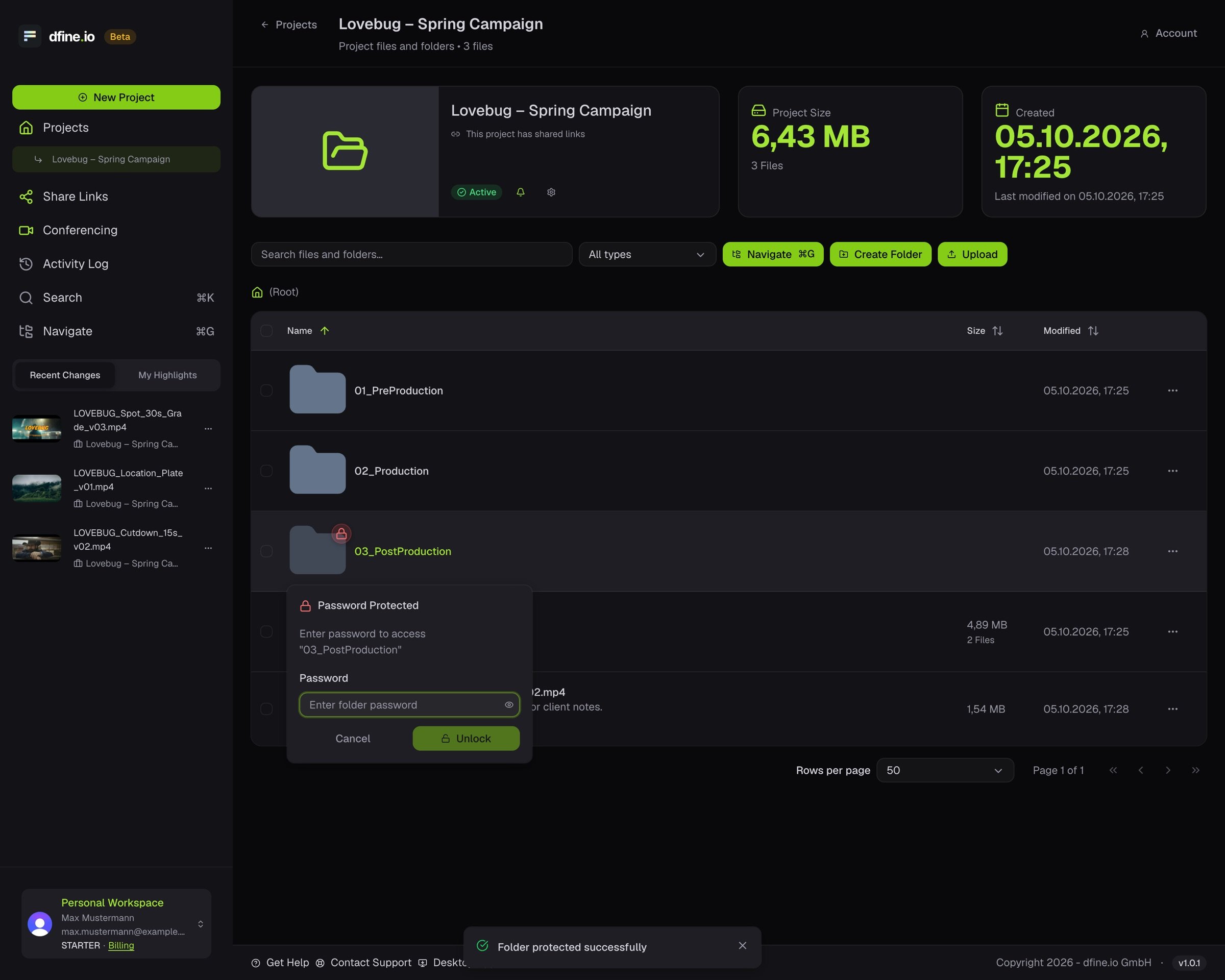
 In the project, open the folder's menu and choose **Protect Folder**.
The folder shows a small lock. Anyone who opens it is asked for the password first.
In the project, open the folder's menu and choose **Protect Folder**.
The folder shows a small lock. Anyone who opens it is asked for the password first.
 dfine.io Download cannot open a folder with its own password. Your client downloads that folder in the browser.
This documentation is built and hosted on [Mintlify](https://mintlify.com), a developer documentation platform.
dfine.io Download cannot open a folder with its own password. Your client downloads that folder in the browser.
This documentation is built and hosted on [Mintlify](https://mintlify.com), a developer documentation platform.