> ## Documentation Index
> Fetch the complete documentation index at: https://docs.dfine.app/llms.txt
> Use this file to discover all available pages before exploring further.
# Share with your clients
> Send a secure link so anyone can review, no account needed.
Sharing is how your clients see the work. You create a link to a file or folder and send it. The person who opens it does not need an account.
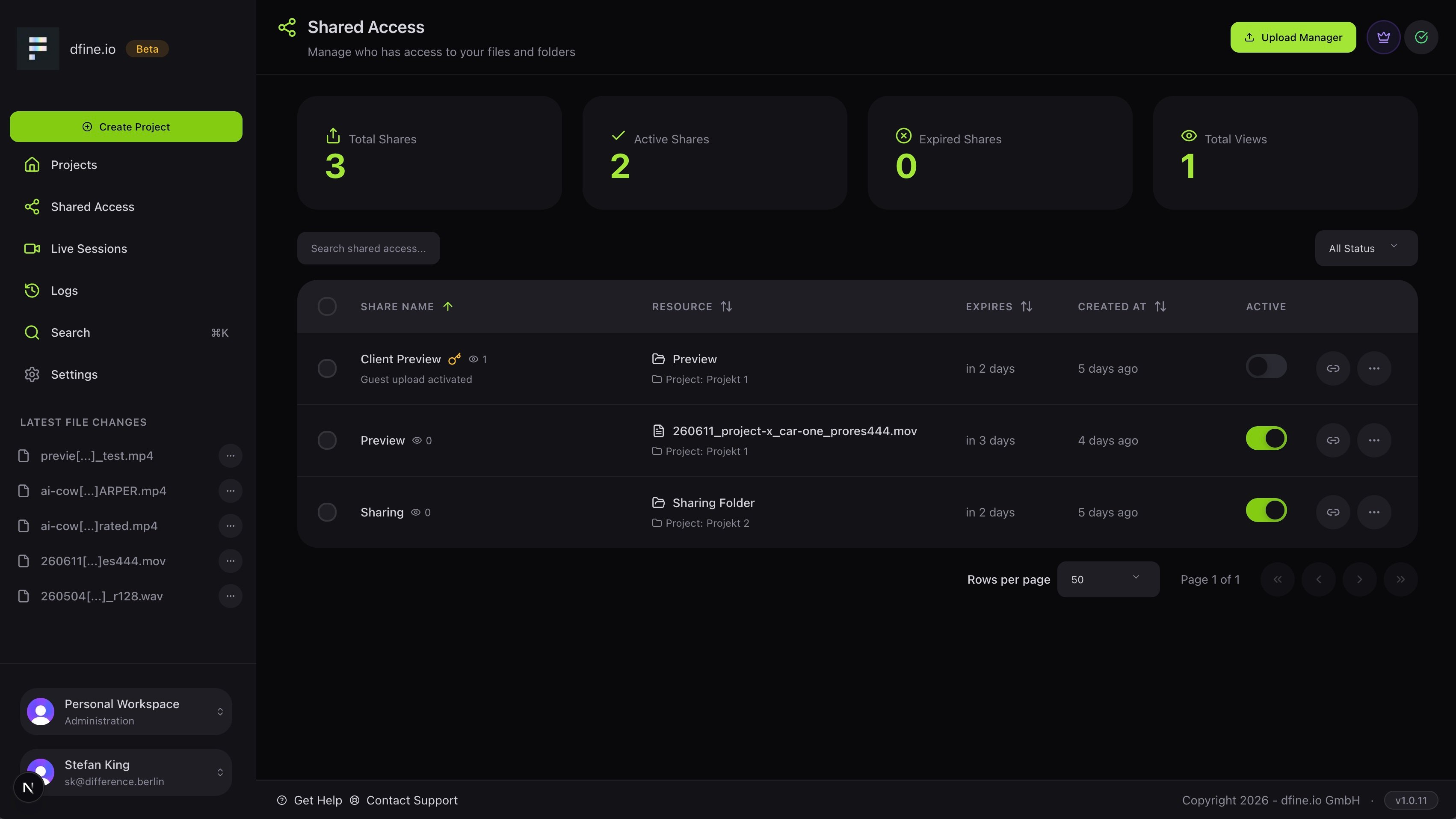
The **Shared Access** page lists every link you created. It shows how many times each one was viewed, when it expires and whether it is still active. You can turn a link off at any time.
 ## Create a share link
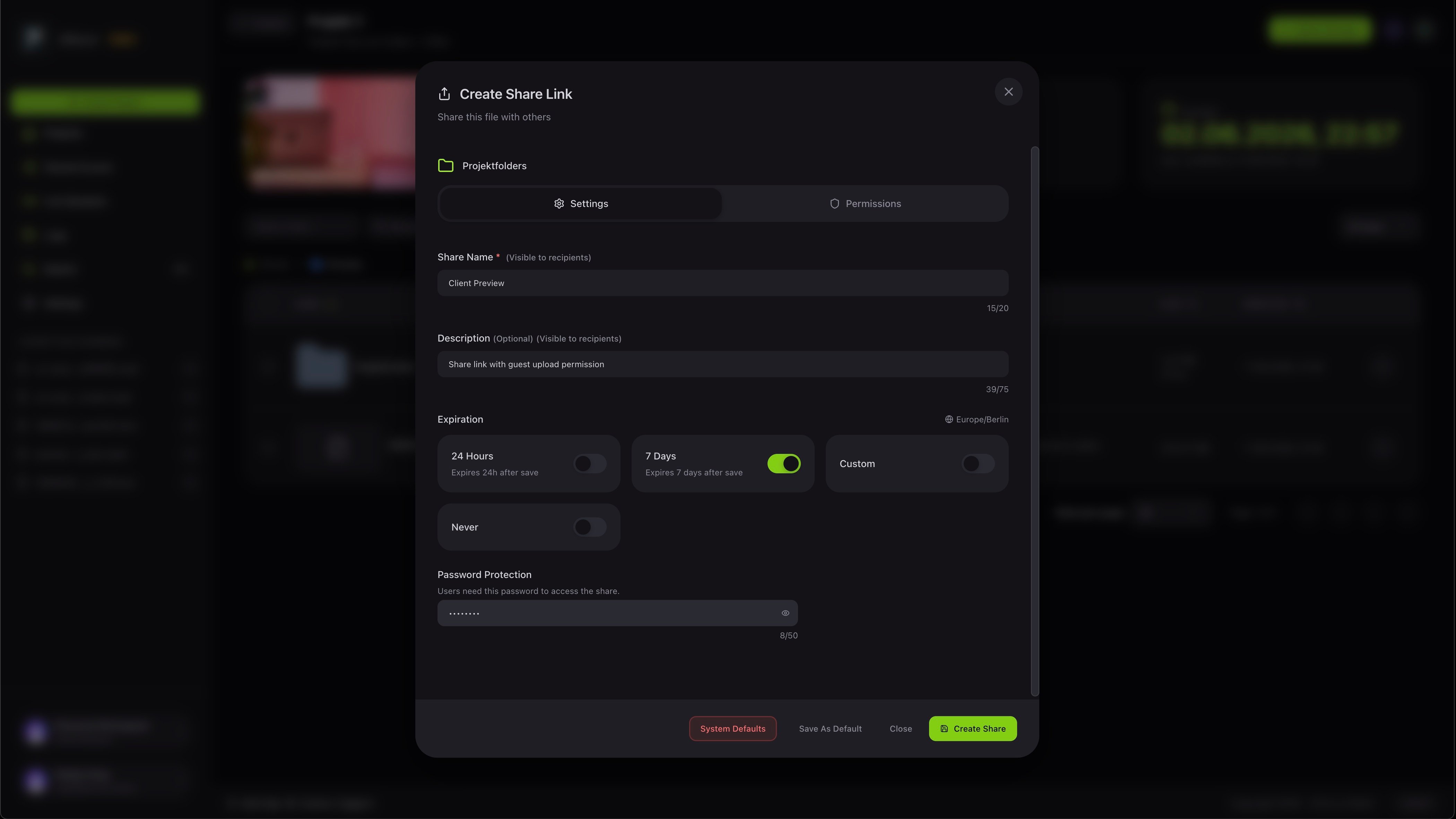
When you share a file or folder, you give the link a name, an optional description, and choose how long it stays valid. You can also add a password and set what recipients are allowed to do.
## Create a share link
When you share a file or folder, you give the link a name, an optional description, and choose how long it stays valid. You can also add a password and set what recipients are allowed to do.
 ## Protect a link
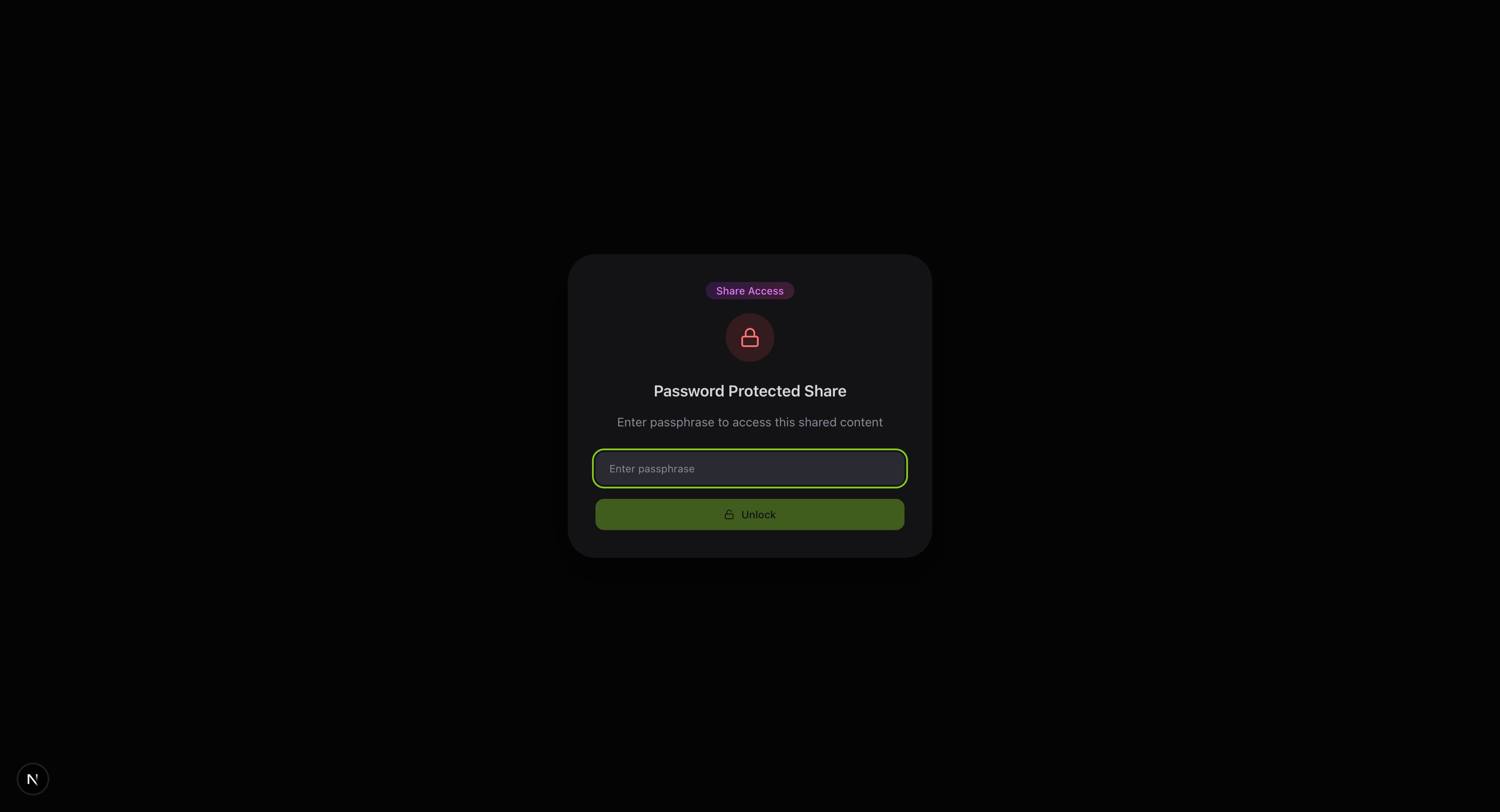
If you add a password, the person who opens the link first sees a passphrase screen and only gets in with the right password.
## Protect a link
If you add a password, the person who opens the link first sees a passphrase screen and only gets in with the right password.
 ## What your client sees
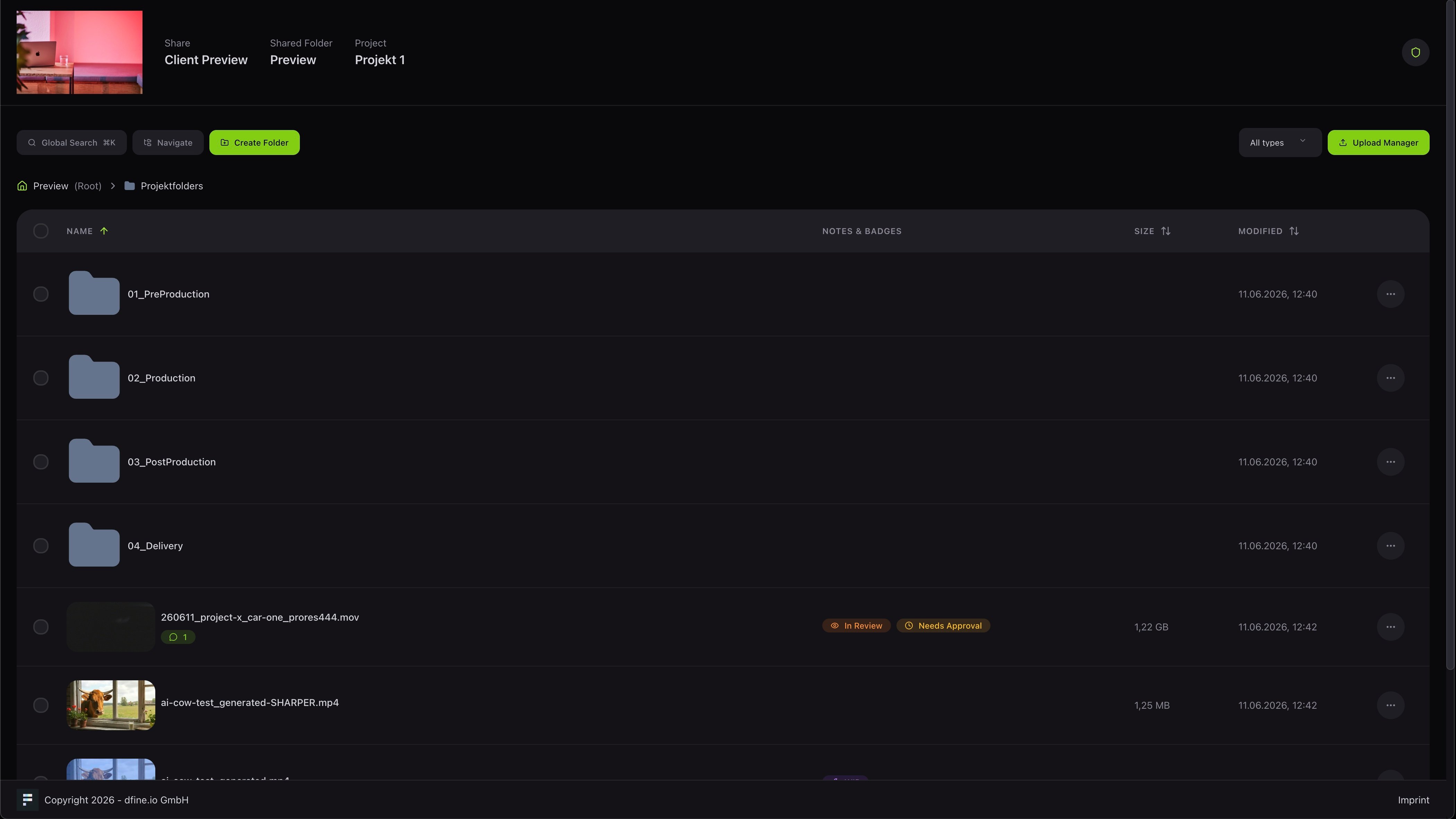
Once they are in, your client sees a clean view of the shared folder with your structure and files, and can open any file to review it. No account and no setup needed.
## What your client sees
Once they are in, your client sees a clean view of the shared folder with your structure and files, and can open any file to review it. No account and no setup needed.
 ## Point a share at something else
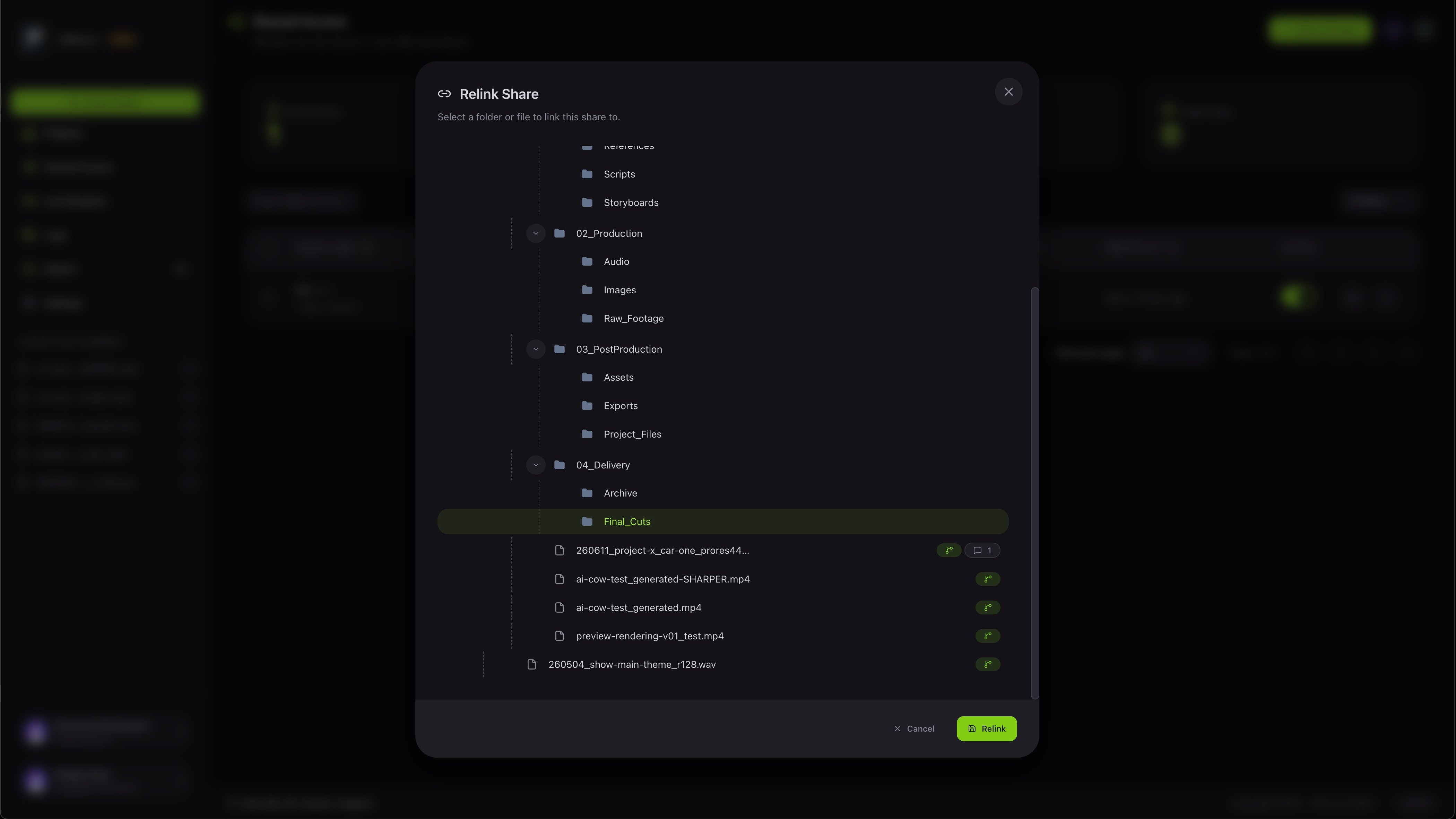
You can relink an existing share to a different folder or file, so the same link keeps working even when your structure changes.
## Point a share at something else
You can relink an existing share to a different folder or file, so the same link keeps working even when your structure changes.
 How feedback and approval work.