> ## Documentation Index
> Fetch the complete documentation index at: https://docs.dfine.app/llms.txt
> Use this file to discover all available pages before exploring further.
# Quickstart
> Your first review in five minutes: upload, comment, share.
This is the fastest way to get your first review in front of a client. Three steps, about five minutes.
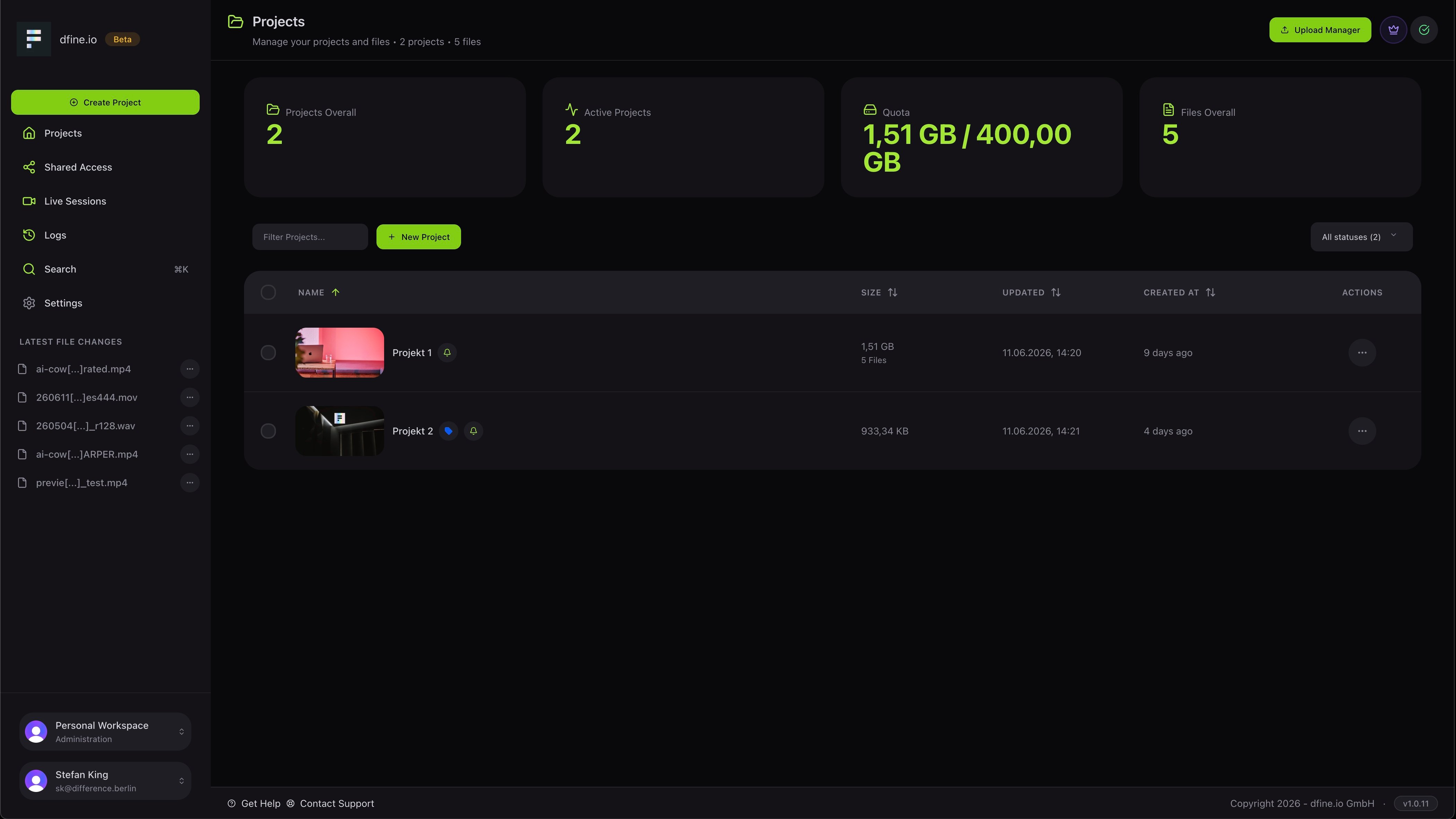
Open **Projects**, click **Create project**, then use the **Upload Manager** to add your video, image or audio file. You can drag files straight in.
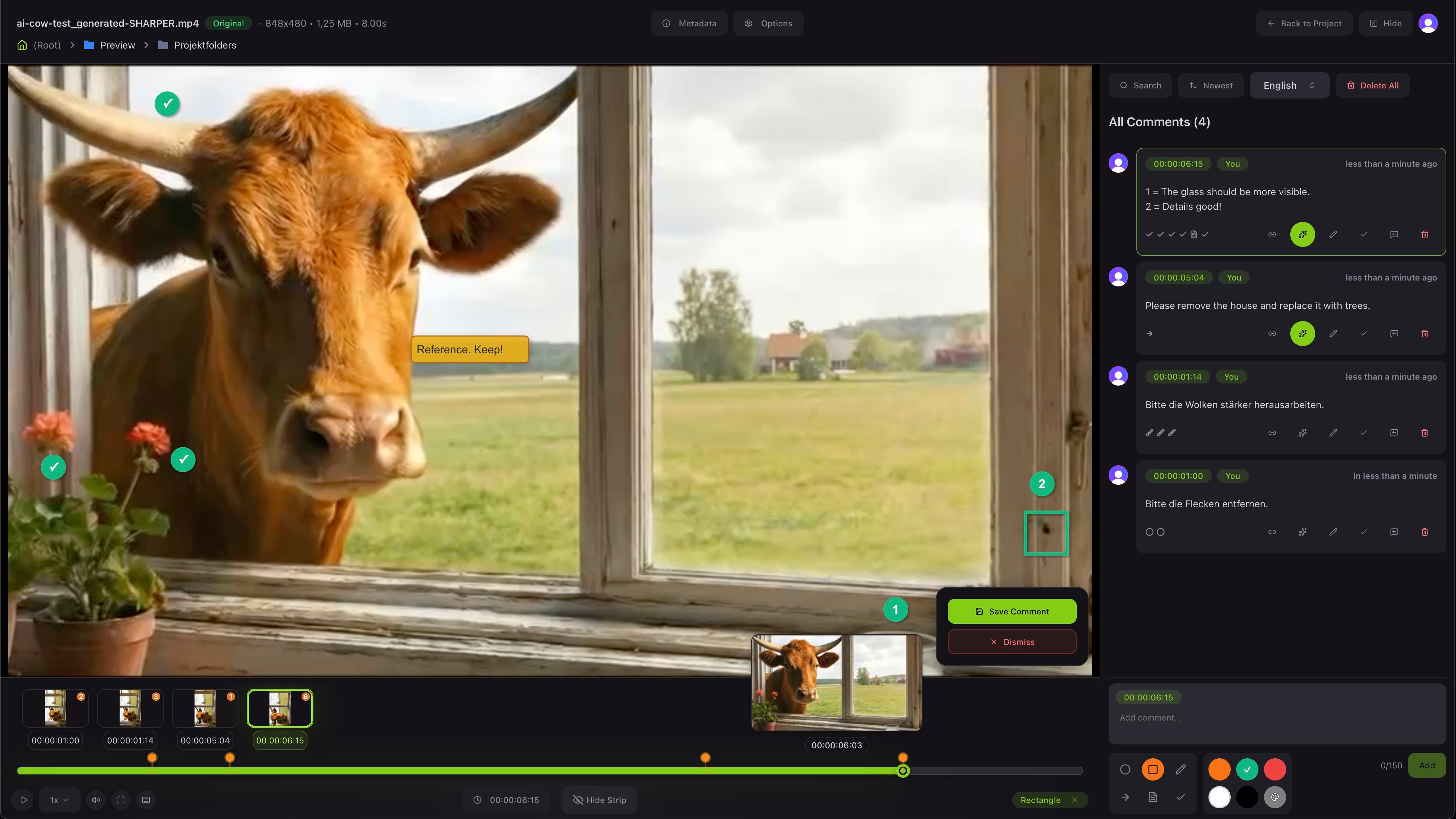
 Open the file to enter the review viewer. Type a comment to pin it to the exact frame, and use the drawing tools to mark up the picture.
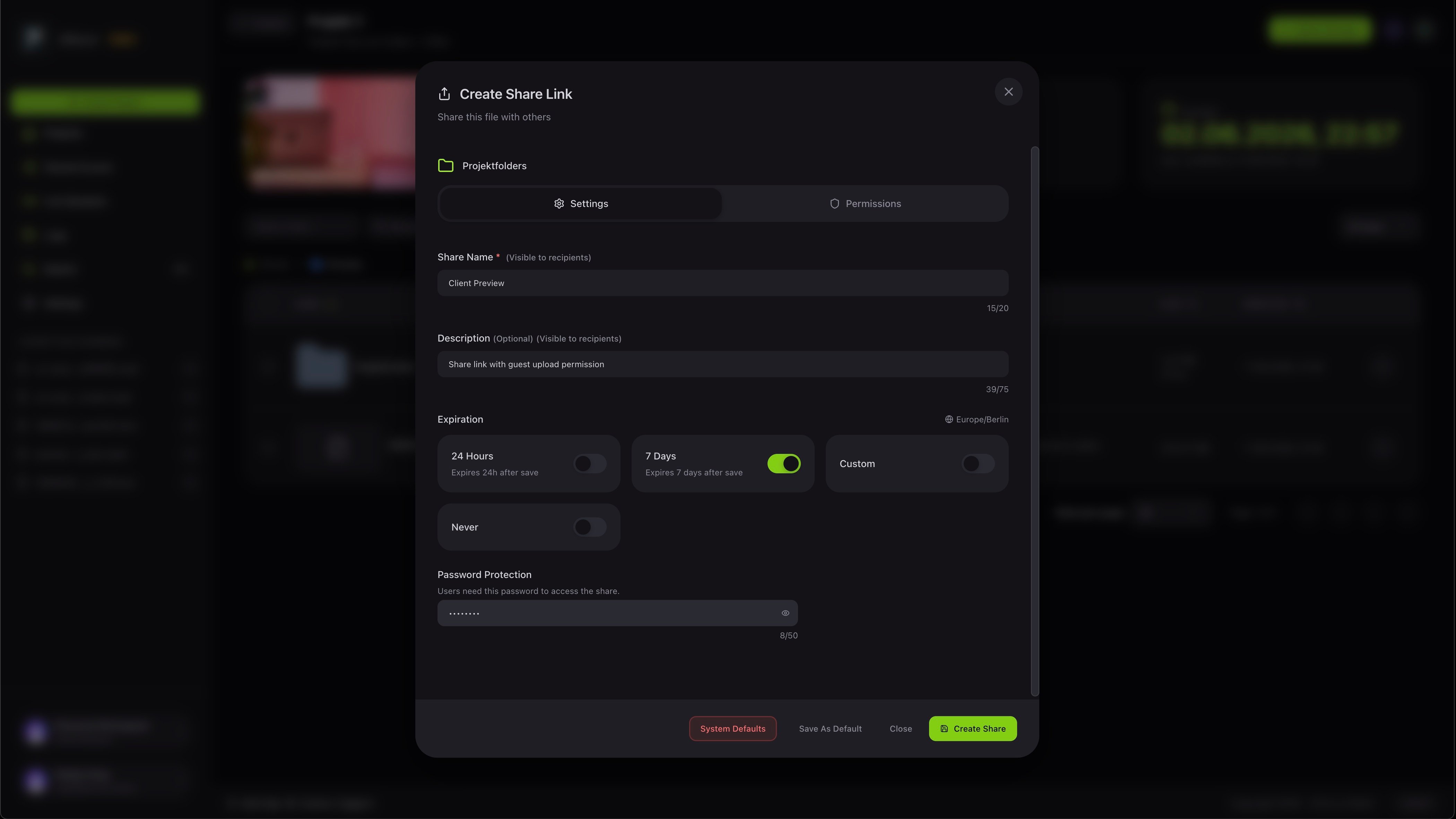
 Use **Share** to create a link. Give it a name, set how long it stays valid, and add a password if you want. Send the link, no account needed on their side.
 Versions, approval and the full set of feedback tools.