> ## Documentation Index
> Fetch the complete documentation index at: https://docs.dfine.app/llms.txt
> Use this file to discover all available pages before exploring further.
# Projects and files
> Organise your work in projects and folders.
Everything you upload lives in a project. The **Projects** page is your home screen. It shows how many projects you have, how much storage you use and the files you changed most recently.
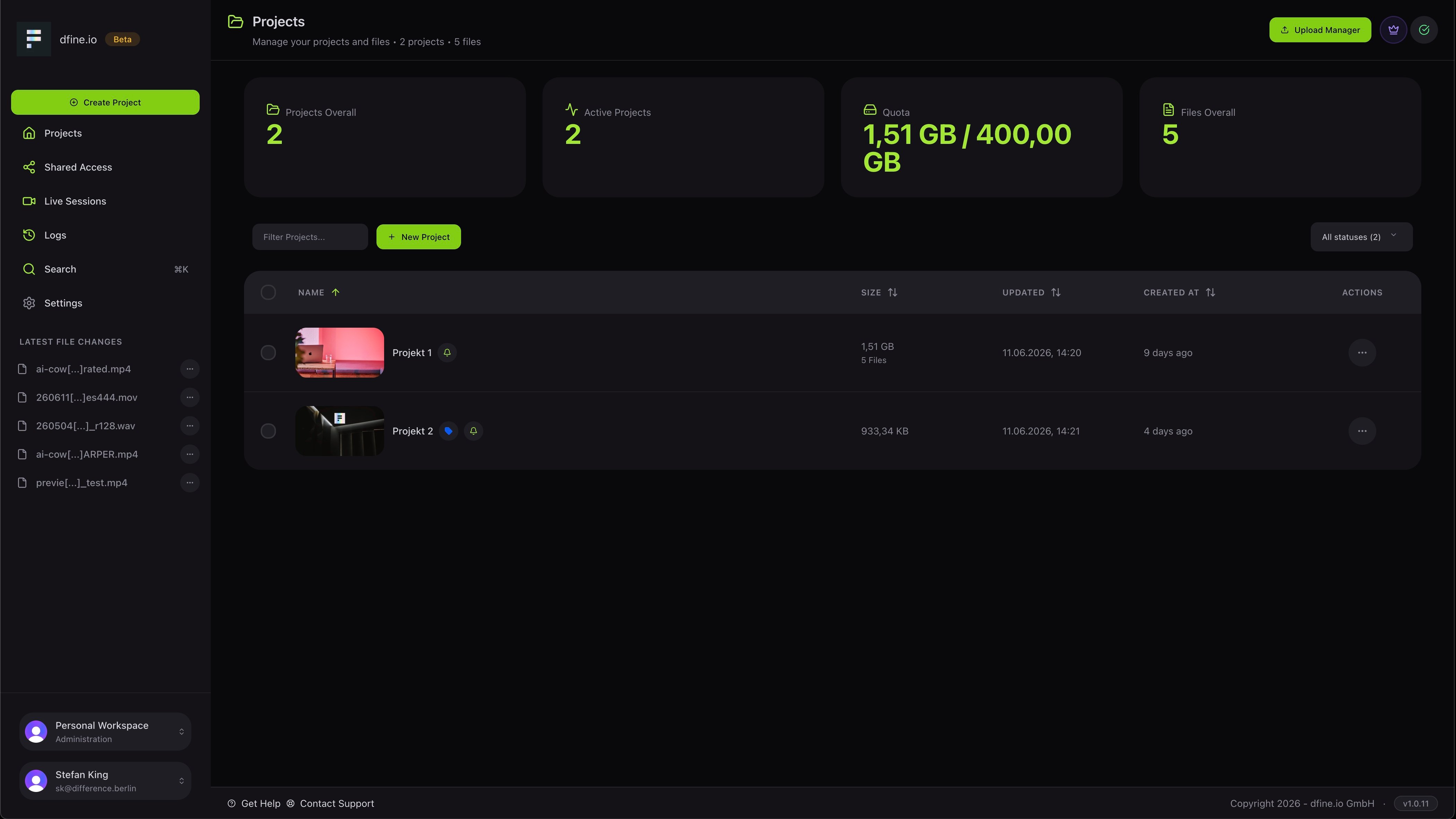 To start, click **Create project** or **New project**. Use the **Upload Manager** at the top right to add files at any time.
## Inside a project
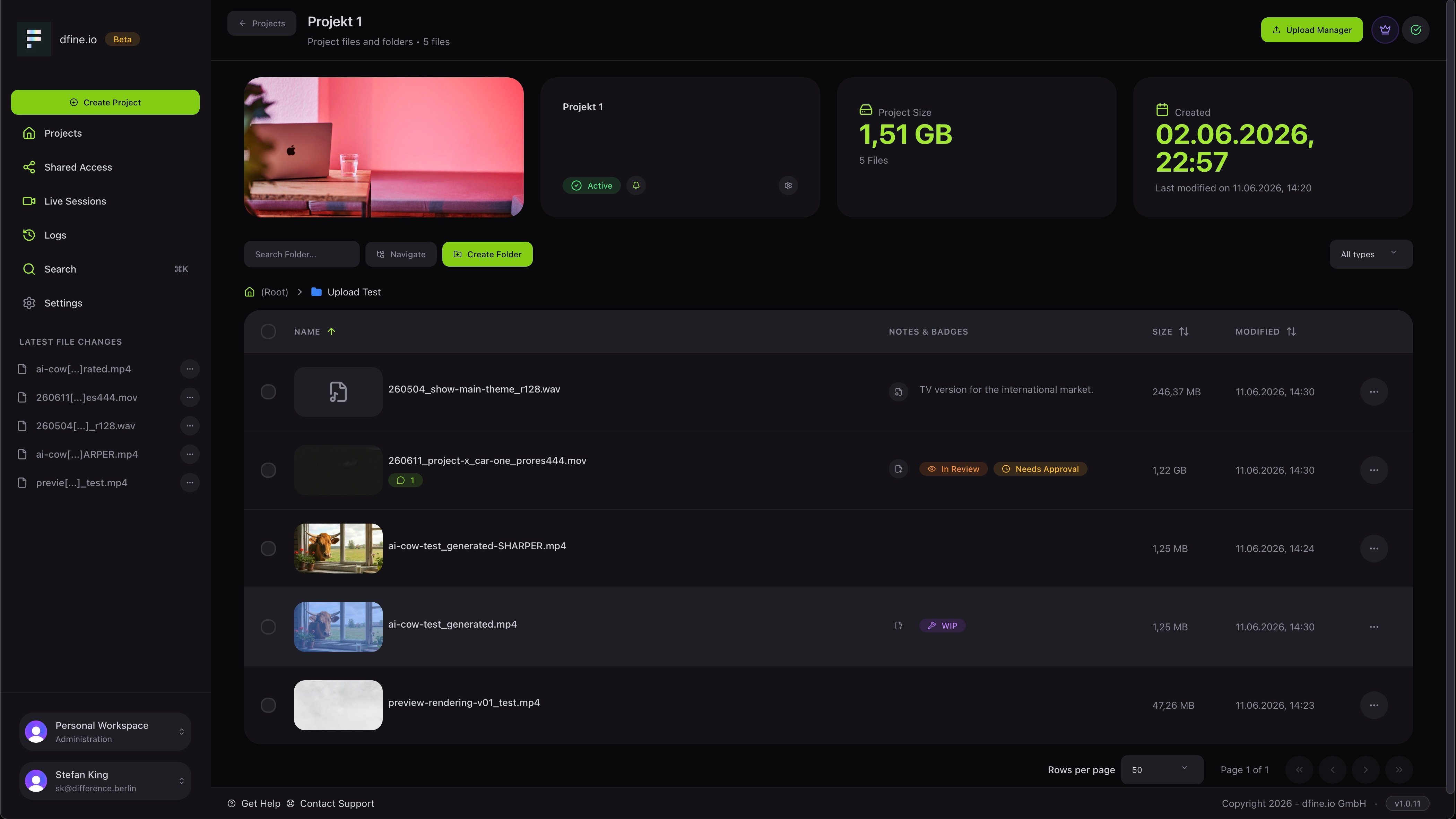
Open a project to see its files and folders. Each file shows its size, when it changed, and small badges and notes, for example **In Review**, **Needs Approval** or **WIP**, so the status is clear at a glance. You can create folders to keep large projects tidy.
To start, click **Create project** or **New project**. Use the **Upload Manager** at the top right to add files at any time.
## Inside a project
Open a project to see its files and folders. Each file shows its size, when it changed, and small badges and notes, for example **In Review**, **Needs Approval** or **WIP**, so the status is clear at a glance. You can create folders to keep large projects tidy.
 ## Act on files and folders
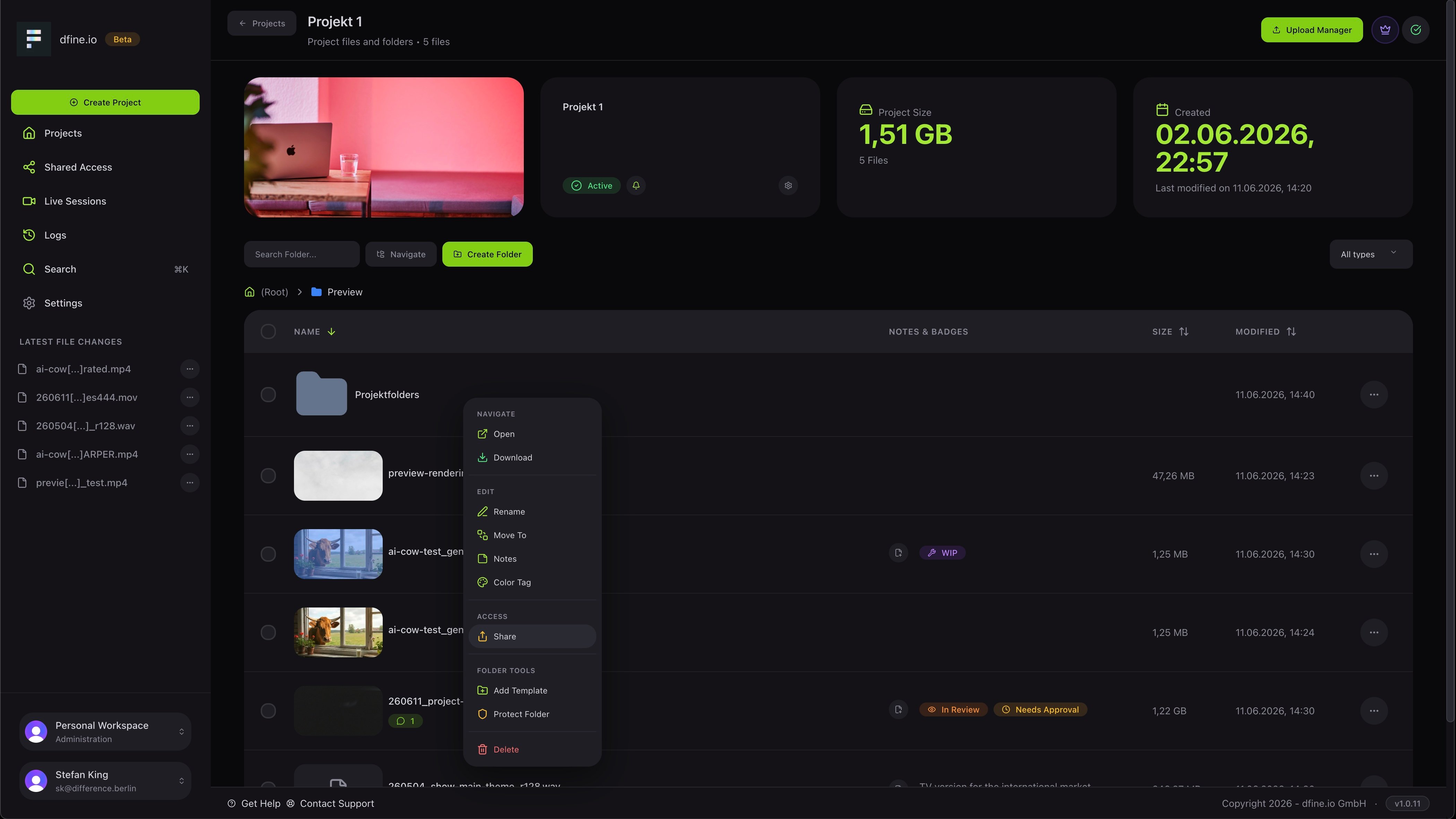
The menu on each row gives you everything in one place: open, download, rename, move, add a note, set a color tag, share, save as a template, protect with a password or delete.
## Act on files and folders
The menu on each row gives you everything in one place: open, download, rename, move, add a note, set a color tag, share, save as a template, protect with a password or delete.
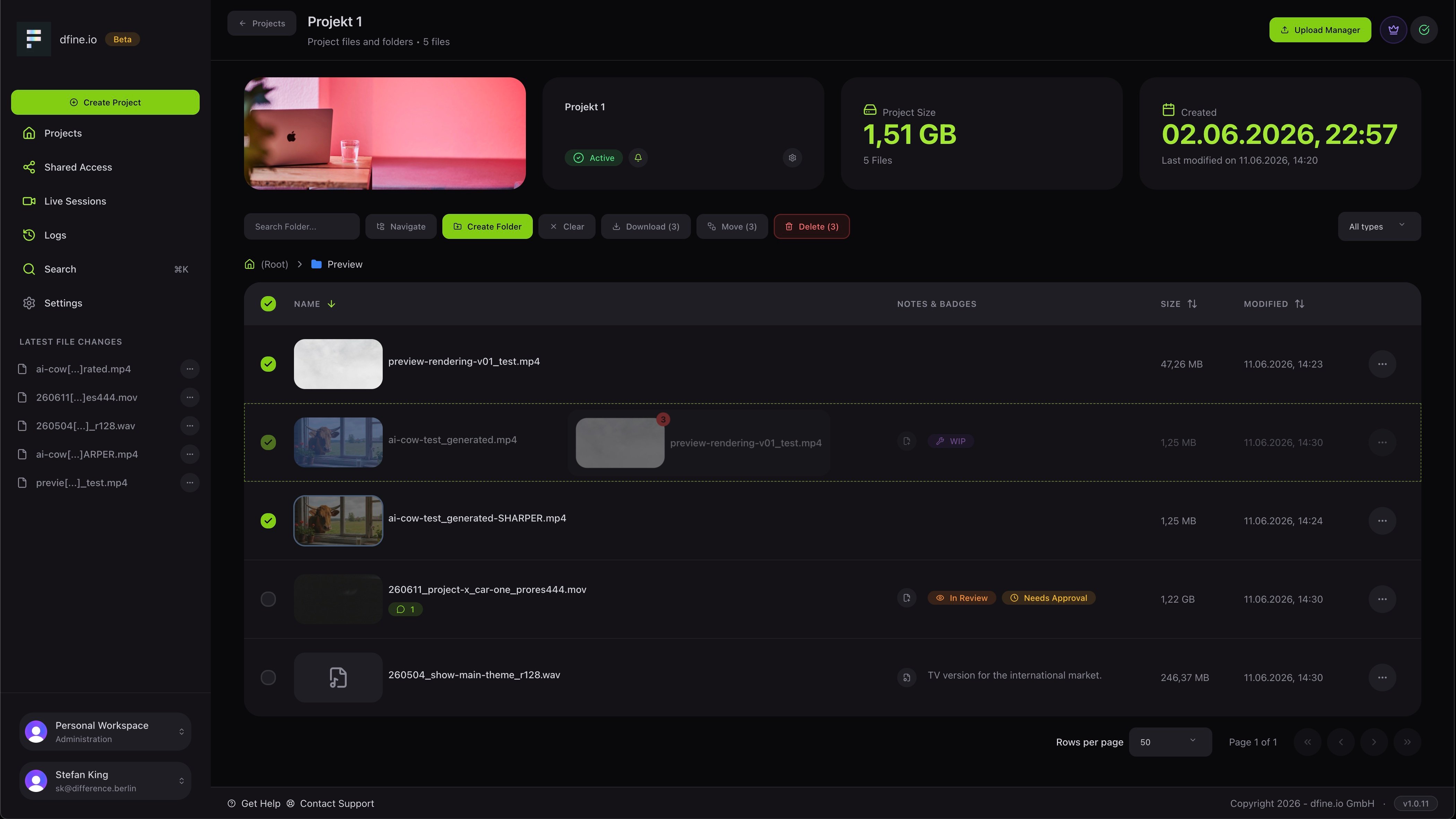
 You can also select several files at once and download, move or delete them together, and drag and drop a file onto another to link it as a new version.
 ## Preview a file
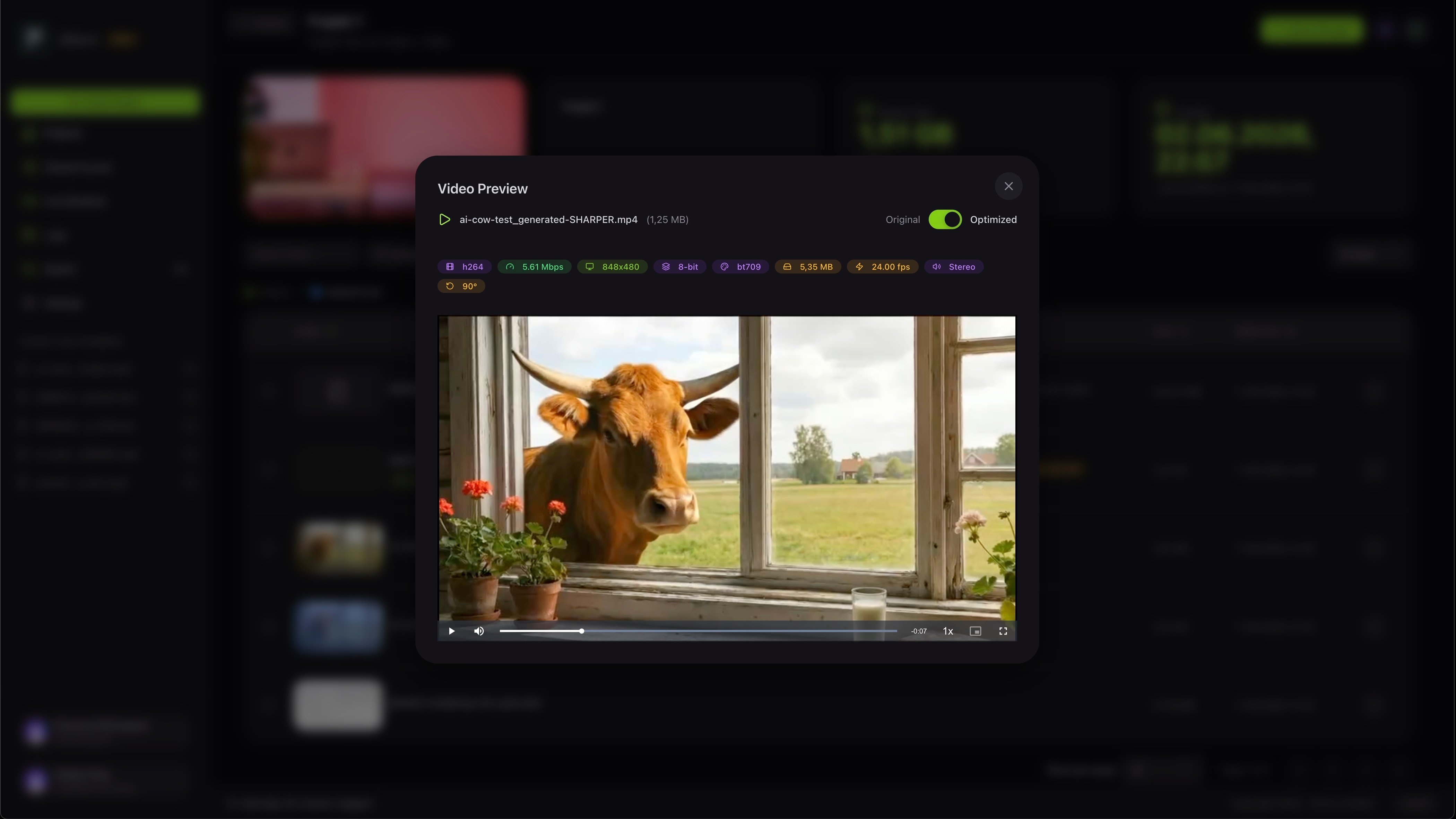
Open a quick preview to check a file without leaving the project. For video you can switch between the original and the optimised version and see the technical details at a glance.
## Preview a file
Open a quick preview to check a file without leaving the project. For video you can switch between the original and the optimised version and see the technical details at a glance.
 ## Find anything
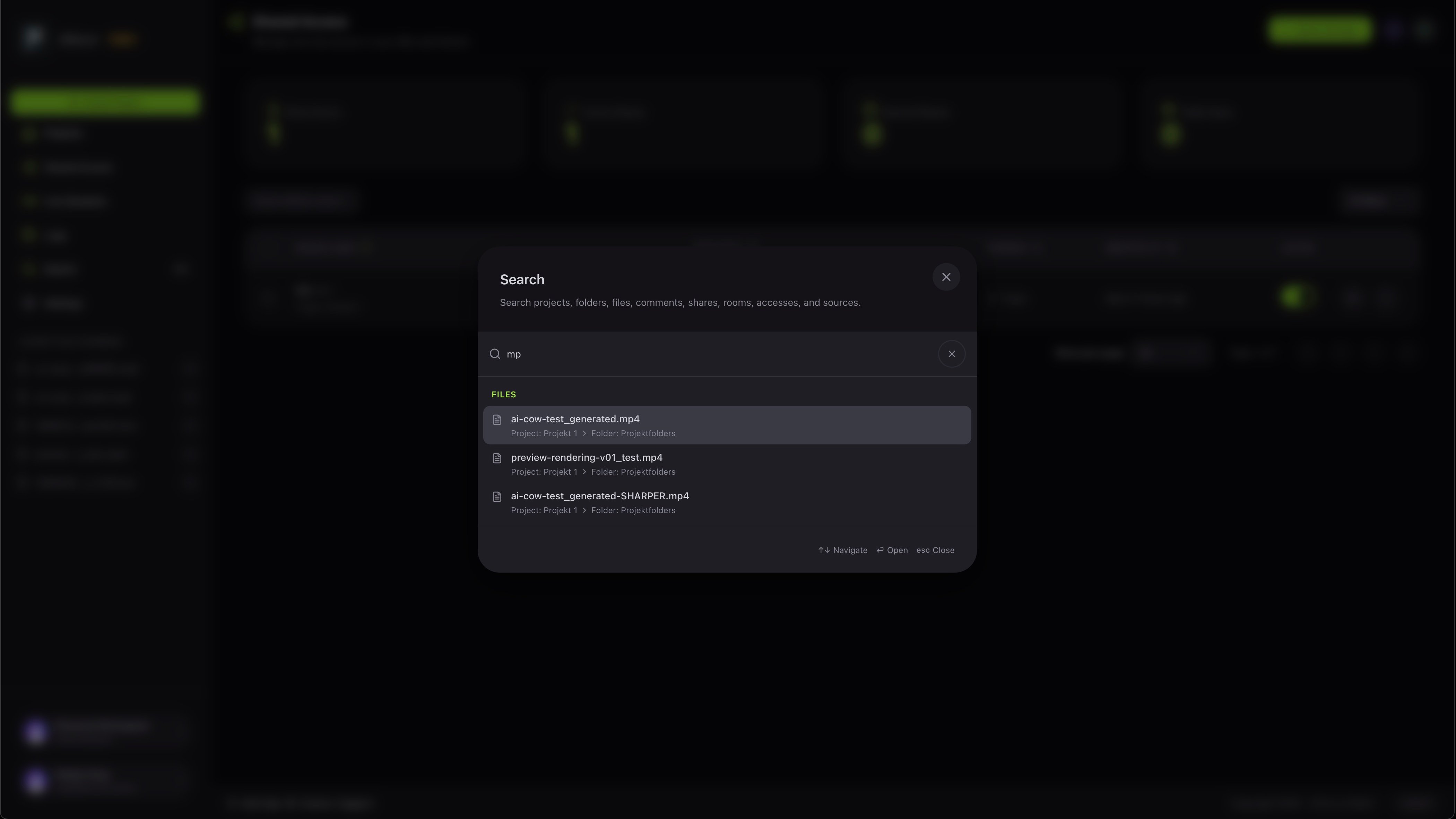
Press the search shortcut to find projects, folders, files, comments, shares, rooms and accesses from one box.
## Find anything
Press the search shortcut to find projects, folders, files, comments, shares, rooms and accesses from one box.
 Send a secure link so your client can review it.