> ## Documentation Index
> Fetch the complete documentation index at: https://docs.dfine.app/llms.txt
> Use this file to discover all available pages before exploring further.
# Where do I find my files, folders and versions?
> Projects hold your files and folders. Open a project, act on a file from its row menu, see its versions and find anything with ⌘K.
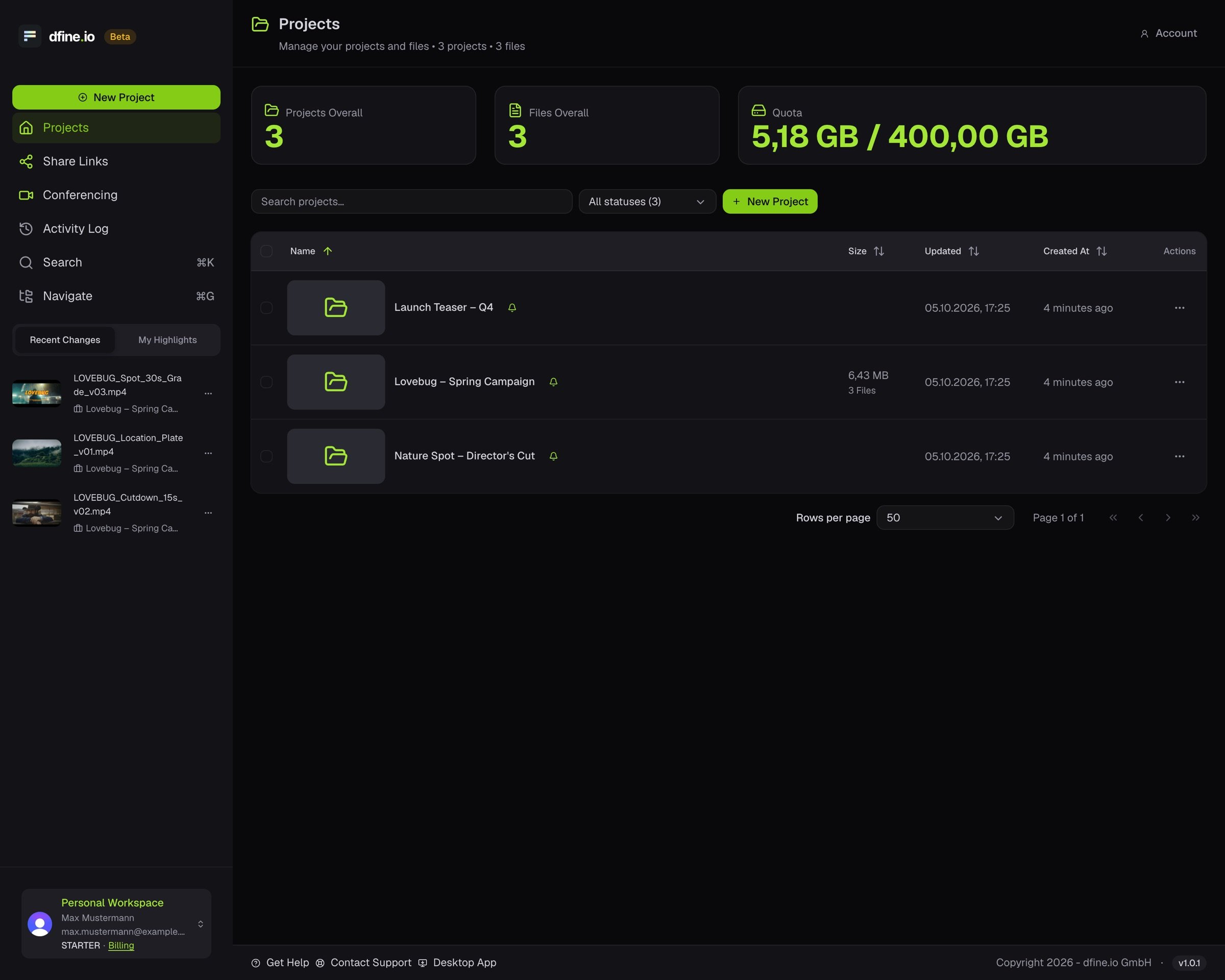
Everything you upload lives in a project. The **Projects** page is your home screen.
Click **Projects** in the sidebar. You see your projects and a **Quota** card with your storage in use. Your plan shows under your name at the bottom of the sidebar. The files you touched last sit in the sidebar under **Recent Changes**.
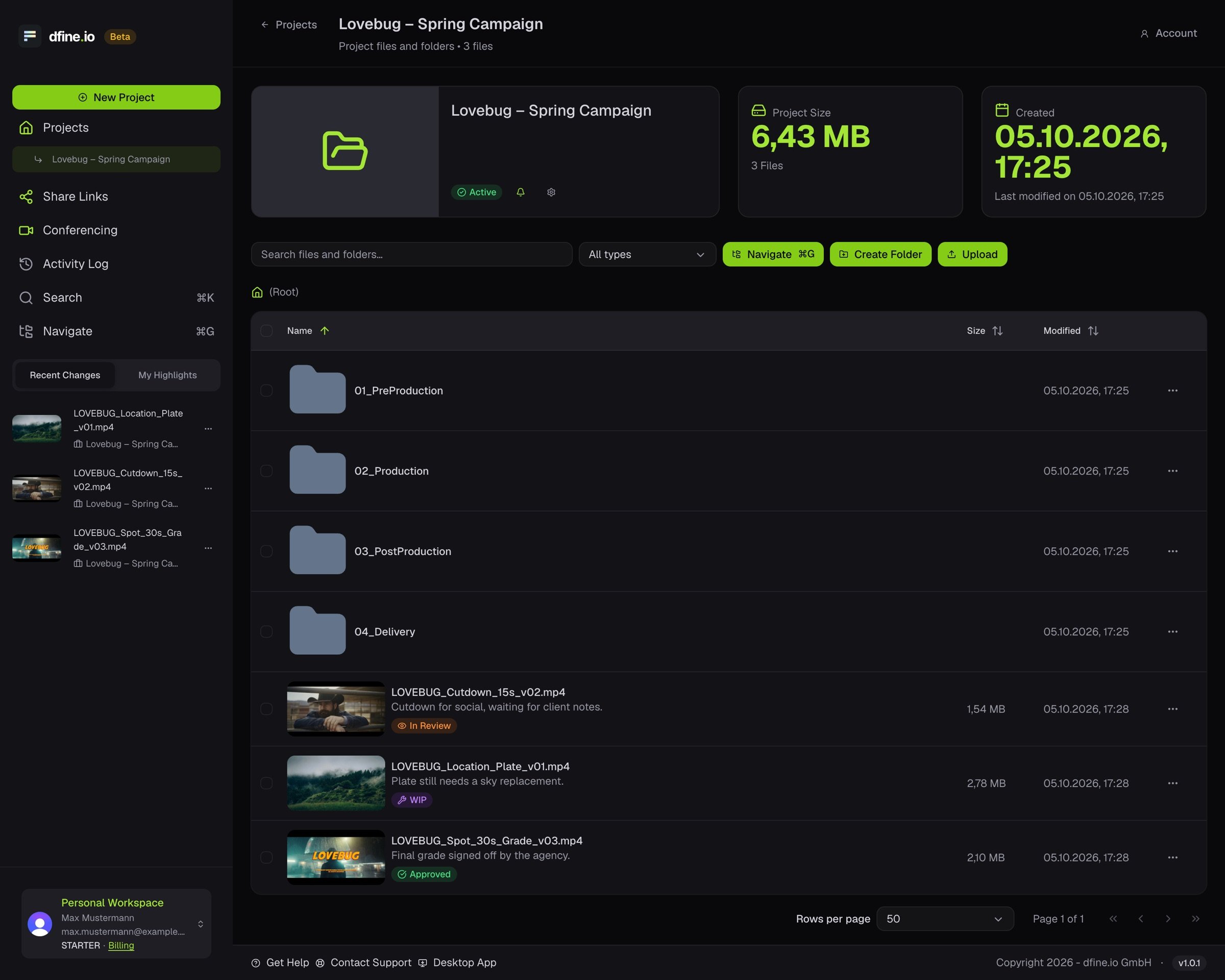
 Click a project. Each file shows its size, when it changed, and its badge: **WIP**, **In Review**, **Needs Approval** or **Approved**. **Upload** adds files, **Create Folder** adds a folder.
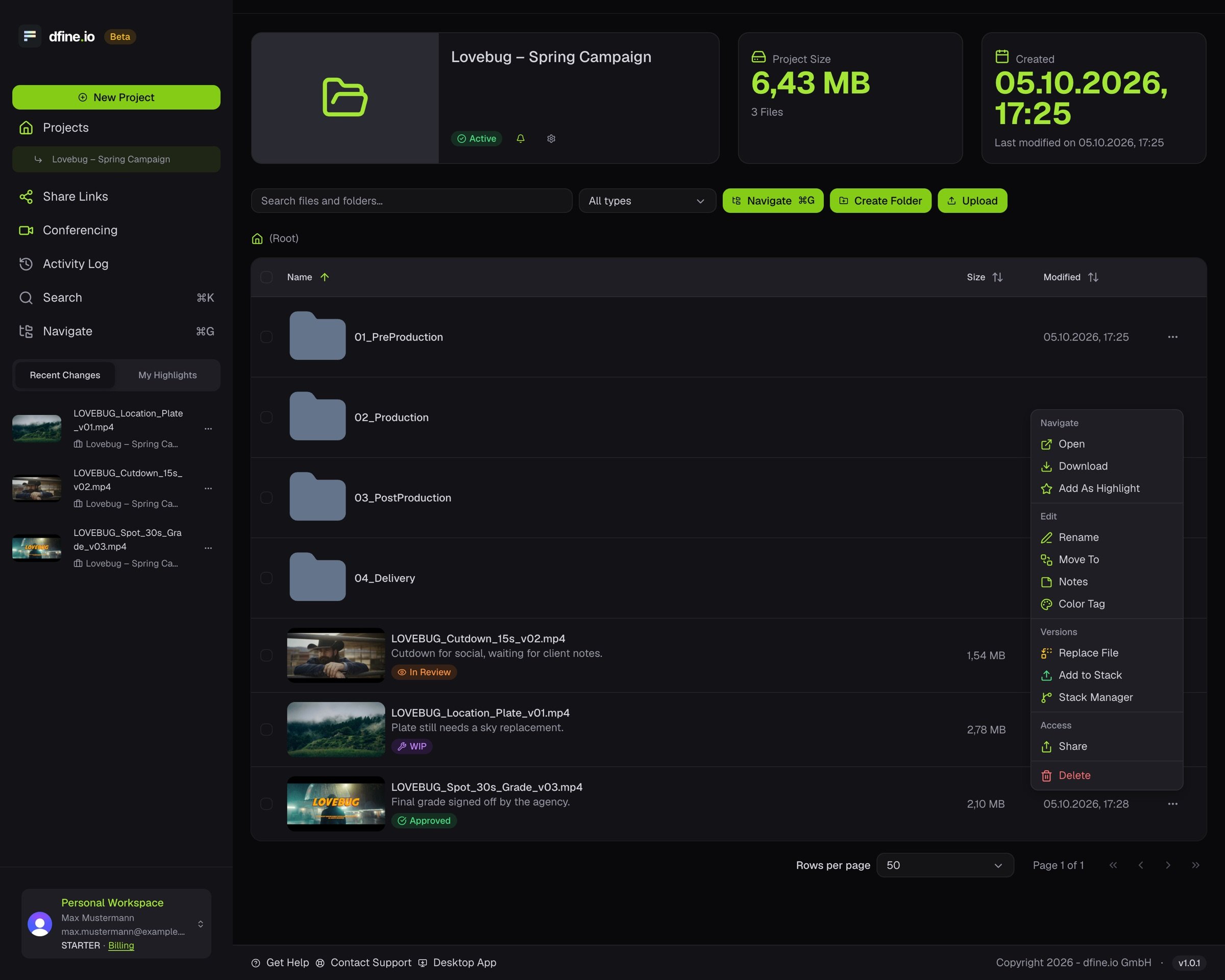
 The menu on each row holds every action for that file: open, download, rename, move, notes and badges, colour tag and **Share**. Under **Versions** you replace a file, add a new version to its stack or open the **Stack Manager**.
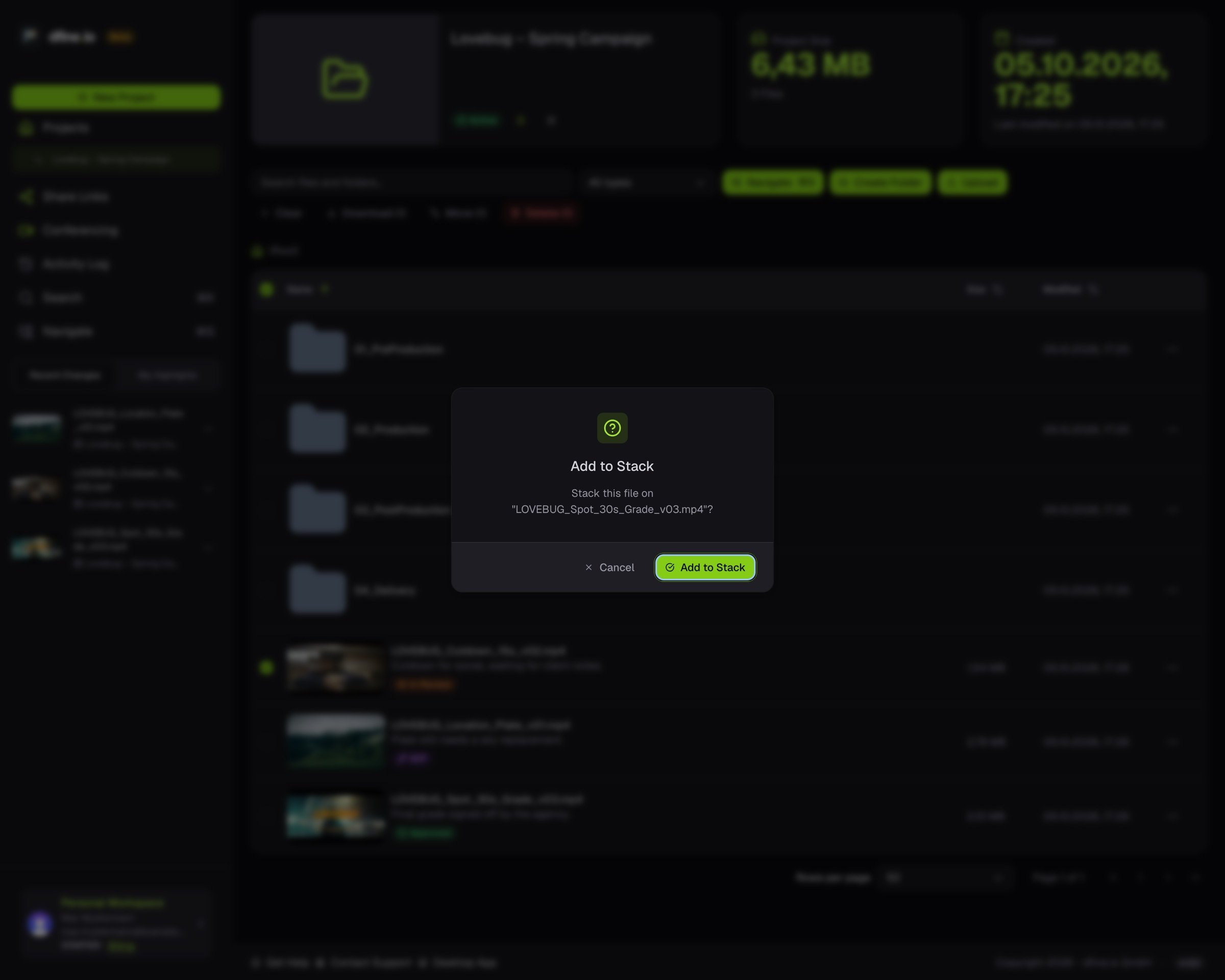
 **More than one file at once.** Tick several rows, and a bar above the table offers **Download**, **Move** and **Delete**. Drag a file onto another one to add it to that file's stack, then confirm in **Add to Stack**.
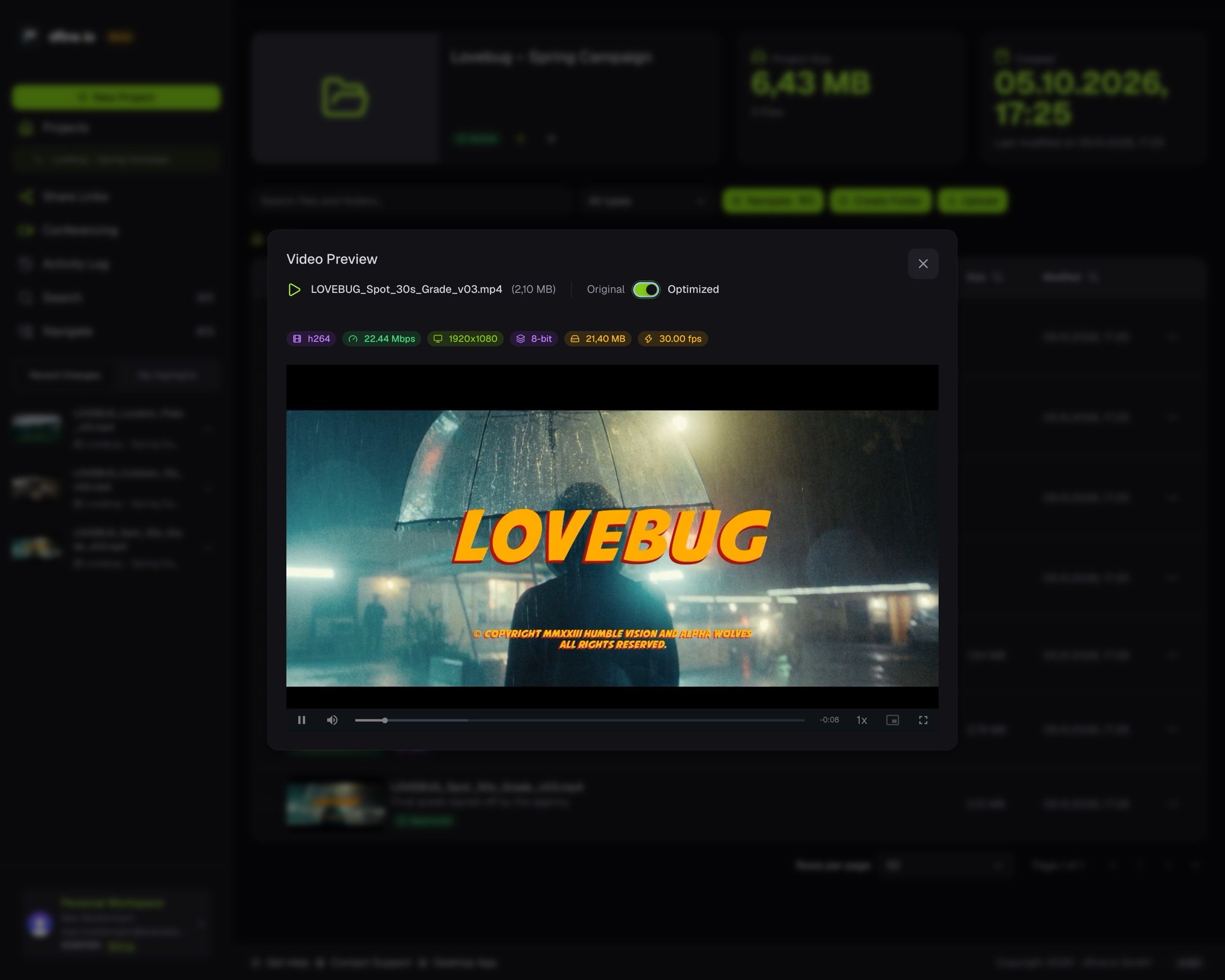
 **A quick look without leaving the project.** Click a file's thumbnail. For video you can switch between the original and the optimised version and read its technical details.
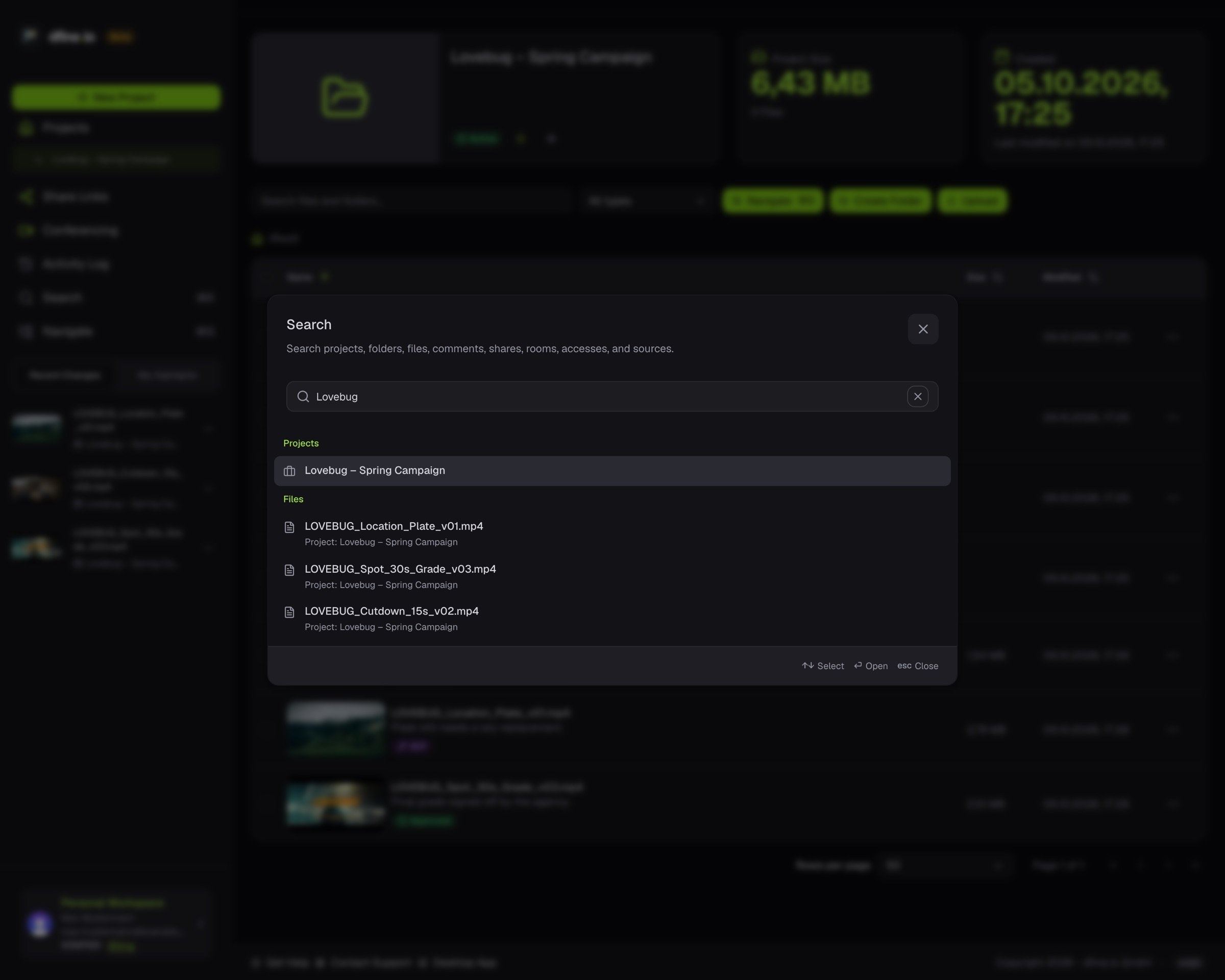
 **Anything else.** Press **⌘K**, or click **Search** in the sidebar, to find projects, folders, files, comments, shares, rooms, accesses and sources from one box.
 Which formats preview and which stay download-only: [File formats and limits](/en/reference/formats-and-limits).
This documentation is built and hosted on [Mintlify](https://mintlify.com), a developer documentation platform.
Which formats preview and which stay download-only: [File formats and limits](/en/reference/formats-and-limits).
This documentation is built and hosted on [Mintlify](https://mintlify.com), a developer documentation platform.