> ## Documentation Index
> Fetch the complete documentation index at: https://docs.dfine.app/llms.txt
> Use this file to discover all available pages before exploring further.
# Safety
> Auto-stop limits that end a stream on their own, so nothing keeps running unattended.
A live stream that nobody is watching still costs bandwidth, and it keeps showing whatever is on your timeline. These two limits end a session on their own when you are no longer there.
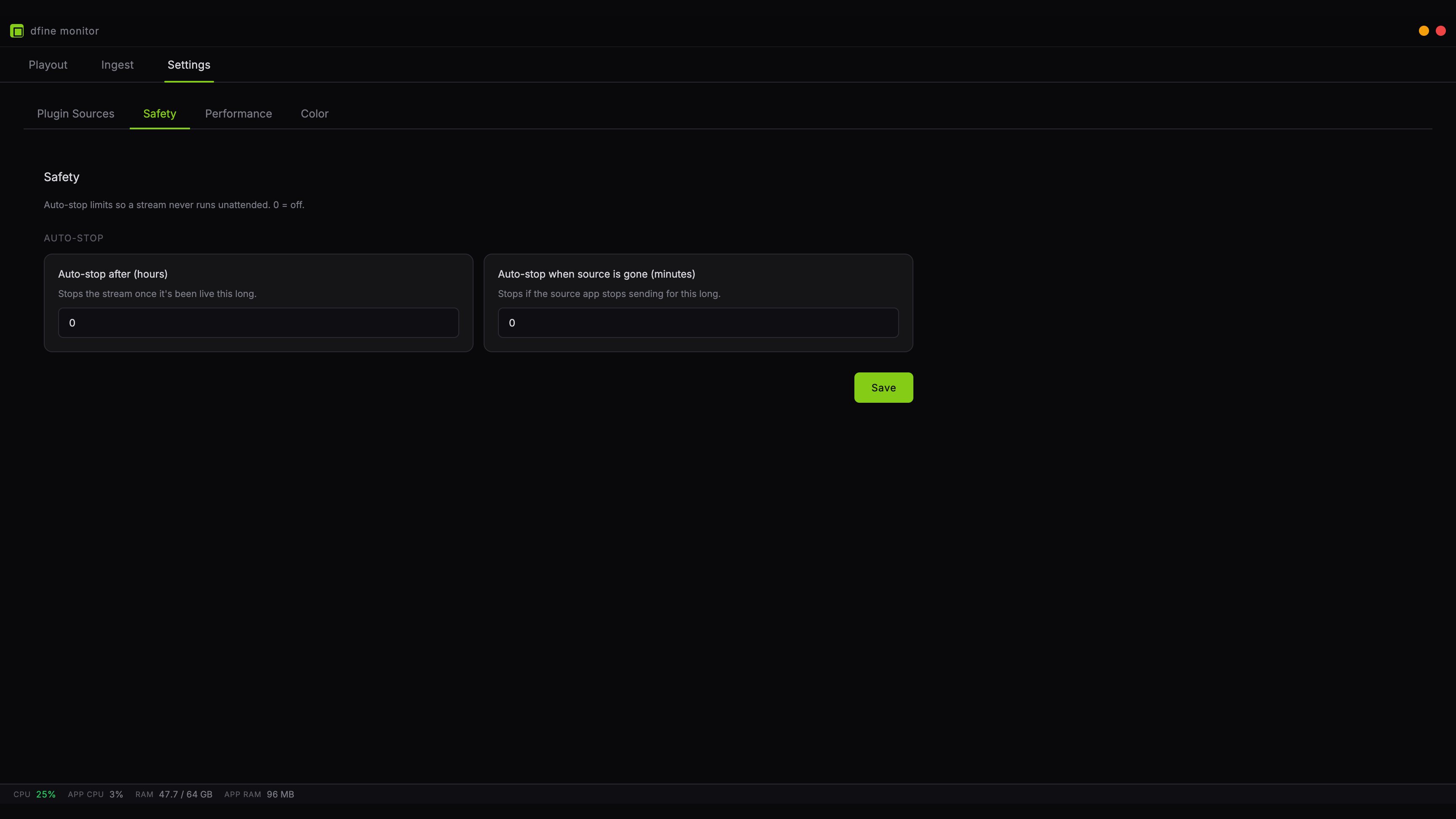 Both limits are off by default. Each one has its own switch, and its slider stays locked until you turn the switch on.
## Auto-stop after
Ends the stream once it has been live for the **Run time** you set, between 1 and 24 hours, 8 by default. This catches the session you started in the morning and forgot after the review call ended.
Pick a value slightly above your longest realistic session. Set it too tight and it will cut you off mid-sentence.
## Auto-stop when source is gone
Ends the stream when your editing application stops sending for the **Away for** time you set, between 1 and 60 minutes, 10 by default. This is the one that catches a crashed Premiere, a closed laptop lid, or a quit Resolve.
A paused timeline does not count as gone. As long as the plugin stays connected, the stream holds the last picture and this limit does not run. A host that stops its output while it sits in the background does count as gone, so the clock starts even though the application is still open.
The default of ten minutes works for most people. Long enough to survive a brief hiccup, short enough that a forgotten session does not run all night.
## Saving
Click **Save**. The limits apply to the next stream you start, not to one that is already running.
Both limits are off by default. Each one has its own switch, and its slider stays locked until you turn the switch on.
## Auto-stop after
Ends the stream once it has been live for the **Run time** you set, between 1 and 24 hours, 8 by default. This catches the session you started in the morning and forgot after the review call ended.
Pick a value slightly above your longest realistic session. Set it too tight and it will cut you off mid-sentence.
## Auto-stop when source is gone
Ends the stream when your editing application stops sending for the **Away for** time you set, between 1 and 60 minutes, 10 by default. This is the one that catches a crashed Premiere, a closed laptop lid, or a quit Resolve.
A paused timeline does not count as gone. As long as the plugin stays connected, the stream holds the last picture and this limit does not run. A host that stops its output while it sits in the background does count as gone, so the clock starts even though the application is still open.
The default of ten minutes works for most people. Long enough to survive a brief hiccup, short enough that a forgotten session does not run all night.
## Saving
Click **Save**. The limits apply to the next stream you start, not to one that is already running.