> ## Documentation Index
> Fetch the complete documentation index at: https://docs.dfine.app/llms.txt
> Use this file to discover all available pages before exploring further.
# Live sessions and conferencing
> Run a live review session with video conferencing, external sources and access codes.
Conferencing lets you run a review as a live session. Instead of leaving comments for later, you and your client watch the work together in a room, talk it through and draw on the picture in real time.
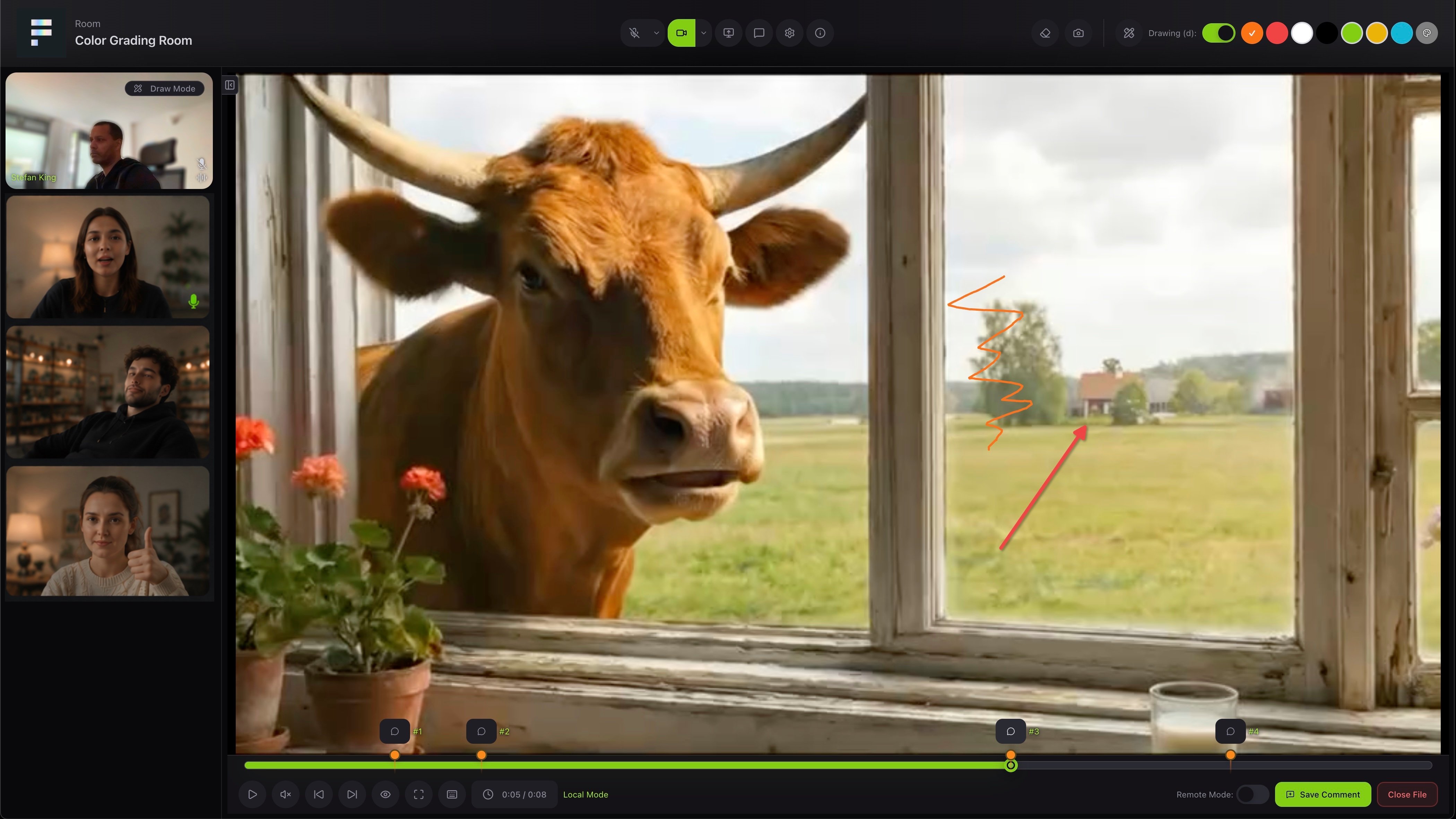 Everyone in the room sees the same file. You can draw and mark up the picture together, jump between comment points on the timeline, and save what you discuss as a comment, so nothing gets lost after the call. Conferencing is part of a paid plan. On the free plan you see an invitation to upgrade.
## Rooms
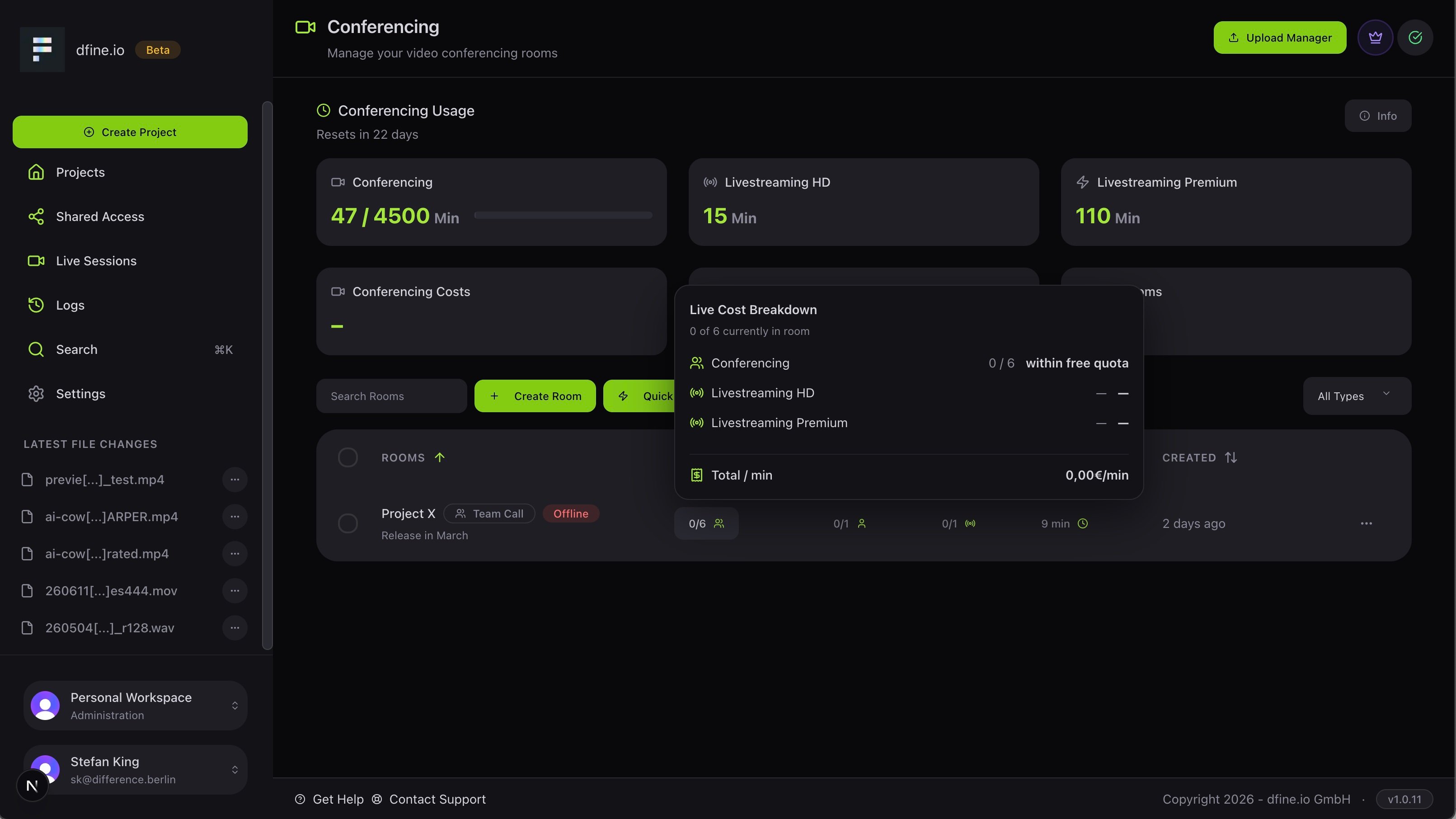
Open **Live Sessions** to manage your rooms. Create one with **Create Room**, or use **Quick Create** to get going in one click. Each room shows its participants, accesses, sources and usage at a glance.
Everyone in the room sees the same file. You can draw and mark up the picture together, jump between comment points on the timeline, and save what you discuss as a comment, so nothing gets lost after the call. Conferencing is part of a paid plan. On the free plan you see an invitation to upgrade.
## Rooms
Open **Live Sessions** to manage your rooms. Create one with **Create Room**, or use **Quick Create** to get going in one click. Each room shows its participants, accesses, sources and usage at a glance.
 ## Sources
Sources bring external video from a hardware or software encoder into the room. Open a room, **Edit** it and go to the **Sources** tab to add one. Choose **WHIP** for a premium passthrough or **RTMP** for HD, and each source gives you a Server URL and a stream key. Each active source counts as one participant and uses a room slot.
Where to copy the values your encoder needs.
## Accesses
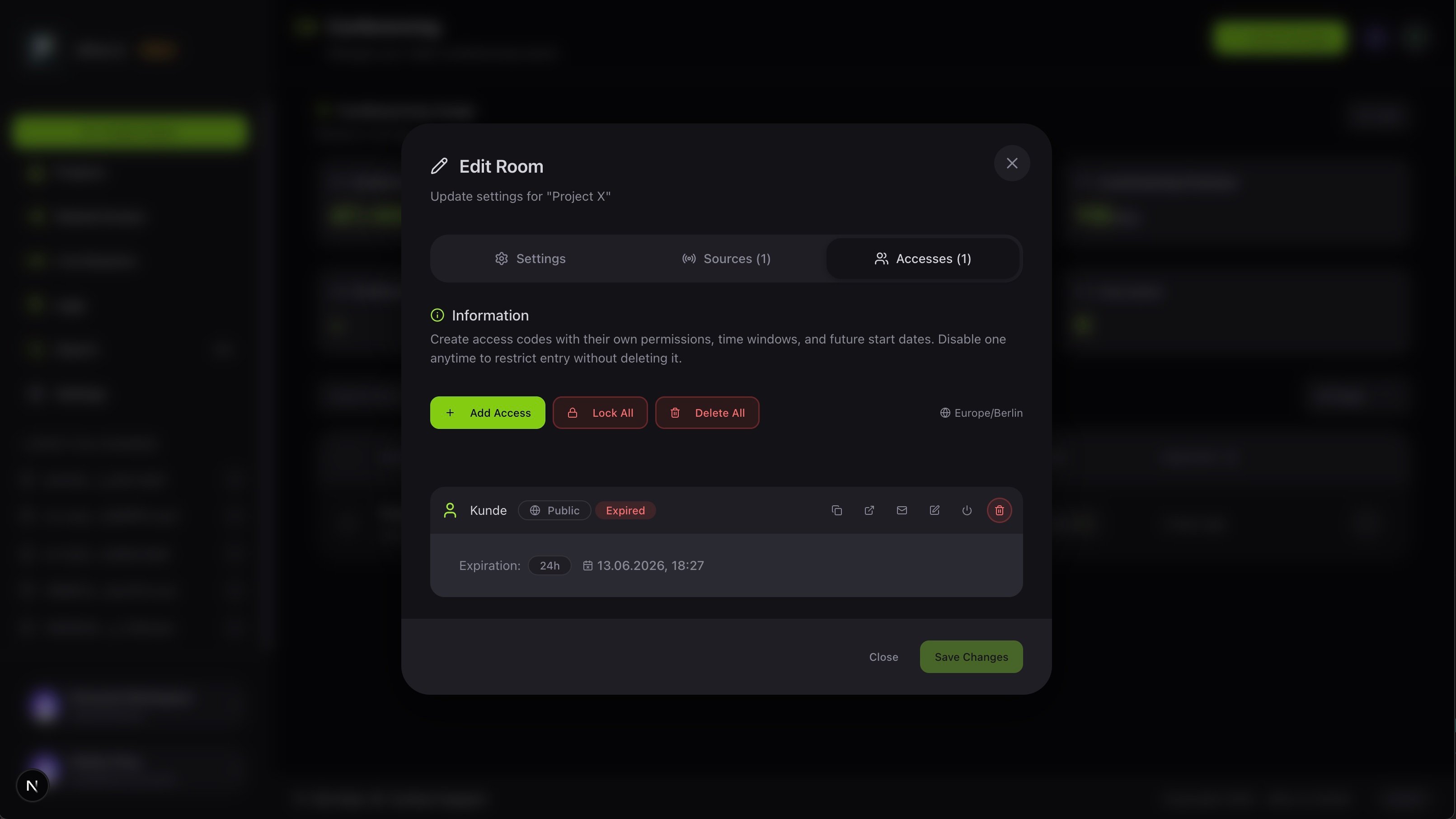
In the **Accesses** tab you create access codes, each with its own permissions, time window and start date. Turn one off any time to block entry without deleting it.
## Sources
Sources bring external video from a hardware or software encoder into the room. Open a room, **Edit** it and go to the **Sources** tab to add one. Choose **WHIP** for a premium passthrough or **RTMP** for HD, and each source gives you a Server URL and a stream key. Each active source counts as one participant and uses a room slot.
Where to copy the values your encoder needs.
## Accesses
In the **Accesses** tab you create access codes, each with its own permissions, time window and start date. Turn one off any time to block entry without deleting it.
 See which plan includes conferencing.