> ## Documentation Index
> Fetch the complete documentation index at: https://docs.dfine.app/llms.txt
> Use this file to discover all available pages before exploring further.
# Performance
> How the stream behaves when your network gets tight: pick a preset, or set the bitrate floor and start value yourself.
Your connection is never perfectly steady. This is where you decide what the stream should do about it: hold the quality and risk stuttering, or give up quality to keep moving.
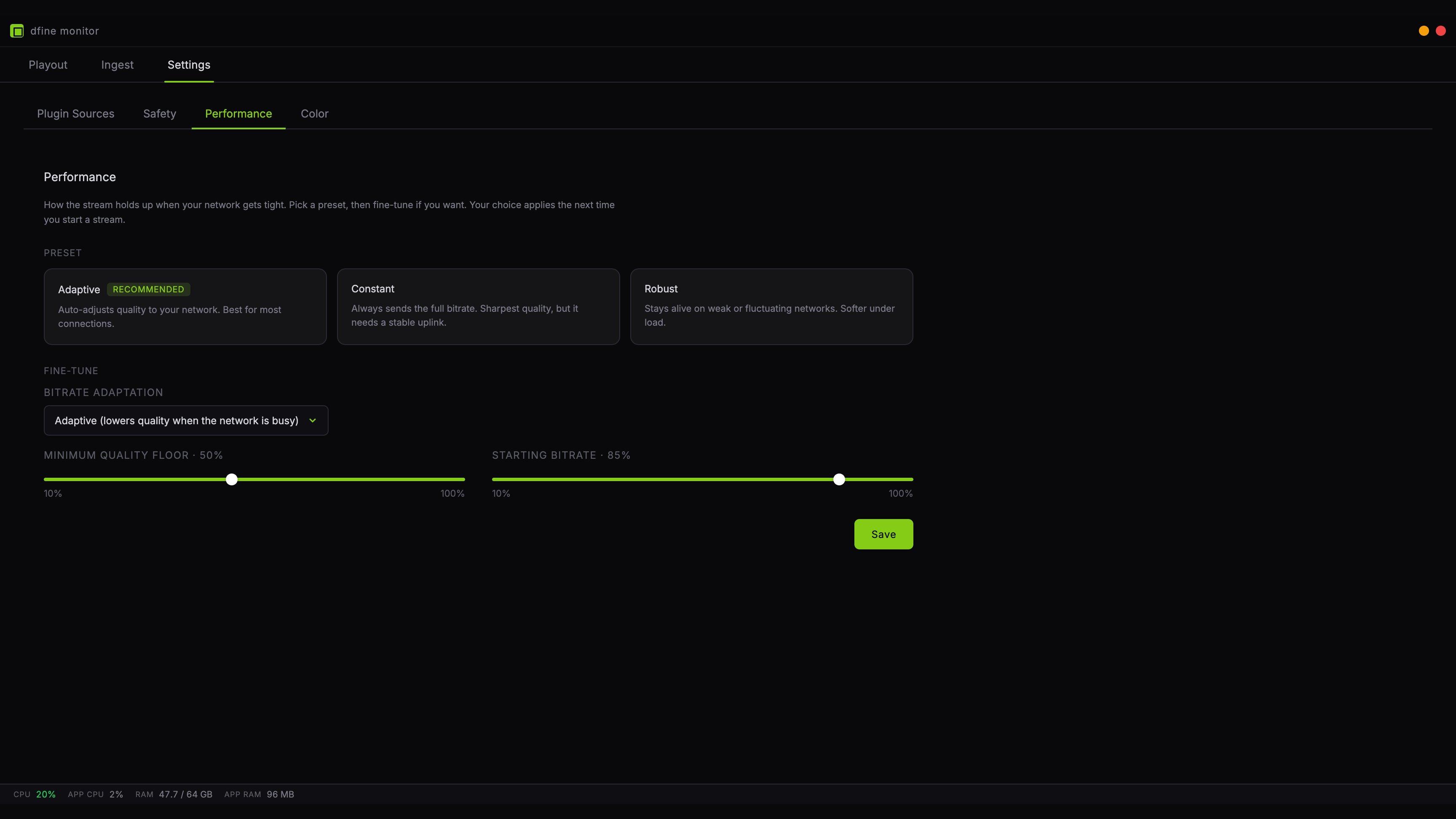 ## Pick a preset
Three presets cover the usual situations. Each one loads its values into the fields below, where you can still adjust them.
**Adaptive** watches the connection and lowers quality when the line gets busy, then comes back up. This is right for almost everyone and it is the default.
**Constant** always sends the full bitrate and never adapts. The sharpest picture you can get, but on a weak line it stutters instead of softening. Use it when you know the connection holds, for example on a wired office line.
**Robust** gives up quality earlier and more willingly. On a hotel connection or a mobile hotspot this keeps the picture moving where Adaptive would still be fighting.
## Fine-tune
Below the presets are the individual values. Change one and the preset selection simply releases, because your configuration is now your own.
**Bitrate adaptation** switches the automatic control on or off. This is what separates Constant from the other two.
**Minimum quality floor** is how far the automatic control may go down, as a percentage of your bitrate. Without a floor, a brief burst of motion can push the quality down much further than necessary, and the picture takes a while to recover. Fifty percent is a sensible lower bound for most lines.
**Starting bitrate** is what the encoder begins with, before the automatic control has measured anything. At one hundred percent the picture is sharp from the first frame, but on a weak line the first seconds may stutter until the control pulls back. A lower value starts safely and sharpens within a few seconds.
With **Constant** both values have no effect, so they are dimmed. Without automatic control there is nothing to limit.
## What it does not change
The bitrate itself lives on the **Ingest** tab. Everything here decides how that bitrate is used, not how high it is.
## Saving
Click **Save**. The settings apply the next time you start a stream, not to one that is already running.
## Pick a preset
Three presets cover the usual situations. Each one loads its values into the fields below, where you can still adjust them.
**Adaptive** watches the connection and lowers quality when the line gets busy, then comes back up. This is right for almost everyone and it is the default.
**Constant** always sends the full bitrate and never adapts. The sharpest picture you can get, but on a weak line it stutters instead of softening. Use it when you know the connection holds, for example on a wired office line.
**Robust** gives up quality earlier and more willingly. On a hotel connection or a mobile hotspot this keeps the picture moving where Adaptive would still be fighting.
## Fine-tune
Below the presets are the individual values. Change one and the preset selection simply releases, because your configuration is now your own.
**Bitrate adaptation** switches the automatic control on or off. This is what separates Constant from the other two.
**Minimum quality floor** is how far the automatic control may go down, as a percentage of your bitrate. Without a floor, a brief burst of motion can push the quality down much further than necessary, and the picture takes a while to recover. Fifty percent is a sensible lower bound for most lines.
**Starting bitrate** is what the encoder begins with, before the automatic control has measured anything. At one hundred percent the picture is sharp from the first frame, but on a weak line the first seconds may stutter until the control pulls back. A lower value starts safely and sharpens within a few seconds.
With **Constant** both values have no effect, so they are dimmed. Without automatic control there is nothing to limit.
## What it does not change
The bitrate itself lives on the **Ingest** tab. Everything here decides how that bitrate is used, not how high it is.
## Saving
Click **Save**. The settings apply the next time you start a stream, not to one that is already running.