> ## Documentation Index
> Fetch the complete documentation index at: https://docs.dfine.app/llms.txt
> Use this file to discover all available pages before exploring further.
# Help, logs and updates
> The Help dialog of dfine.io Studio, debug logging and where the logs are, updates, and what to do when Studio does not start.
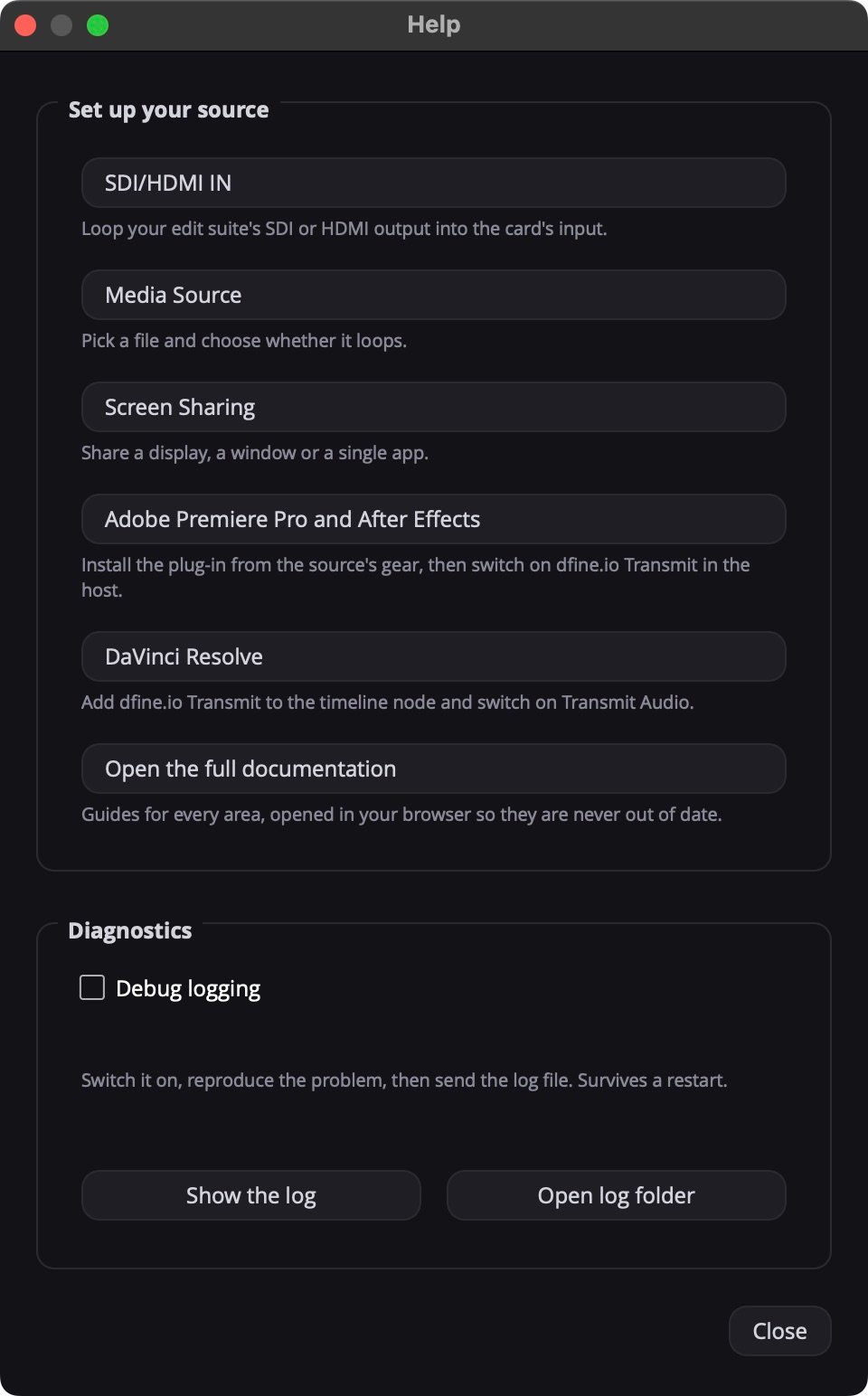
**Help** under the Stream panel opens a short guide per source and the diagnostics.
 ## Send a log to support
Tick **Debug logging** under **Diagnostics**. It stays on after a restart.
Do what went wrong once more.
Click **Open log folder** and send the newest file to [support@dfine.io](mailto:support@dfine.io). **Show the log** opens it directly.
Studio's logs are in `~/Library/Application Support/dfine-studio/logs/`. The host plug-ins write `~/.dfine-monitor/logs/transmit.log` while Debug logging is on.
## Updates
Studio checks for a new version when it starts. The Stream panel then says **Version … is out. Download it here.**
## When something is off
See [Streaming from dfine.io Studio](/en/troubleshooting/studio), sorted by symptom.
This documentation is built and hosted on [Mintlify](https://mintlify.com), a developer documentation platform.
## Send a log to support
Tick **Debug logging** under **Diagnostics**. It stays on after a restart.
Do what went wrong once more.
Click **Open log folder** and send the newest file to [support@dfine.io](mailto:support@dfine.io). **Show the log** opens it directly.
Studio's logs are in `~/Library/Application Support/dfine-studio/logs/`. The host plug-ins write `~/.dfine-monitor/logs/transmit.log` while Debug logging is on.
## Updates
Studio checks for a new version when it starts. The Stream panel then says **Version … is out. Download it here.**
## When something is off
See [Streaming from dfine.io Studio](/en/troubleshooting/studio), sorted by symptom.
This documentation is built and hosted on [Mintlify](https://mintlify.com), a developer documentation platform.