> ## Documentation Index
> Fetch the complete documentation index at: https://docs.dfine.app/llms.txt
> Use this file to discover all available pages before exploring further.
# OBS-Encoder-Einstellungen
> Setzen Sie vor Ihrem ersten Stream die Output-, Video- und Farbeinstellungen in OBS, die Streaming Classic erwartet.
Setzen Sie diese Werte einmal in OBS, bevor Sie zum ersten Mal streamen. Es sind die Werte aus [Encoder-Einstellungen](/de/streaming-classic/encoder-settings), an den Stellen, an denen OBS sie führt.
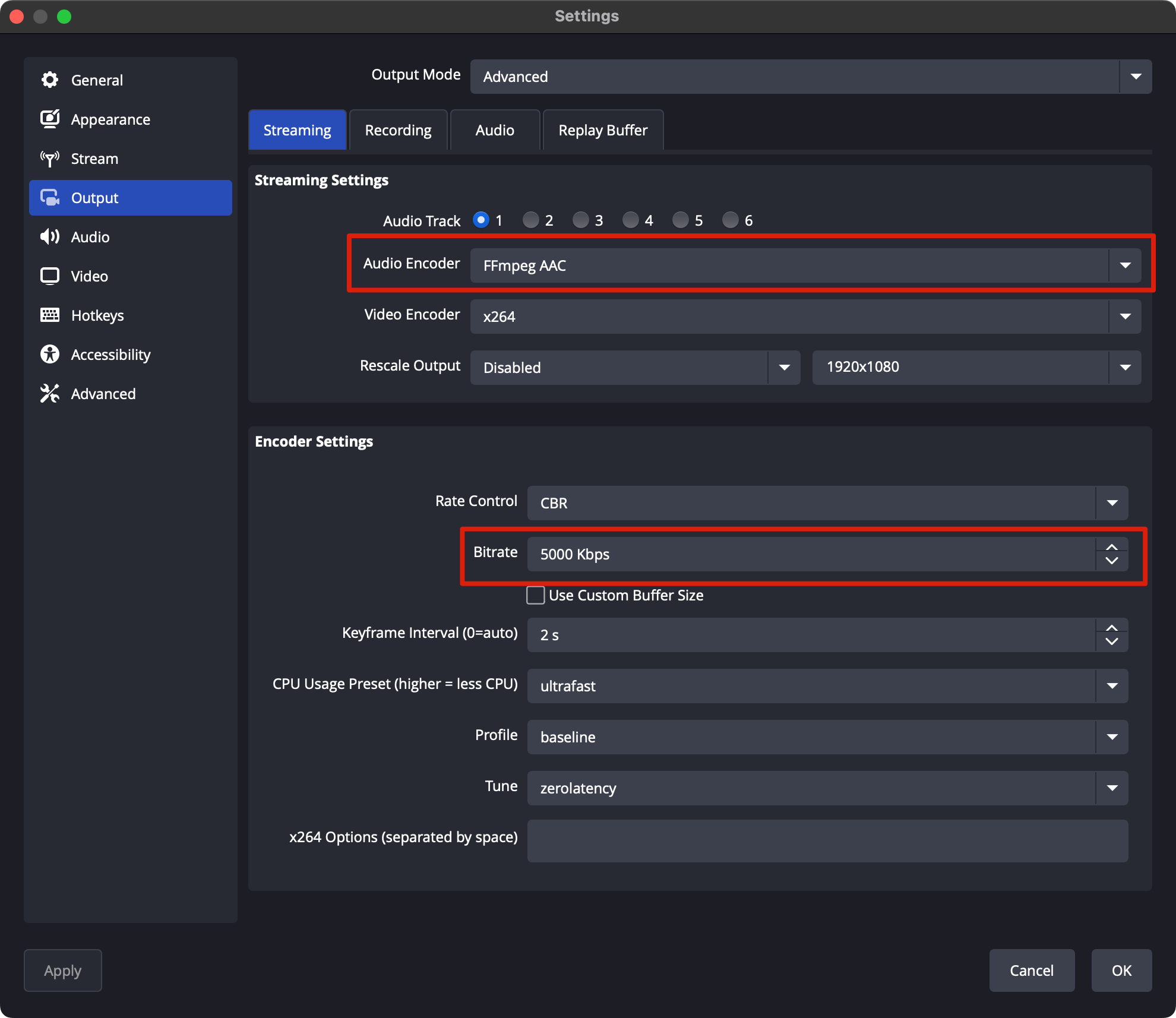
Öffnen Sie **Settings → Output** und stellen Sie **Output Mode** auf **Advanced**. Öffnen Sie dann den Tab **Streaming**.
Übernehmen Sie diese Werte:
| Einstellung | Wert |
| - | - |
| Video Encoder | x264 |
| Rate Control | CBR |
| Bitrate | 5000 Kbps für 1080p, innerhalb Ihres Tarifs. Im Free-Tarif 450 Kbps |
| Keyframe Interval | 1 s |
| CPU Usage Preset | ultrafast |
| Profile | main |
| Tune | zerolatency |
 Stellen Sie unter **Settings → Video** die **Base (Canvas) Resolution** und die **Output (Scaled) Resolution** auf Ihre Quelle, zum Beispiel 1920x1080, und wählen Sie die Bildrate Ihrer Quelle.
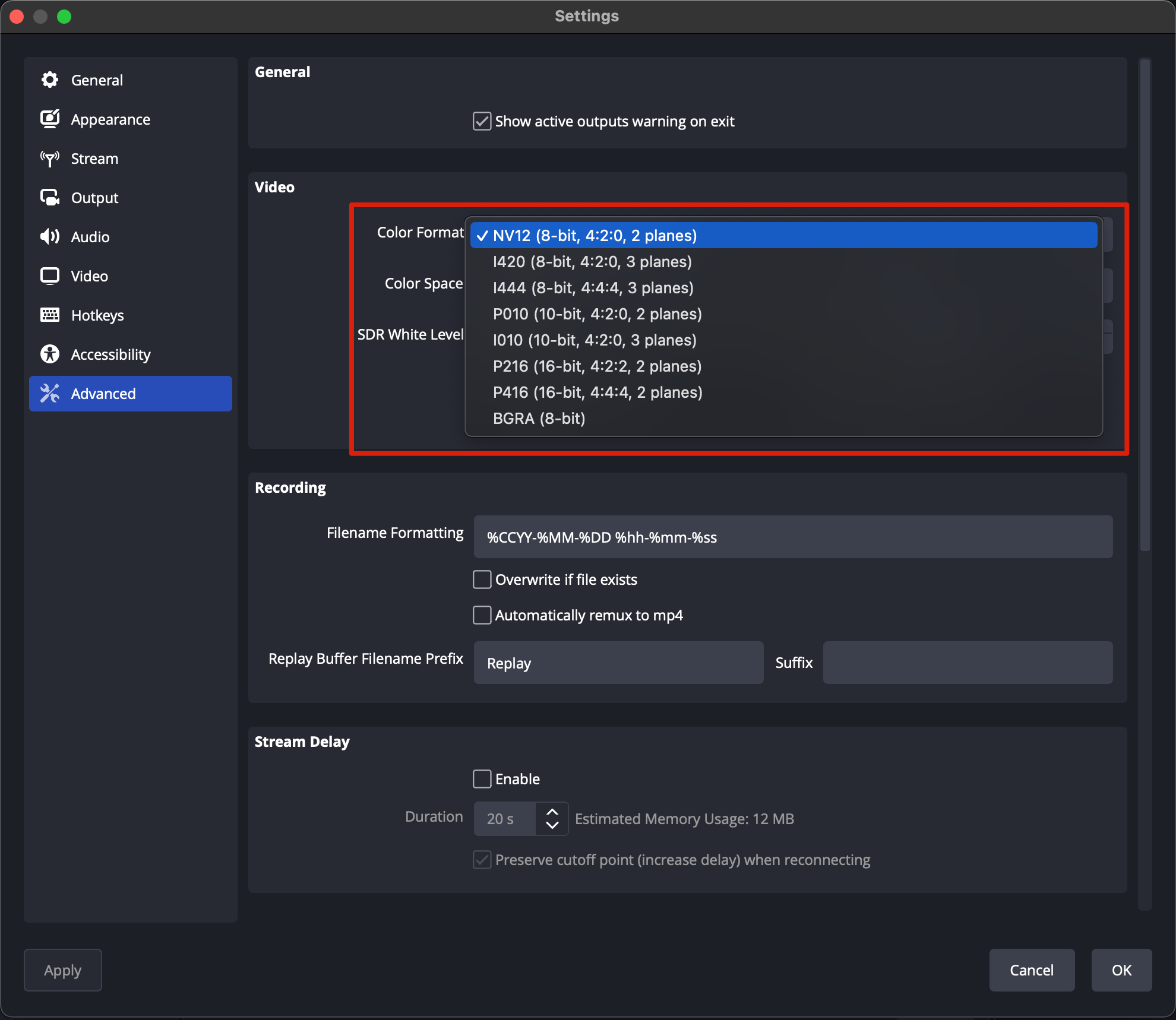
Stellen Sie unter **Settings → Advanced** das **Color Format** auf **NV12**, den **Color Space** auf **Rec. 709** und die **Color Range** auf **Limited**. H.264 überträgt 8 Bit.
Stellen Sie unter **Settings → Video** die **Base (Canvas) Resolution** und die **Output (Scaled) Resolution** auf Ihre Quelle, zum Beispiel 1920x1080, und wählen Sie die Bildrate Ihrer Quelle.
Stellen Sie unter **Settings → Advanced** das **Color Format** auf **NV12**, den **Color Space** auf **Rec. 709** und die **Color Range** auf **Limited**. H.264 überträgt 8 Bit.
 Tragen Sie Ihre Ingest-URL und Ihren Stream Key ein und gehen Sie live.
This documentation is built and hosted on [Mintlify](https://mintlify.com), a developer documentation platform.
Tragen Sie Ihre Ingest-URL und Ihren Stream Key ein und gehen Sie live.
This documentation is built and hosted on [Mintlify](https://mintlify.com), a developer documentation platform.